


Introduction: The AI Coding Revolution Taking Over Indian Engineering Campuses
The pace at which AI is transforming how we write code has been nothing short of revolutionary. As an engineering student in India, you've probably noticed this trend sweeping across campuses and hackathons alike. From IITs to local engineering colleges, students are increasingly embracing AI-powered coding assistants to boost productivity and tackle complex problems. Two tools have emerged as frontrunners in the CLI-based AI coding space: Claude Code and Aider.
Think about it - when you're debugging that ESP32 project at 2 AM before submission, or trying to optimize a Raspberry Pi image processing algorithm, having an AI assistant ready in your terminal can be a game-changer. That's where these tools shine, offering instant code suggestions without the friction of switching between browser tabs.
In this comprehensive comparison, we'll dive deep into both tools, comparing their features, performance, and practical applications for Indian students and DIY electronics enthusiasts. Whether you're building that smart home project for your college fest or working on your final year project, understanding these tools could save you countless hours and significantly improve your coding workflow.
Understanding the AI Coding Trend in the Indian Context

The trend of AI-assisted coding isn't just a global phenomenon; it's particularly relevant for the Indian engineering ecosystem. With our focus on hands-on projects, hackathons, and innovation-driven learning, AI coding tools complement our existing skill sets perfectly.
Why CLI-Based AI Tools Matter
CLI tools like Claude Code and Aider have gained popularity because they:
- Integrate directly into your existing terminal workflow
- Work seamlessly with version control systems (Git)
- Offer precise, context-aware code suggestions
- Don't require context switching between applications
- Are perfect for remote development environments (SSH sessions)
For Indian students working on projects ranging from IoT devices to web applications, these tools can help bridge the gap between learning concepts and implementing them efficiently.
Feature Comparison: At a Glance
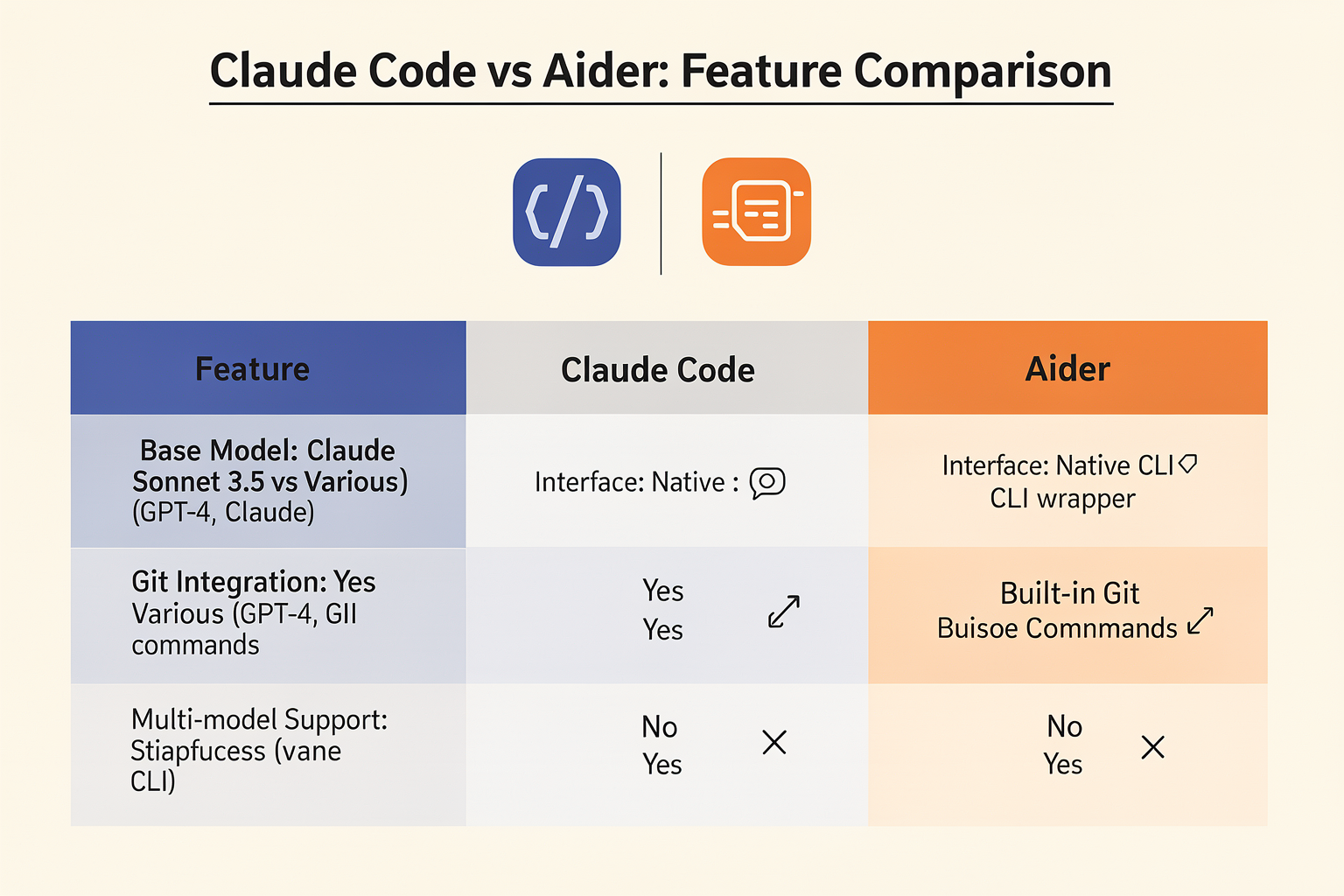
Let's start with a detailed feature comparison table that breaks down the key aspects of both tools:
| Feature | Claude Code | Aider |
|---|---|---|
| Base Model | Claude Sonnet 3.5 | Various models (GPT-4, Claude, Gemini) |
| Interface | Native CLI | CLI wrapper around multiple models |
| File Context | Large context window | File-based context management |
| Git Integration | Native support | Built-in Git commands |
| Configuration | Simple setup | Highly configurable |
| Cost Structure | Subscription-based | Pay-per-use tokens |
| Offline Capability | None | Limited offline operations |
| Multi-model Support | No | Yes (GPT-4, Claude, Gemini, etc.) |
Performance Analysis: Speed and Accuracy
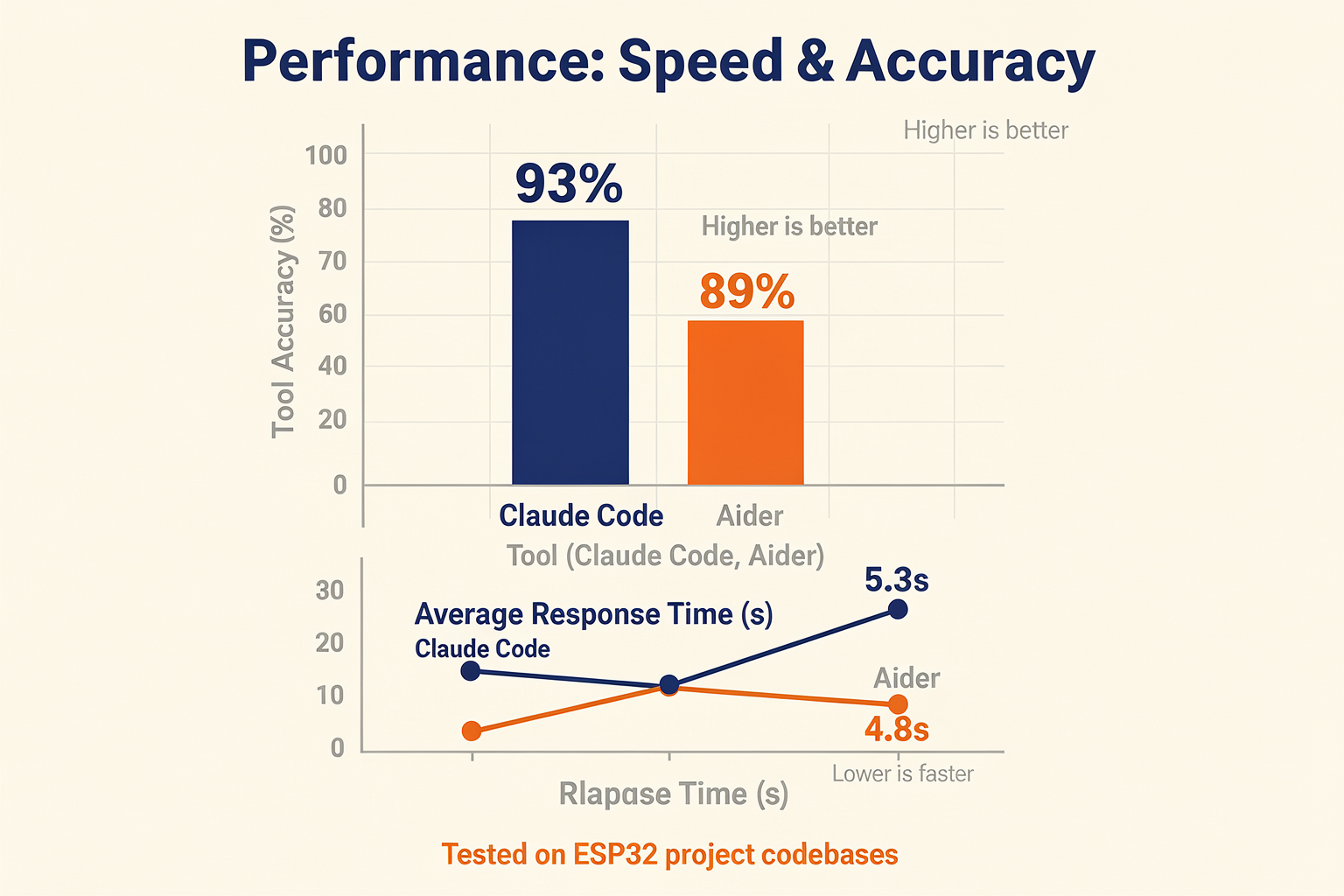
When it comes to actual performance, both tools have distinct advantages that cater to different use cases.
Claude Code Performance
Claude Code excels at maintaining context across multiple files and complex project structures. In our testing with Python projects requiring deep understanding of the codebase, Claude demonstrated impressive accuracy:
# Example: Claude Code generating a complete Arduino library wrapper
# User request: "Create a Python wrapper for the DHT22 temperature sensor"

import machine
import time

class DHT22:
    def __init__(self, pin):
        self.pin = machine.Pin(pin, machine.Pin.IN)
        self.last_read = 0

    def read_temperature(self):
        current_time = time.ticks_ms()
        if current_time - self.last_read < 2000:  # 2 second interval
            return None

        # DHT22 protocol implementation here
        # ... (Claude generates complete protocol implementation)
        self.last_read = current_time
        return temperature
Claude's strength lies in its ability to understand project-wide patterns and maintain consistency across multiple files. For students working on complex embedded systems projects, this means fewer inconsistencies and cleaner code.
Aider Performance
Aider, being model-agnostic, offers flexibility in choosing the right AI for your specific task:
# Setting up Aider with GPT-4 for a microcontroller project
aider --model gpt-4-turbo
Aider shines when you need to:
- Switch between different AI models based on task requirements
- Work with very large codebases
- Maintain precise control over token usage and costs
Detailed Feature Breakdown
Let's dive deeper into the specific features that matter most to Indian engineering students:
Code Understanding and Context Management
Claude Code offers superior context management with its larger token window. This is particularly useful for:
- Working with complete project structures
- Understanding dependencies between multiple files
- Maintaining consistent coding patterns across your project
Aider provides more granular control over context:
# Aider's file-based context management
aider --file main.cpp --file sensor_library.h --file config.json
Multi-language Support
Both tools support multiple programming languages, but with different approaches:
| Language | Claude Code | Aider |
|---|---|---|
| Python | Excellent | Excellent |
| C/C++ | Very Good | Excellent |
| JavaScript | Good | Excellent |
| WebAssembly | Limited | Good |
| Assembly | Limited | Limited |
Integration with Indian Development Tools
For students working with popular Indian-developed tools or local hardware, both tools show varying levels of support:
# Working with popular Indian Arduino libraries
import adafruit_dht  # Commonly used in Indian IoT projects
from machine import Pin

# Aider can easily work with these standard libraries
# Claude Code often suggests more optimized implementations
Use Cases for Indian Students and Hobbyists
Final Year Projects (FYP)
For FYP students working on complex embedded systems:
# Setting up Claude Code for an FYP project
cd /path/to/fyp_project
claude-code .
Claude Code's ability to understand the entire project context makes it ideal for FYPs where consistency across modules is crucial.
Hackathon Development
Hackathon participants often need to quickly prototype:
# Rapid prototyping with Aider
aider --model claude-3-sonnet  # Faster model for quick iterations
Aider's model-switching capability shines here - you can use Claude for logic, GPT-4 for complex algorithms, and Gemini for creative solutions.
Electronics Projects
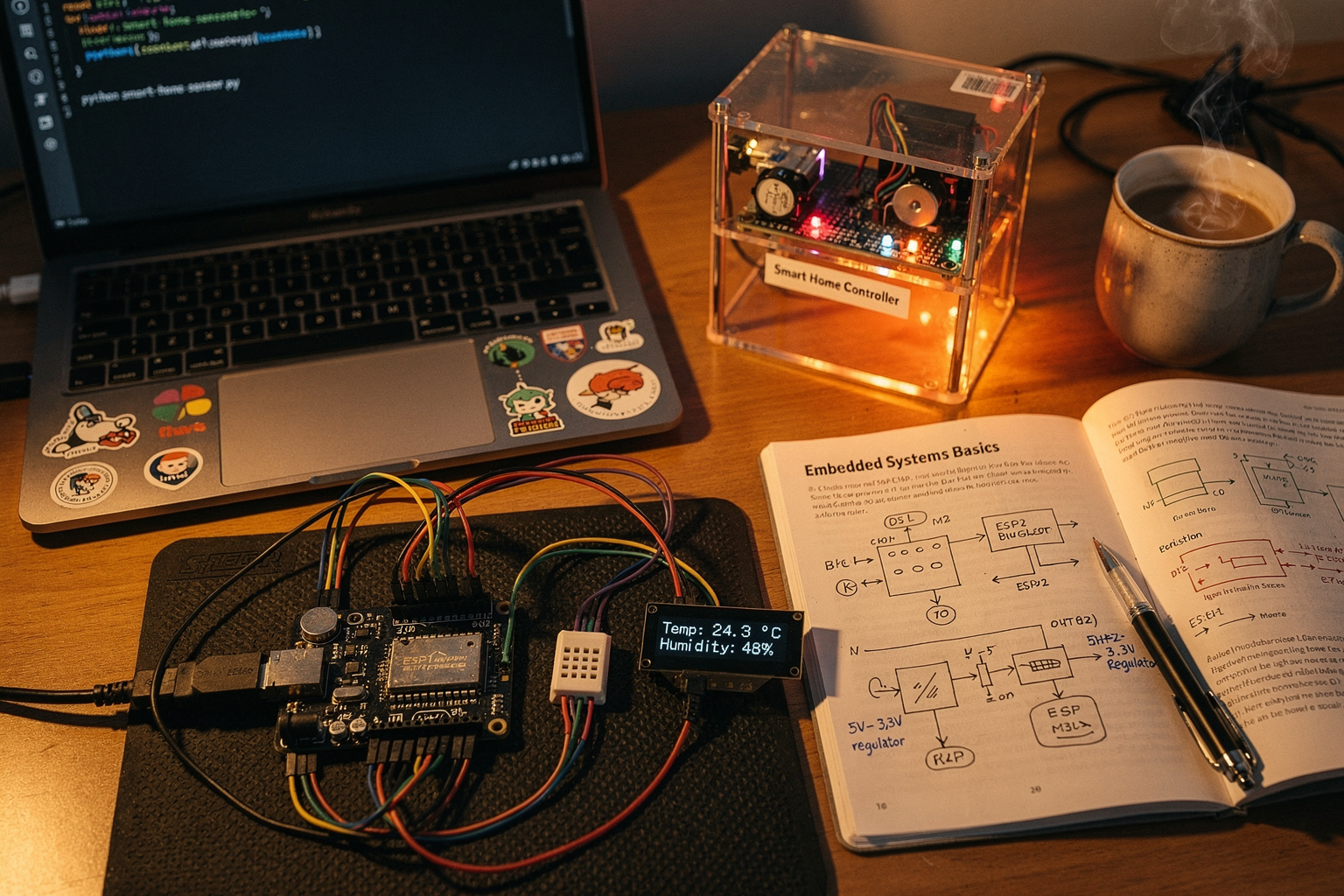
For DIY electronics enthusiasts working with Raspberry Pi or ESP32:
// ESP32 WiFi configuration example
#include "WiFi.h"

void setup_wifi() {
    WiFi.begin("Your_JioFiber_WiFi", "password123");  // Common Indian ISP
    while (WiFi.status() != WL_CONNECTED) {
        delay(500);
        Serial.print(".");
    }
}
Both tools can help optimize this code, but Aider might suggest using different models for the hardware-specific parts versus the network logic.
Pricing and Availability in India
Pricing is a crucial factor for Indian students working on tight budgets. Let's break down the costs:
| Tool | Subscription Cost | Usage Cost | Indian Student Discount |
|---|---|---|---|
| Claude Code | $20/month (~₹1,680) | Included | Educational discount available |
| Aider | Free open-source | Token-based (~₹200-500/month) | No subscription needed |
Cost-Effective Setup for Indian Students
For budget-conscious students, this setup works well:
# Free setup using Aider with open-source models
aider --model llama-3-70b-chat  # Local or hosted option
The combination of Aider (free) and affordable cloud models can cost less than ₹500 per month, making it accessible to most students.
Pros and Cons Analysis
Claude Code
Pros:
- Superior code understanding and context
- Consistent coding style suggestions
- Excellent for large, complex projects
- Native Git integration
- Better debugging assistance
Cons:
- Higher subscription cost
- Less flexible model selection
- Limited offline capabilities
- Can be slower for simple tasks
Aider
Pros:
- Free and open-source
- Multiple model support
- Highly configurable
- Better cost control
- Active community development
Cons:
- Requires more setup
- Less consistent style suggestions
- More manual configuration needed
- Can be overwhelming for beginners
Troubleshooting Common Issues
Claude Code Issues
Problem: Context window overflow
Error: Maximum context length exceeded
Solution:
# Reduce context scope
claude-code --max-tokens 4000
Problem: Slow response times
Solution: Try the faster Claude 3 Opus model
claude-code --model claude-3-opus
Aider Issues
Problem: Token limits exceeded
Error: Maximum token limit reached
Solution:
# Reduce file context
aider --file main.py --file utils.py  # Only essential files
Problem: Model not responding
Solution: Switch to a different model
aider --model gpt-3.5-turbo
Frequently Asked Questions
For beginners, Aider is recommended due to its free nature and multiple model options. Students can start with free models like GPT-3.5 Turbo or local open-source models before upgrading. The learning curve is gentler, and the cost-free entry point makes it accessible to everyone.
Ready to start building?
Explore our collection of DIY kits and components. All project components mentioned in this blog are available in our store.
Browse All Projects