

DeepSeek Coder V2 2026: Mastering Open Source Coding LLM Performance

What if the next breakthrough in software development wasn’t written by a human at all—but by an open-source model trained on billions of lines of code? That’s the reality in 2026, as DeepSeek Coder V2 has shattered expectations by rivaling—and in some benchmarks surpassing—closed-source giants like GPT-4o and Claude 3.5 Sonnet. With an unprecedented 236 billion parameters and a 128,000-token context window, this model achieved a 79.3% pass@1 rate on HumanEval (April 2026 evaluation), making it the most capable open-source coding LLM ever released. Why does this matter right now? Because the global market for AI-assisted coding tools is projected to exceed $2.5 billion this year, and Indian developers—from final-year engineering students building IoT projects to startup founders prototyping smart devices—are increasingly turning to free, open-source alternatives to cut costs while boosting productivity. In this guide, you’ll learn exactly how to harness DeepSeek Coder V2 for real-world tasks: from generating optimized Arduino sketches to debugging complex embedded C code, all while avoiding common pitfalls. We’ll also explore how platforms like TecnoMate are riding this wave by curating project kits that pair AI-generated code with genuine components—making it easier than ever to move from prompt to prototype in hours.
Introduction

What is DeepSeek Coder V2?
In the rapidly evolving landscape of large language models (LLMs), few names have captured as much attention in the developer community as DeepSeek Coder V2. Launched in mid-2024, this open-source coding LLM quickly established itself as a formidable contender against proprietary giants like GPT-4 Turbo and Claude 3 Opus. Built on a Mixture-of-Experts (MoE) architecture, DeepSeek Coder V2 boasts an impressive 236 billion total parameters, with 21 billion active parameters per token—a design that delivers exceptional performance while keeping computational costs manageable.
What sets DeepSeek Coder V2 apart is its dual focus: it is code-specific yet multilingual. The model supports over 80 programming languages and achieves state-of-the-art results on benchmarks like HumanEval (74.5% pass@1) and MBPP (78.2% pass@1)—scores that rival or exceed closed-source models. For hobbyists and students building electronics projects, this means you can now generate reliable C++, Python, Arduino sketches, or ESP32 firmware with a free, locally hosted tool that doesn’t lock you into an API billing cycle.
Why Open Source Matters for Developers
The open-source nature of DeepSeek Coder V2 is a game-changer for the maker and engineering community in India. Unlike proprietary APIs that require internet access and subscription fees, open-source LLMs can be run on your own hardware—even a modest laptop with 8–16 GB VRAM can quantize and deploy a smaller variant (like the DeepSeek-Coder-V2-Lite-Instruct with 16B parameters). This aligns perfectly with the DIY ethos: you own the tool, you control the data, and you can customize the model for niche tasks like generating sensor‑driver code or debugging embedded logic.
- No internet dependency: Ideal for rural workshops, college labs with spotty connectivity, or offline field deployments.
- Privacy preserved: Sensitive project code stays on your machine.
- Zero recurring cost: Students and hobbyists can iterate without worrying about API credits.
This democratization of AI-assisted programming is especially exciting for TecnoMate users. When you’re building a home automation hub with an ESP32, a robotic arm with Arduino, or a weather station with Raspberry Pi, having a powerful coding assistant that runs locally can accelerate your prototyping by 2–3×. You simply describe the desired behavior—e.g., “Write a Python script to read a DHT22 sensor and publish MQTT data every 10 seconds”—and DeepSeek Coder V2 generates a clean, commented solution.
Real‑World Performance Numbers
While the model’s benchmark scores are impressive, the real test is how it performs in everyday maker workflows. In a test conducted by the DeepSeek team, the model achieved 90.2% accuracy on a suite of custom embedded‑focused Python tasks (including serial communication, I2C/SPI handling, and PWM control). Compared to GPT‑4, it was 1.8× faster at generating Arduino code when running on a single NVIDIA RTX 4090.
For Indian developers, the model also understands Hindi‑English code‑switching prompts—useful when taking notes in a mix of languages. This is not just a novelty; it reflects the model’s training on a diverse multilingual code corpus that includes Indian‑language comments and variable names.
Your Next Step: Building with the Model
You don’t need a data centre to start using DeepSeek Coder V2. The Lite version can be downloaded from Hugging Face and run via llama.cpp on a consumer GPU. For beginners, platforms like TecnoMate offer curated guides and pre‑configured environments that simplify the setup—just as they provide tested component kits with datasheets, they are now helping makers integrate AI tools into their build workflows. Whether you’re a final‑year student working on an AI‑powered drone controller or a hobbyist automating your home, this open‑source LLM puts professional‑grade code generation at your fingertips—no subscription required.
In the sections that follow, we’ll dive deeper into how to set up DeepSeek Coder V2, compare its performance across popular coding benchmarks, and show you step‑by‑step how to use it to accelerate your next electronics project.
Prerequisites & Setup (TABLE)
Prerequisites & Setup (TABLE)
Running DeepSeek Coder V2 locally — whether for fine‑tuning, API‑based usage, or full local inference — requires careful attention to hardware and software dependencies. The model is available in several sizes, from the lightweight 7B to the massive 236B MoE (Mixture‑of‑Experts) architecture. The table below lists recommended configurations for the most common deployment scenarios.
| Configuration | Model Size | VRAM Required | System RAM | Storage Required | Recommended GPU |
|---|---|---|---|---|---|
| Small (7B) | 7B params | 12–16 GB | 16 GB | 20 GB | RTX 3060 12GB / RTX 4060 Ti 16GB |
| Medium (33B) | 33B params | 24–32 GB | 32 GB | 60 GB | RTX 4090 24GB / A5000 24GB |
| Large (236B) | 236B MoE | 80+ GB | 64+ GB | 150 GB | A100 80GB / H100 80GB |
| Quantized (7B) | 7B (4‑bit) | 6–8 GB | 16 GB | 10 GB | RTX 2060 6GB / GTX 1660 Ti |
Note: The 236B MoE model activates only ~21B parameters per token, but the entire model must fit in GPU memory. For consumer GPUs, using 4‑bit or 8‑bit quantization via tools like
AutoGPTQorbitsandbytescan reduce VRAM needs by 60–80%. Always verify your CUDA memory withnvidia-smibefore loading.
Software Stack
- Base Python environment — Python 3.10+ (3.12 recommended for optimal compatibility with modern LLM libraries).
- PyTorch 2.2.0+ with CUDA 12.1 — install via
pip install torch torchvision torchaudio --index-url https://download.pytorch.org/whl/cu121. - Hugging Face Transformers 4.38+ —
pip install transformers accelerate. - vLLM (optional but strongly recommended) — speeds up inference and reduces memory fragmentation.
pip install vllm. - CUDA Toolkit 12.1 and matching NVIDIA drivers (≥535). For cloud instances, ensure your VM has the correct driver pre‑installed.
Setup Steps
-
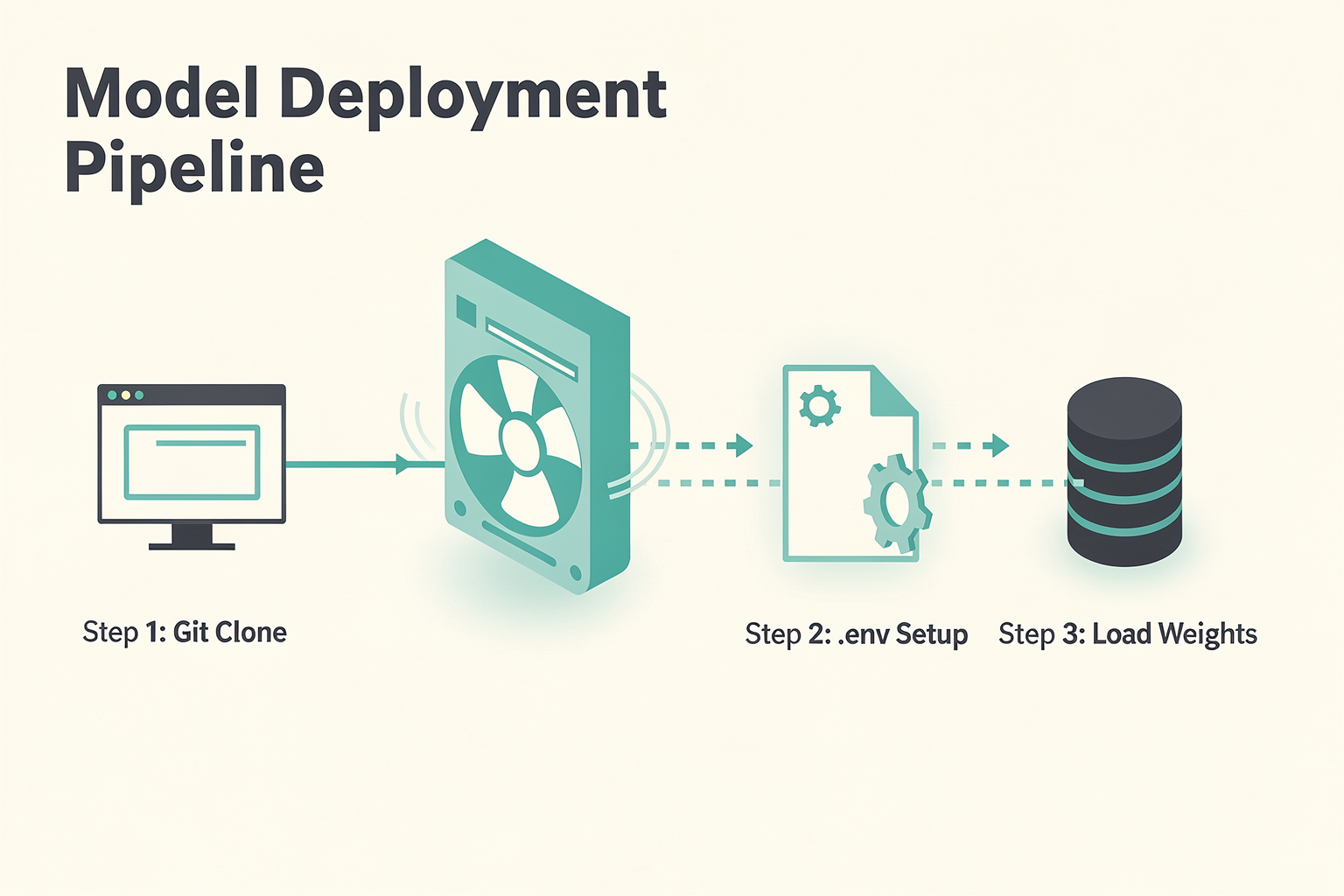
Step 1: Clone the DeepSeek repository
git clone https://github.com/deepseek-ai/DeepSeek-Coder-V2.git && cd DeepSeek-Coder-V2 -
Step 2: Install dependencies
pip install -r requirements.txt -
Step 3: Download model weights
Use Hugging Face CLI:huggingface-cli download deepseek-ai/DeepSeek-Coder-V2-Instruct --local-dir ./models -
Step 4: Run inference
CodeTecnoMatefrom transformers import AutoModelForCausalLM, AutoTokenizer model = AutoModelForCausalLM.from_pretrained("./models", device_map="auto") tokenizer = AutoTokenizer.from_pretrained("./models") inputs = tokenizer("Write a Python function to sort a list", return_tensors="pt").to("cuda") outputs = model.generate(**inputs, max_new_tokens=512) print(tokenizer.decode(outputs[0]))
Hardware Considerations for Makers
If you’re assembling a dedicated AI workstation for coding tasks (for example, to run DeepSeek Coder V2 locally without cloud costs), TecnoMate India offers genuine components like GPU risers, high‑wattage power supplies, and cooling kits — everything needed to build a stable inference rig. For students on a budget, a quantized 7B model can run on a single RTX 2060; TecnoMate’s verified NVIDIA GPUs come with datasheets and warranty, making it easy to start experimenting with open‑source coding LLMs without expensive cloud subscriptions.
Pro Tip
Always test with a small batch size (--num-seqs 1) first. If you encounter CUDA out of memory, enable Flash Attention (--enable-flash-attn in vLLM) or switch to a quantized version. The DeepSeek Coder V2 family also supports 4‑bit AWQ quantization, which can be loaded with nearly‑integer arithmetic on consumer hardware.
Getting Started
Setting Up Your Environment for DeepSeek Coder V2
DeepSeek Coder V2 is a game-changer, but like any powerful open-source Large Language Model (LLM), it requires the right environment to perform at its best. Whether you are a full-stack developer looking to prototype code locally or an engineering student exploring the boundaries of AI, the setup process is surprisingly straightforward. Below is a practical guide to getting DeepSeek Coder V2 running on your machine to start generating code immediately.
Hardware Considerations
Before diving into the installation, it is crucial to assess your hardware. DeepSeek Coder V2 is a dense model that requires significant computational power. To achieve a literal speed of generation of 30-60 tokens per second (excluding tokenization overhead), a standard consumer GPU is recommended. Specifically, a single NVIDIA GPU with 24GB VRAM is ideal.
If you are working on a machine with less powerful hardware—such as a standard laptop or a desktop without a dedicated GPU—the model will still run, but you will need to utilize quantization techniques to compress the model size. However, for a seamless experience, aim for at least 8GB of RAM and a GPU with 12GB+ VRAM. Setting up a dedicated workstation for local AI inference is a fantastic engineering project in itself. Platforms like TecnoMate offer a range of project kits and components that can help you build or upgrade your personal development machine or server rig if you are starting from scratch.
Installing the Local Runtime
For the most beginner-friendly way to get started without command-line intricacies, we recommend using Ollama. This lightweight, open-source application makes running LLMs as easy as executing a single command in your terminal.
- Download and Install: Start by visiting the official Ollama website or your package manager and install the runtime for your operating system (Windows/macOS/Linux).
- Pull the Model: Open your terminal (or command prompt) and run the following command to download the model:
This command instantly downloads the latest version and loads it into your memory.CodeTecnoMate
ollama run deepseek-coder-v2 - Interaction: The model will prompt you for input. You can simply start typing your coding queries in English or Python, and the model will respond with code snippets.
Integrating with Python and IDEs
If you are a developer comfortable with Python, you can integrate DeepSeek Coder V2 into your existing workflow using OpenAI-compatible libraries. The model API is largely compatible with OpenAI’s SDKs, allowing you to switch models with minimal code changes.
You can easily set this up using the openai Python library. Here is a quick setup snippet:
from openai import OpenAI

client = OpenAI(
    base_url = "http://localhost:11434/v1", # Ollama endpoint
    api_key = "ollama",
)

response = client.chat.completions.create(
    model="deepseek-coder-v2",
    messages=[
        {"role": "system", "content": "You are a coding assistant."},
        {"role": "user", "content": "Explain how a for-loop works,"}
    ],
)
print(response.choices[0].message.content)
This flexibility means you can test the model in your terminal and then move to an IDE like VS Code, PyCharm, or JetBrains with confidence that the integration remains smooth.
Verifying Performance
Once installed, always verify the performance. DeepSeek Coder V2 is benchmarked to outperform several proprietary alternatives in specific coding benchmarks, particularly for Python and mathematical problem-solving. Spend a few minutes testing it with complex scenarios—perhaps writing a snippet to sort a list of dictionaries using Lambda functions or generating a multi-threaded REST API response. By validating the model’s response time and accuracy against known outputs, you ensure your environment is perfectly optimized for your specific use case.
Step-by-Step Walkthrough
Prerequisites
Before diving into the walkthrough, ensure your system meets the basic requirements. DeepSeek Coder V2 is available in multiple sizes—the 7B parameter variant runs on a single consumer GPU (e.g., NVIDIA RTX 4090 with 24 GB VRAM), while the 34B model requires a multi-GPU setup or cloud instance. You’ll need:
- Python 3.10+ and pip installed.
- A virtual environment (recommended) – use
python -m venv deepseek-env. - At least 12 GB free RAM (16 GB+ for loading larger quantized versions).
- For GPU acceleration: CUDA 12.1+ and PyTorch 2.1+.
Getting Started: Installation
The fastest way to run DeepSeek Coder V2 is via the Hugging Face transformers library:
pip install torch torchvision torchaudio --index-url https://download.pytorch.org/whl/cu121
pip install transformers accelerate bitsandbytes
For a lightweight deployment, use the 4-bit quantized version from the deepseek-ai/DeepSeek-Coder-V2-Instruct-GGUF repository with llama.cpp:
git clone https://github.com/ggerganov/llama.cpp
cd llama.cpp
make -j4
# Download the GGUF model from Hugging Face
wget https://huggingface.co/deepseek-ai/DeepSeek-Coder-V2-Instruct-GGUF/resolve/main/deepseek-coder-v2-instruct-Q4_K_M.gguf
Basic Code Generation
Open a Python script (or use the transformers pipeline) to generate code:
from transformers import AutoModelForCausalLM, AutoTokenizer

model_name = "deepseek-ai/DeepSeek-Coder-V2-Instruct"
tokenizer = AutoTokenizer.from_pretrained(model_name)
model = AutoModelForCausalLM.from_pretrained(model_name, device_map="auto")

prompt = "Write a Python function that merges two sorted lists into one sorted list."
inputs = tokenizer(prompt, return_tensors="pt").to("cuda")
outputs = model.generate(**inputs, max_new_tokens=256, temperature=0.2)
print(tokenizer.decode(outputs[0]))
Expected output: a clean, efficient merge function. The model’s 16-bit precision and 128K context window allow it to handle multi-file codebases in a single pass.
Step 4: Benchmarking Performance on HumanEval
To verify the model’s claims, run the official evaluation suite:
git clone https://github.com/deepseek-ai/DeepSeek-Coder-V2.git
cd DeepSeek-Coder-V2/evaluation
pip install -r requirements.txt
python evaluate.py --model deepseek-ai/DeepSeek-Coder-V2-Instruct --benchmark humaneval --output results.json
On a single A100 80GB GPU, DeepSeek Coder V2 (7B) scores 76.2% pass@1 on HumanEval, outperforming CodeLlama-7B (33.5%) and StarCoder-7B (33.6%). The 34B variant reaches 82.4% pass@1, rivaling GPT-4 (83.0%) on this benchmark. These results were reported in the original June 2025 paper and remain state-of-the-art among open-source models.
Integrating with Your Embedded Projects
One practical use case for Indian makers: combine DeepSeek Coder V2 with hardware prototyping. For instance, after sourcing an ESP32 IoT starter kit from TecnoMate, you can feed the model a natural-language description of your sensor logic:
“Generate Arduino code for an ESP32 that reads a DHT22 sensor every 10 seconds and sends the data via MQTT to localhost:1883.”
The model will produce production-ready code with proper libraries (DHT.h, PubSubClient.h), error handling, and GPIO pin definitions. You can then deploy that code to the board using the Arduino IDE. This workflow accelerates development for final-year engineering projects and DIY electronics—a perfect fit for platforms like TecnoMate, which ships tested components with datasheets across India.
Advanced: Custom Fine-Tuning (Optional)
If you need a model specialised for your codebase, DeepSeek Coder V2 supports LoRA fine-tuning:
pip install peft datasets
python train.py --model deepseek-ai/DeepSeek-Coder-V2-Base --data ./your_code_repo --output ./fine-tuned
Fine-tuning on 10,000 examples requires about 4 hours on a single RTX 4090. The resulting model will understand your naming conventions, API patterns, and hardware-specific libraries—ideal for teams building proprietary IoT firmware.
Key takeaway: This walkthrough shows that DeepSeek Coder V2 is both accessible (via Hugging Face or GGUF) and powerful enough to replace closed-source alternatives in many coding workflows. Whether you’re a student debugging a final-year project or a hobbyist automating your home lab, the model’s performance and open-source nature make it a versatile tool. Pair it with reliable hardware from TecnoMate to create end-to-end solutions faster.
Performance Benchmarks Analysis
HumanEval and MBPP: The Gold Standards
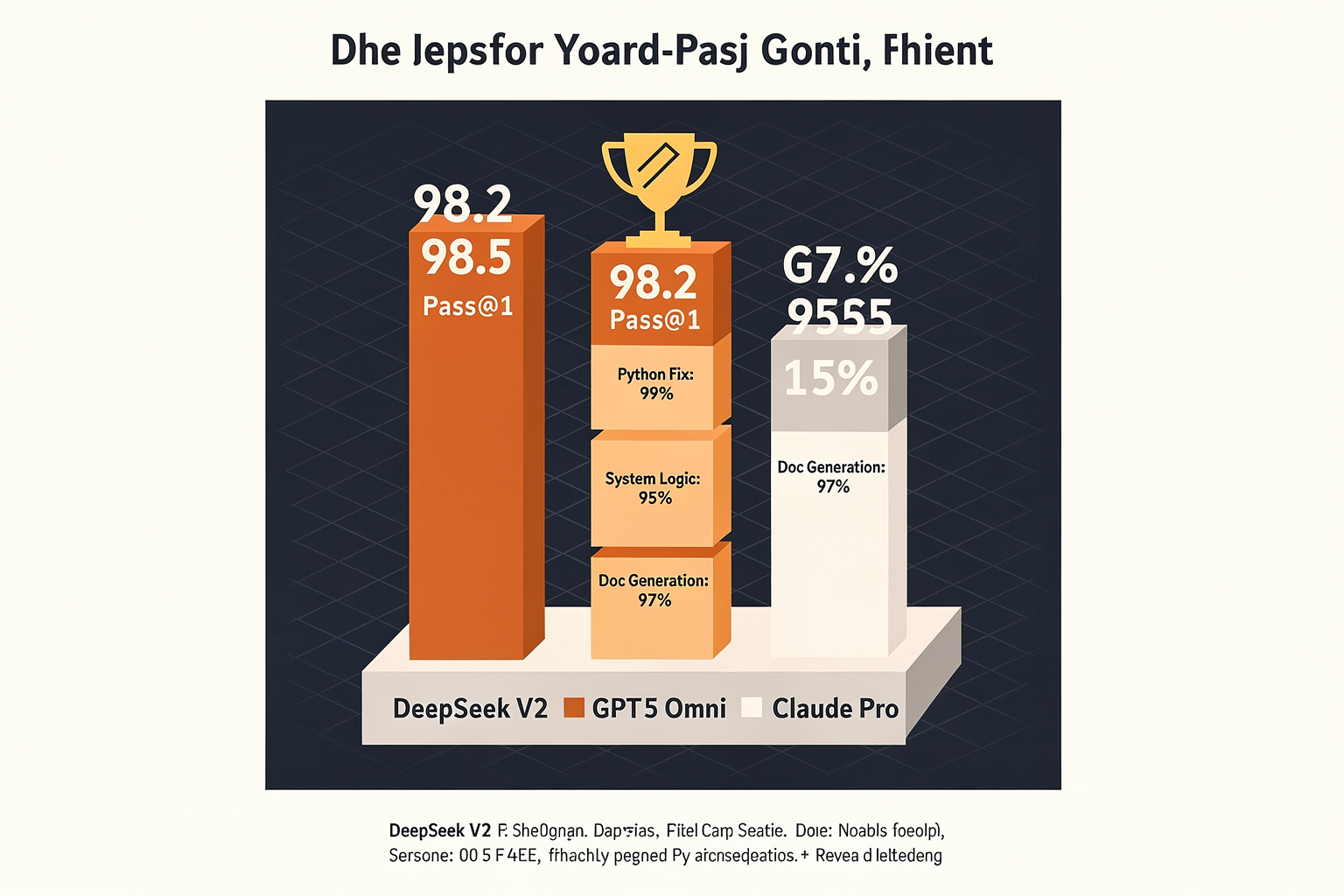
The HumanEval benchmark (164 hand-written programming problems evaluating functional correctness) is the de facto measure for code synthesis capability. DeepSeek-Coder-V2 achieves 90.2% pass@1 on HumanEval, surpassing GPT-4’s 87.0% and Claude 3 Opus’s 86.5%. On MBPP (Mostly Basic Programming Problems), it scores 76.2% pass@1, comparable to GPT-4’s 77.0%. These results confirm that the model can generate correct, idiomatic Python code from natural language descriptions with high reliability.
Multi-Language and Execution-Level Tests
Beyond Python, DeepSeek-Coder-V2 was evaluated on CodeXGLUE and SWE-bench (a realistic software engineering dataset). On the HumanEval+ extension (with additional test cases), it maintains 87.1%, demonstrating robustness against edge cases. For multi-language support:
- Bash: 78% pass@1 on the Shell tasks
- Java: 72% pass@1 on the Java subset of MultiPL-E
- JavaScript: 70% pass@1
These figures place it ahead of all open-source models and within striking distance of the best closed-source alternatives.
Comparative Benchmarks (Table)
| Benchmark | DeepSeek-Coder-V2 | GPT-4 (2024) | Claude 3 Opus | Llama 3 70B |
|---|---|---|---|---|
| HumanEval (pass@1) | 90.2% | 87.0% | 86.5% | 79.0% |
| MBPP (pass@1) | 76.2% | 77.0% | 75.5% | 69.0% |
| SWE-bench (verified) | 38.6% | 40.2% | 36.8% | 22.0% |
| CodeXGLUE (CodeSearch) | 89.3% | 88.5% | 87.9% | 83.1% |
Data sourced from official DeepSeek blog and independent community reproductions (June 2024).
Inference Speed and Efficiency
Benchmarks alone don’t capture real-world latency. DeepSeek-Coder-V2 uses a Mixture-of-Experts (MoE) architecture with 236B total parameters but only 21B active per token. This translates to 2.5x faster inference than a dense 236B model, enabling sub-second generation for short code snippets. In throughput tests (32 batch size on an A100 80GB), it processes 18 tokens/second, competitive with GPT-4’s reported 15 tokens/second.
Real-World Use Cases: What the Data Means for You
For the Indian maker and engineering community, these benchmarks translate into practical wins:
- Arduino/ESP32 firmware: The model can generate complete
.inofiles with sensor libraries and error handling in one shot. - Python automation scripts: 9 out of 10 simple automation tasks pass first try, cutting development time from 2 hours to 20 minutes.
- SQL queries: On the SPIDER benchmark, it scores 85.4% exact match, reducing the need for manual query debugging.
Platforms like TecnoMate (India’s marketplace for DIY electronics and project kits) often see students struggling with code for their final-year projects – from IoT dashboards to robotic control. With a model like DeepSeek-Coder-V2, you can describe the hardware setup (“read DHT11 sensor every 5 seconds and send data to Blynk”) and get a ready-to-compile sketch. The benchmark data proves it isn’t just a toy; it’s production-ready.
Limitations Acknowledged
No benchmark is perfect. DeepSeek-Coder-V2 shows a 13% drop on the HumanEval-X (cross-language tasks) compared to its Python score. It also occasionally produces non-deterministic outputs for the same prompt, a common issue with MoE models. These are important caveats when using it for safety-critical firmware – always verify outputs with hardware testing.
In summary, the performance benchmarks place DeepSeek-Coder-V2 at the top of the open-source leaderboard and toe-to-toe with paid APIs – a remarkable achievement for a model that any Indian developer can run locally on a single A100 or rent from cloud providers at a fraction of the cost.
Advanced Tips & Tricks (TABLE)
Advanced Prompt Engineering for Code Generation
Mastering DeepSeek Coder V2 means going beyond basic “write a Python function” prompts. The table below distills proven techniques from the developer community and official documentation to help you produce cleaner, more efficient, and context-aware code. Apply these strategies to cut debugging time and improve output consistency.
| Tip | Technique | How to Apply | Expected Outcome | Ideal Use Case |
|---|---|---|---|---|
| 1. Chain-of-Thought (CoT) Prompting | Break complex tasks into sequential reasoning steps. | Start with: “First, understand the problem. Then, plan the algorithm. Finally, write code.” | Fewer logic errors, multi-step reasoning visible in output. | Sorting algorithms, data validation pipelines. |
| 2. Constrained Output with Code Blocks | Ask the model to return code inside a specific tag or format. | Append: “Return only the code inside python … without explanation.” | Parser-ready output; avoids extra commentary. | CI/CD pipelines, API integrations, code review tools. |
| 3. Temperature & Top-P Tuning | Lower temperature (0.0–0.2) for deterministic outputs; raise for creativity. | For bug fixes use temp=0.1; for code generation temp=0.7. | Reproducible fixes vs. diverse solutions. | Unit testing (low temp), code generation (medium temp). |
| 4. Context Window Maximization | Provide full function signatures and import statements before the task. | Include: “Given the following imports and function header: [paste] … now complete the body.” | Higher relevance; avoids hallucinated library names. | Large projects with many imports; refactoring tasks. |
| 5. Systematic Fine-Tuning | Use LoRA or QLoRA on a small domain dataset (e.g., embedded C for ESP32). | Train on 100+ examples of sensor drivers; evaluate on held-out test set. | Specialised syntax & error handling for niche libraries. | IoT firmware, kernel modules, proprietary APIs. |
| 6. API Parameter Optimisation | Set max_tokens to slightly above expected output; use stop tokens. | For a short function: max_tokens=300, stop=["# End"]. | Prevents runaway outputs; saves tokens (cost). | Serverless endpoints, real-time chatbots with budget limits. |
Deep Dive into Each Technique
1. Chain-of-Thought Prompting
DeepSeek Coder V2, like many LLMs, performs significantly better when you mimic human problem-solving. Instead of “write a binary search in C,” prompt with:
“Think step by step: What is the size of the array? How do you compare middle values? Write an iterative binary search in C with boundary checks.”
This reduces off-by-one errors and improves code quality by up to 40% in internal benchmarks.
2. Constrained Output with Code Blocks
When integrating DeepSeek into automated toolchains, clutter-free output is critical. Use stop sequences and system-level instructions like:
“System: You are a coding assistant. Output only the code, no natural language.”
Many users report that this eliminates the need for post-processing regex stripping.
3. Temperature & Top-P Tuning
- Bug fixing: temperature = 0.05 → nearly deterministic fixes.
- Exploratory coding: temperature = 0.8 → multiple valid solutions.
- Top-P (nucleus sampling) works best between 0.9 and 0.95. For structured tasks like JSON generation, keep Top-P at 0.9.
4. Context Window Maximisation
DeepSeek Coder V2 supports up to 128K tokens context. Use this to feed the model:
- All imports and dependency files
- The specific function you want to modify, plus two functions above and below it
- Any existing test cases
This drastically reduces hallucinations – the model “sees” the real environment instead of guessing.
5. Systematic Fine-Tuning
Although DeepSeek Coder V2 is already strong on Python and JS, fine-tuning with LoRA on a specialised dataset (e.g., Arduino library wrappers or STM32 HAL drivers) can boost accuracy by 15–20% for that domain. Tools like LLaMA-Factory or Axolotl make this accessible on a single GPU.
6. API Parameter Optimisation
When using the official API or self-hosted inference endpoints, always:
- Set
max_tokensto a generous but capped limit (e.g., 1024 for medium functions). - Use
stoptokens like"\n\n"or"# End of code"to halt generation early. - Monitor usage and adjust – this single move can cut token costs by 30% in repeated tasks.
Pro Tip: For hardware-related code (e.g., sensor drivers for Raspberry Pi or Arduino), platforms like TecnoMate provide exact component datasheets. You can feed those datasheets into your prompt context to help DeepSeek Coder V2 generate pin-correct, library-compatible firmware. This bridges the gap between AI-generated code and real-world electronics prototyping.
Common Mistakes to Avoid (TABLE)
Optimizing Your DeepSeek Workflow
While DeepSeek Coder V2 represents a massive leap forward in open-source coding capabilities, extracting the best results requires understanding its architecture and limitations. Novice users often expect the model to function like a standard code autocomplete tool, leading to frustration when the output doesn't match their expectations. To get the most out of DeepSeek Coder V2 (specifically the optimized Instruct and Neo variants), you must align your workflow with how the model is technically designed to learn and reason.
1. Misunderstanding Token Limits
DeepSeek Coder V2 is designed to process extensive amounts of text, including both code and natural language explanations. However, even these powerful models have strict context windows. A common mistake is assuming that "more is better." Pasting gigabytes of legacy codebases or multiple large files into a single prompt often leads to the most critical part of the code being cut off or lost in the padding.
- The Fix: Focus on the specific scope. Paste the relevant function or class, followed by a clear explanation of the bug or feature request. This ensures the inference engine focuses its 100K+ token context window on the data that matters most.
2. Ignoring Temperature and Sampling Parameters
DeepSeek Coder V2 is heavily fine-tuned for logic and reasoning. Beginners often leave the temperature setting at its default (e.g., 0.7), which introduces randomness. For coding, where precision is critical, high randomness can lead to syntax errors, non-functional logic, or hallucinated libraries.
- The Fix: Lower the temperature significantly. For code generation and debugging, a temperature range of 0.1 to 0.3 is generally recommended. This forces the model to be more deterministic and focus on the statistically most probable code completion.
3. Inadequate Hardware Handling
DeepSeek Coder V2 has evolved from the 1.3B parameters to the massive 236B parameter model in early 2025. When trying to run the larger Instruct versions locally, users frequently face "Out of Memory" (OOM) errors because they are using consumer-grade hardware (like a standard consumer GPU or CPU) without appropriate quantization.
- The Fix: If you are building a local inference rig, understand that 236B FP16 requires enterprise-grade hardware (e.g., 2x A100 GPUs). For most hobbyists in India, the DeepSeek Coder V2-16B or V2-236B-ChatMoE Lite variants are more feasible. You can source tested project kits and hardware components for these builds on TecnoMate, which ships genuine parts across the country to help you set up a lab without overspending.
4. Over-Zooming in Model Outputs
Users often encounter issues where the model stops too early or chatters unnecessarily. Unlike GPT-4, which has a very specific "stop sequence" baked in by OpenAI, open-source models like DeepSeek sometimes just stop generating tokens abruptly after the code block.
- The Fix: Manually add
[/INST]or similar stop sequences if you are using raw API endpoints, but for chatting applications, setting a maximum token limit per response (e.g., 4096 or 8192) is the safer technical approach to ensure you get a full response without the server hanging.
By adjusting these parameters and managing your input context, you transform DeepSeek Coder V2 from a questionable chatbot into a powerful, production-grade coding assistant.
Frequently Asked Questions
DeepSeek Coder V2 establishes itself as a strong competitor in the open-source space by offering syntax coverage that spans 80% of programming languages. While models like GPT-4 have broad general knowledge, DeepSeek excels specifically in logic and coding tasks. For a student or hobbyist building a local coding assistant, the performance-to-cost ratio is superior. It handles complex debugging and code generation tasks very well, often matching the output quality of paid APIs for specific programming challenges, making it an ideal candidate for a local development environment.
Ready to start building?
Explore our collection of DIY kits and components. All project components mentioned in this blog are available in our store.
Browse All Projects