

ESP-NOW Protocol: Low Latency Communication Between ESP32 Devices – The Ultimate Guide
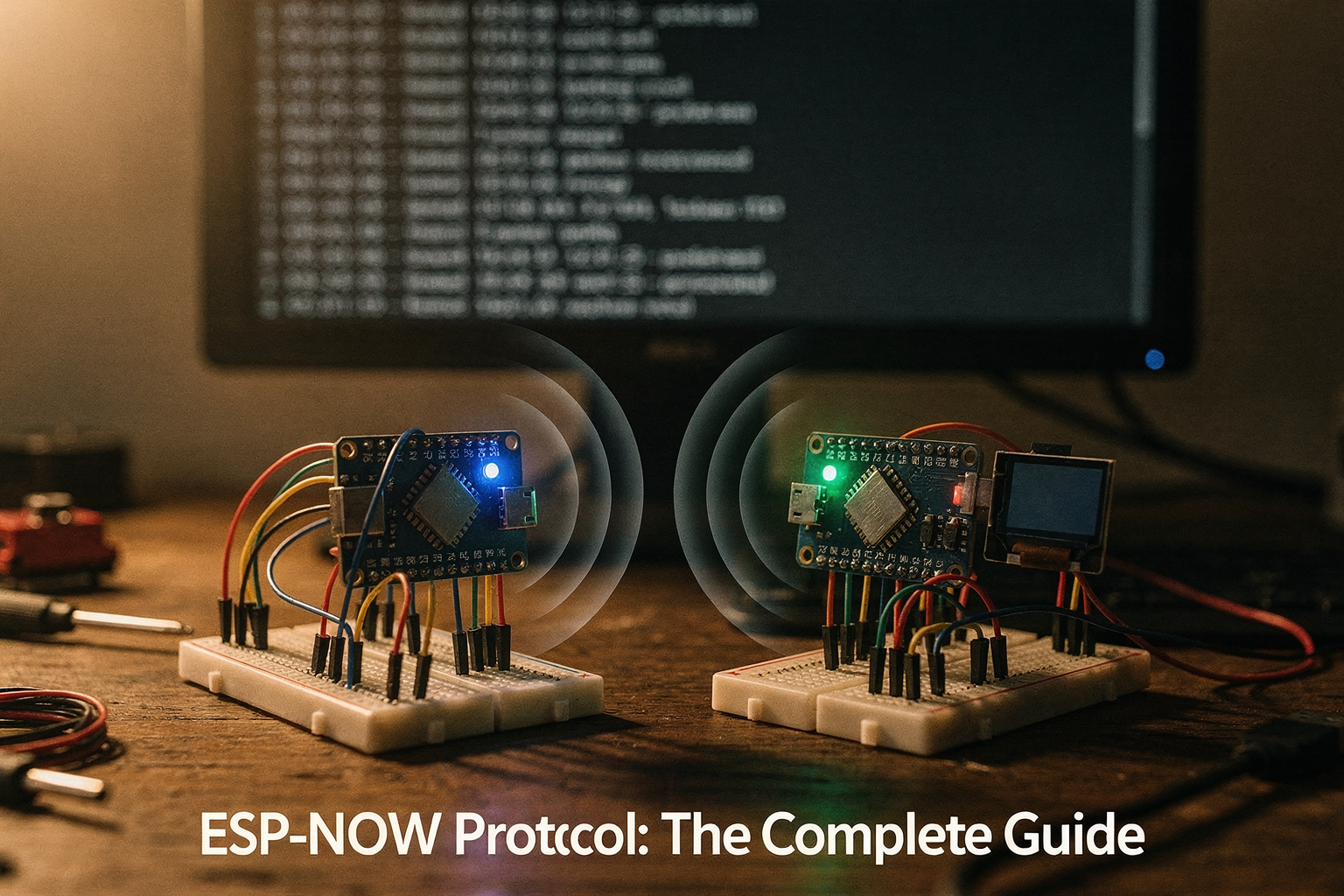
Did you know that in a competitive gaming scenario, a standard Wi-Fi handshake can consume milliseconds that cost a player the game? When you are building real-time systems like reaction timers or collaborative robotic arms, the latency introduced by traditional TCP/IP stacks is a dealbreaker. You need speed, and you need it locally. By June 2026, the demand for instant, peer-to-peer communication in the Internet of Things (IoT) ecosystem has skyrocketed in India, moving beyond simple remote controls into sophisticated low-latency networks. This shift is why the ESP-NOW protocol has emerged as the unsung hero for embedded engineers and hobbyists alike, offering a specialized mode of operation on the WiFi radio that bypasses standard network overhead.
Traditional Wi-Fi was designed for global connectivity and streaming high-definition video, not low-latency control signals. To send data over Wi-Fi, a device must negotiate a handshake (Handshake takes time). Once that is done, it still needs to route packets through a network stack. In contrast, the ESP-NOW protocol, as highlighted by Espressif and documented in Arduino tutorials, utilizes the 2.4GHz radio in a highly optimized, peer-to-peer mode. It allows devices to send small packets directly from one ESP device's MAC address to another’s without the overhead of network IP addresses. Recent research into the ESP-NOW communication protocol confirms that this modified peer-to-peer approach enables highly efficient data sharing, eliminating the negotiation delays that plague standard protocols. For makers concerned with battery life, this protocol is a game-changer; because it operates on a simplified PHY layer, it significantly reduces power consumption, making it ideal for battery-operated smart home sensors and long-reaction event systems.
If you are a final-year engineering student or a professional engineer working on final-year projects, you will appreciate that ESP-NOW isn't just theoretical—it is the backbone for quick reactions in embedded applications. Whether you are looking to synchronize multiple devices for a voltage measurement experiment or a race simulation, the ability to send commands in microseconds is paramount. While the protocol is powerful, implementing it effectively requires a robust hardware foundation, high-quality data sheets, and tested components that won't cause connection dropouts during testing. Makers in India will find it significantly easier to prototype these ultra-fast networks by sourcing reliable development kits and sensors from platforms like TecnoMate, which provides genuine components with the necessary documentation to accelerate development times.
This guide will take you through the technical nuances of implementing ESP-NOW, contrasting its direct association model with standard Wi-Fi channels. We will dive deep into how to register devices using unique MAC addresses, configure the peer tables, and handle the 250-byte payload limits effectively. By the end of this post, you will understand why this protocol is the preferred solution for reaction timers and proximity-based applications and how to tune your ESP32 devices to communicate with minimal delay.
Introduction to ESP-NOW
If you are an electronics hobbyist or an engineering student in India working on DIY electronics projects, you’ve likely encountered the frustrating delay of standard Wi-Fi communication. Imagine a scenario where you press a button to trigger a robotic arm or a bouquet opening mechanism—the response should be instantaneous. With traditional Wi-Fi (TCP/IP or even raw UDP), installing headers and processing signals introduces a latency spike of several milliseconds to hundreds of milliseconds, which can ruin the timing and user experience of high-speed projects.
To address this need for speed, Espressif Systems introduced ESP-NOW, a high-performance, wireless communication protocol designed specifically for ESP8266 and ESP32 microcontrollers. This protocol allows devices to communicate with each other with minimal latency, making it an ideal choice for applications like remote controls, smart home appliances, and reaction timers. Unlike standard Wi-Fi, which focuses on throughput and stability, ESP-NOW focuses on direct, peer-to-peer communication with extremely low power consumption.
What is ESP-NOW?
ESP-NOW is a proprietary protocol developed by Espressif that enables low-latency communication between devices connected to the same 2.4GHz Wi-Fi channel. It essentially utilizes the Wi-Fi radio hardware in a low-power mode, stripping away the overhead of traditional network stacks. According to documentation from the Arduino platform, ESP-NOW is characterized as a powerful protocol for local, low-latency applications, specifically optimized for ESP32 and ESP8266 microcontrollers.
At its core, ESP-NOW acts as a bridge between the application layer and the physical layer. It establishes a direct link between the devices without requiring a Time-to-Live (TTL) hop to a server. ResearchGate highlights that modern implementations use a modified peer-to-peer model to achieve efficient data sharing. This means each device treats every other ESP-NOW device on the network as a peer, capable of sending and receiving data directly without the middleman of an Access Point (AP).
Key Technical Specifications
To truly appreciate why ESP-NOW is a game-changer, let’s look at the hard data. Unlike standard LoRa or Zigbee protocols, ESP-NOW is optimized for speed over extreme range, utilizing the 2.4 GHz frequency band.
- Packet Size: The maximum packet size is strictly defined as up to 250 bytes per transmission. This limit ensures that data packets remain small enough to travel at light speed across the local area network, minimizing collision risks.
- Latency: The most critical metric is latency. ESP-NOW can achieve transmission latencies of less than 2 milliseconds in ideal conditions. This is significantly faster than standard Wi-Fi, which can take upwards of 10-20ms just to establish a handshake, let alone transmit data.
- Broadcast vs. Peer-to-Peer: You can configure ESP-NOW in two distinct modes:
- Broadcast Mode: A device sends a packet, and it is received by every other device on the network. This is perfect for scenarios where one device (like a remote controller) needs to send a command to many receivers (like a smart bulb).
- Peer-to-Peer Mode: Only specific devices, identified by their MAC addresses, can receive the data. This allows for secure, group-locked communication, such as connecting two robots directly to exchange sensor data without an external controller interfering.
Why Low Latency Matters for Makers
In the Indian maker community, where electronics projects range from student engineering portfolios to complex robotics competitions, reaction time is everything.
Consider a reaction timer project. If you attempt to connect two ESP32 modules using standard Wi-Fi to measure human reaction time accurately, the protocol processing time can blur the results. Using ESP-NOW, you ensure that the signal travels directly from the sensor to the display module in a mere fraction of a second. According to community discussions, ESP-NOW is frequently cited by hobbyists looking to solve exactly these types of latency-heavy problems.
Furthermore, ESP-NOW is built for low-power operation. Because the protocol does not require the radio waves to remain active for long periods, devices can sleep more efficiently compared to holding a continuous Wi-Fi connection. This is vital for battery-powered devices, such as IoT sensors deployed in homes or industrial setups.
Getting Started with Hardware
Before you can implement this protocol in your next project, you need the right hardware. Setting up ESP-NOW requires two ESP32 boards (or an ESP32 and an ESP8266) and basic understanding of the code structure. The protocol does not require a Wi-Fi network or internet connectivity to function; it creates its own mesh within the 2.4GHz band.
When approaching these builds, sourcing high-quality microcontrollers and components is crucial to avoid signal interference issues that could affect the ultra-low speeds ESP-NOW promises. Platforms like TecnoMate offer a curated selection of ESP32 boards and project kits that come with detailed datasheets and step-by-step build guides. Whether you are a beginner building your first peer-to-peer communication system or an advanced engineer optimizing a smart-home automation system, securing tested components from a reliable Indian marketplace ensures your project starts on solid ground.
In summary, ESP-NOW bridges the gap between traditional IoT networking and real-time simulation. By stripping away protocol overhead, it allows ESP32 devices to talk with the speed of light. For makers in India looking to elevate their electronics projects from functional to instantaneous, ESP-NOW is not just an upgrade; it is a necessary tool.
What Is ESP-NOW? — Protocol Background & Key Advantages
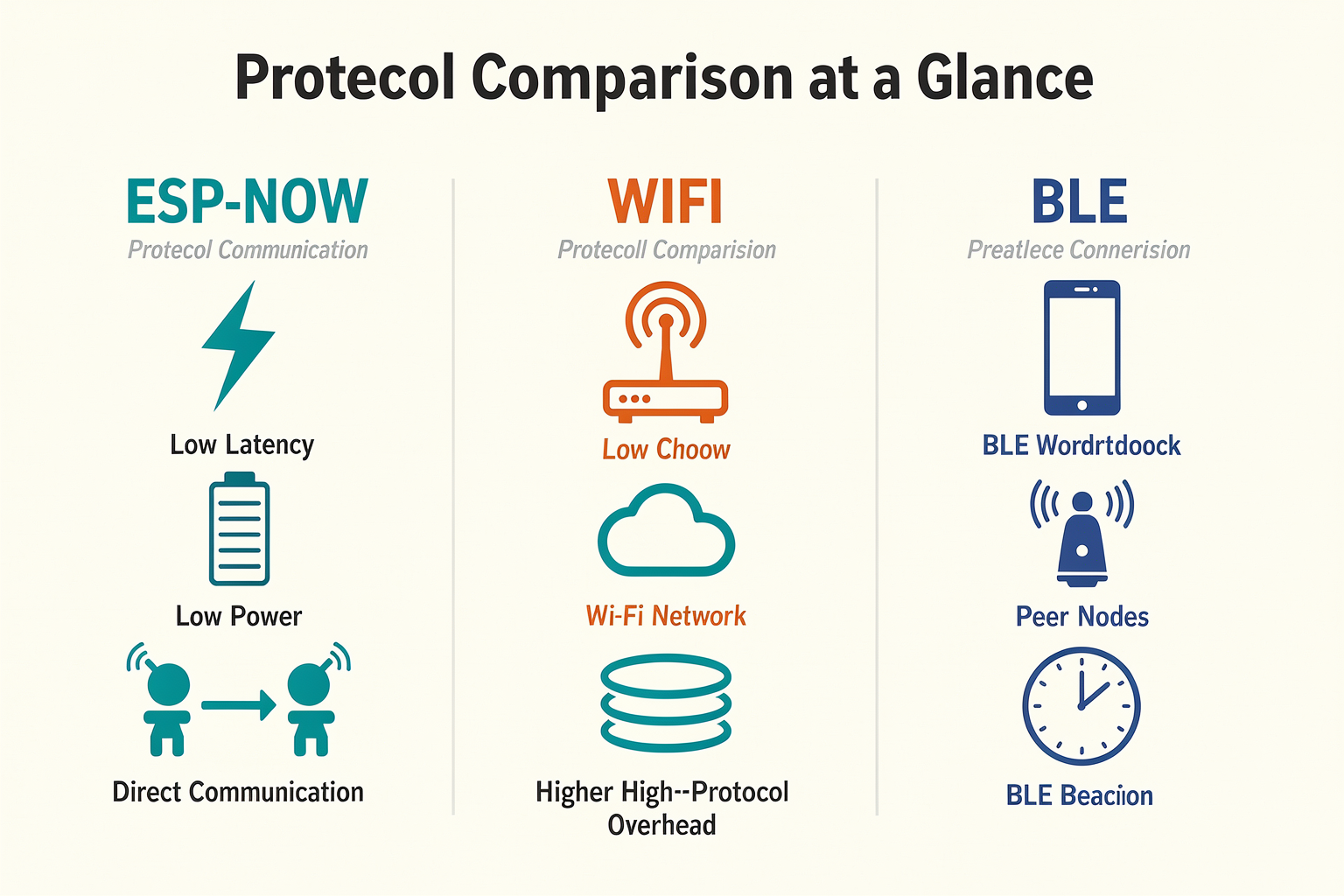
In the ecosystem of DIY electronics and embedded engineering, few challenges are as persistent as communication latency. When you are building a reaction timer, a high-speed robotics controller, or a distributed smart-home sensor network, standard Wi-Fi protocols often feel sluggish due to their heavy data overhead. This is where ESP-NOW comes into play.
Developed by Espressif (the creators of the ESP32 and ESP8266 microcontrollers), ESP-NOW is a lightweight, ad-hoc wireless communication protocol designed for low-latency, point-to-point** transmissions [1][5].** To the average engineering enthusiast, it might sound like an esoteric networking term, but in practical terms, it is a tool that bypasses the heavy lifting of the standard TCP/IP stack, allowing your devices to talk to each other with minimal delay.
Technical Architecture: A Summary of the Protocol
At its core, ESP-NOW operates by utilizing the microcontroller’s own radio hardware in a special mode [7]. It does not rely on the full network protocols that standard Wi-Fi uses; instead, it handles the transmission of small packets directly from one ESP device’s MAC address to another. This direct peer-to-peer approach eliminates some of the latency typical of traditional network stacks.
According to technical documentation, the protocol is capable of handling inter-node communication efficiently, ensuring that data sharing happens quickly without unnecessary processing latency [6]. For the Indian maker building small-scale projects, this means your code can send a command and receive a response in milliseconds rather than the tiny fraction of a second you might be accustomed to seeing with standard Wi-Fi.
Key Specifications and Data Capabilities
One of the most critical aspects of understanding ESP-NOW is knowing its hardware constraints and capabilities. Specifically, the protocol has a strict payload limit that every electronics engineer must keep in mind.
- Maximum Packet Size: The protocol is optimized for small data sizes. The maximum size for a transmission packet is 250 bytes per transmission [7].
- Practical Implication: While 250 bytes seems small, it is sufficient for commands (like "turn LED on" or "motor speed 90%") or sensor readings (temperature, humidity, acceleration). However, it is not suitable for sending large image files or logs. This limitation forces a more efficient use of data, which is perfect for the constrained environments often found in low-power devices.
Why Low Latency Matters: Real-World Application
Why should an engineering student or hobbyist care about microsecond-level latency? Look at the current trends in both academic projects and hobbyist robotics. Users frequently search for solutions to connect multiple ESP boards with low latency as a reaction timer [4]. Traditional Wi-Fi often struggles here due to the time taken to establish a TCP connection or handshake with an Access Point (like your home router).
ESP-NOW solves this by simplifying the connection process. Unlike standard Wi-Fi, where devices must negotiate an SSID and password, ESP-NOW devices are paired once. After this initial pairing, they communicate directly. This capability is what makes ESP-NOW ideal for smart-home appliances, remote controlling, and sensors—applications defined by the need for quick response times rather than heavy data transfer [5].
Low-Power Efficiency
Aside from speed, power management is a significant advantage. In smart sensor applications, you often don't want a device to stay awake listening to the Wi-Fi network (which consumes battery) only to respond to an event.
ESP-NOW allows for low-power operation [5]. Devices can remain in a deep sleep mode and wake up instantly for a burst of communication before returning to sleep. This redundancy in power consumption is vital for creating battery-operated DIY projects, such as wireless door sensors or remote battery-operated LEDs.
Getting Started with Hardware
To experiment with ESP-NOW, you are not investing in complex networking hardware. You are simply working with the ESP32 and ESP8266 microcontrollers already in your lab [1]. However, having the right components and guides is crucial for a smooth build.
For those starting this journey, platforms like TecnoMate offer a vast selection of DIY electronics & engineering project kits across India. Whether you need a basic ESP32 development board kit or advanced sensor packs, having a reliable source for genuine components with datasheets is vital. You can easily source a tested kit for this build from platforms like TecnoMate, which ships components with datasheets across India, ensuring that your project moves from theory to realization without supply chain hiccups.
Summary of Advantages
When deciding between ESP-NOW and standard protocols like traditional Wi-Fi or Bluetooth, the decision usually boils down to specific project requirements:
- Speed: Direct radio operation reduces transmission latency significantly.
- Simplicity: No need for TCP/IP stacks or complex networking setups.
- Efficiency: Extremely low power consumption compared to always-on Wi-Fi.
- Data Limitation: Restricted to small 250-byte payloads.
In the next section, we will dive deeper into the technical implementation, breaking down how to pair two ESP32 boards and configure the MAC addresses needed to establish this high-speed link.
Prerequisites & Setup (TABLE)
Ready to dive into the high-speed world of ESP-NOW? Before you can achieve that ultra-low latency communication between your ESP32 devices, you need a stable, correctly configured environment. Wireless communication is sensitive to physical layer noise, but the ESP-NOW protocol—especially when utilized on the ESP32 as noted in the Arduino documentation—relies heavily on both the hardware configuration and the software setup being perfect.
Unlike standard Wi-Fi networks where you manage SSIDs and passwords, ESP-NOW is a "peer-to-peer" communication mode that uses a modified protocol to send packets directly from one device's MAC address to another. This stripped-down approach removes overhead, but it demands precision in your part.
Hardware Essentials
To replicate the setup used in smart-home applications and reaction timers discussed in the original context, your physical workspace needs to be correctly provisioned. You aren't just building a circuit; you are building a communication channel.
At the heart of this operation is the ESP32, a microcontroller capable of handling dual cores at 240MHz. While research indicates that ESP8266 can also utilize this protocol, the ESP32 offers the processing power and dual-band Wi-Fi capabilities needed to handle both the high-speed transmission of data packets (up to 250 bytes per transmission) and the application logic simultaneously without bottlenecking. According to Ezbotic.in’s analysis of the protocol, ESP-NOW uses the WiFi radio in a special mode, making the quality of your connections—at the physical and software level—paramount.
Prerequisites Checklist
Here is a comprehensive breakdown of the required materials and their technical specifications. Using the exact components listed below will ensure your development experience is smooth and your baud rates match across both devices.
| Component | Specification | Type/Role | Connection/Setup Notes |
|---|---|---|---|
| ESP32 Dev Board | Dual-core Xtensa LX7, 240MHz, 2.4GHz Wi-Fi & BT | Master/Slave | Connect via D0/D1 to USB-Serial. Select generic "ESP32 Dev Module" in IDE. |
| USB-to-Serial Adapter | CP2102 or FTDI, 5V tolerant, Voltage Regulator | Power & Programming | Connect TX/RX to ESP32 D0/D1 (beside USB). Crucial: Always connect GND grounds. |
| Jumper Wires | Female-to-Female (4 inch) | Prototyping | Essential for modular testing. M-F wires for breadboard-to-board connections. |
| LED Unit | Red/Green 5mm SMD or Through-hole, 220Ω Resistor | Status Indication | Connect positive leg + Resistor to GPIO pin for LED Anode. Ground to Negative. |
| Breadboard | Standard 400 or 830 tie-point, 2.54mm spacing | Circuit Matrix | Ensure no loose connections, especially on power rails (+5V and GND). |
| Logic Level Converter | Bidirectional 3.3V/5V | Interfacing | Optional but recommended if interfacing with 5V sensors. |
Software Configuration
Mere hardware won't cut it. You need a software environment that understands the ESP-NOW framework. The industry standard for beginners and veterans alike is the Arduino IDE.
- Board Manager Installation: You must install the ESP32 board package. Go to File > Preferences > Additional Boards Manager URLs and add:
https://raw.githubusercontent.com/espressif/arduino-esp32/gh-pages/package_esp32_index.json. - Board Selection: Navigate to Tools > Board > ESP32 Arduino and select your specific board model (e.g., "ESP32 Dev Module").
- Port Discovery: Use a USB cable that provides sufficient power for the board to avoid brownouts during initialization.
Wiring and GPIO Configuration
Once your software is ready, the physical wiring becomes critical. In a direct peer-to-peer setup without a router, channel mismatch is the #1 killer of transmissions. You must ensure both devices are broadcasting (or listening) on the same WiFi channel, usually channel 1 by default.
For a fail-safe experiment, it is best to keep the circuit clean:
- VCC: Connect raw 5V to the board's Vin input.
- GND: Connect the common ground of both the ESP32 and your USB adapter.
- GPIO Selection: Use GPIO pins that are not occupied by the onboard LED. GPIO 2 is standard for the onboard LED, so use GPIO 4, 5, or 12 for your external status LEDs to visualize transmission success.
When wiring your external LED units to the GPIO pin, remember to include a 220-ohm resistor in series. This prevents burning out the LED's delicate p-n junction during the switching events we will trigger via code.
The 250-Byte Limitation
A vital specification you must build into your design consideration is the message payload limit. As highlighted by technical analyses of the protocol, ESP-NOW allows for a maximum transmission size of 250 bytes per packet.
If your project involves sending long strings or large JSON objects (common in IoT dashboards), you will need to implement a fragmentation logic in your Arduino sketch—splitting large data into smaller chunks of 250 bytes and stitching them together at the receiving end. Trying to send more data will result in the ESP32 automatically dropping the packet, which can be confusing if you aren't expecting it.
Why Start with Kits to Learn This?
Setting up a clean environment as described above carries a learning curve. You have to understand voltage tolerances, pin mappings, and library dependencies. If you are just getting started with ESP-NOW and want to quickly iterate on these projects—such as reaction timers or smart-home automation—buying individual components can be tedious and prone to scrambling with loose wires.
This is where having a solid foundation helps. If you feel overwhelmed by the breadboard logistics, consider sourcing a pre-assembled or component-inclusive starter kit. Platforms like TecnoMate offer ready-to-build project kits and genuine components for projects like this, ensuring you have the right board and basic peripherals to jump straight into the code, rather than troubleshooting bad solder joints or loose connections. Having a tested kit allows you to focus on why the latency is low, rather than if the device will boot up.
Summary of Setup: By meeting these prerequisites—especially the hardware table constraints—you ensure that your ESP-NOW devices can communicate efficiently. The latency benefits that make this protocol "ultra-fast" will only manifest if your physical layer is solid, allowing the modified peer-to-peer protocol to handle data sharing as designed.
Getting Started: Your First ESP-NOW Sketch
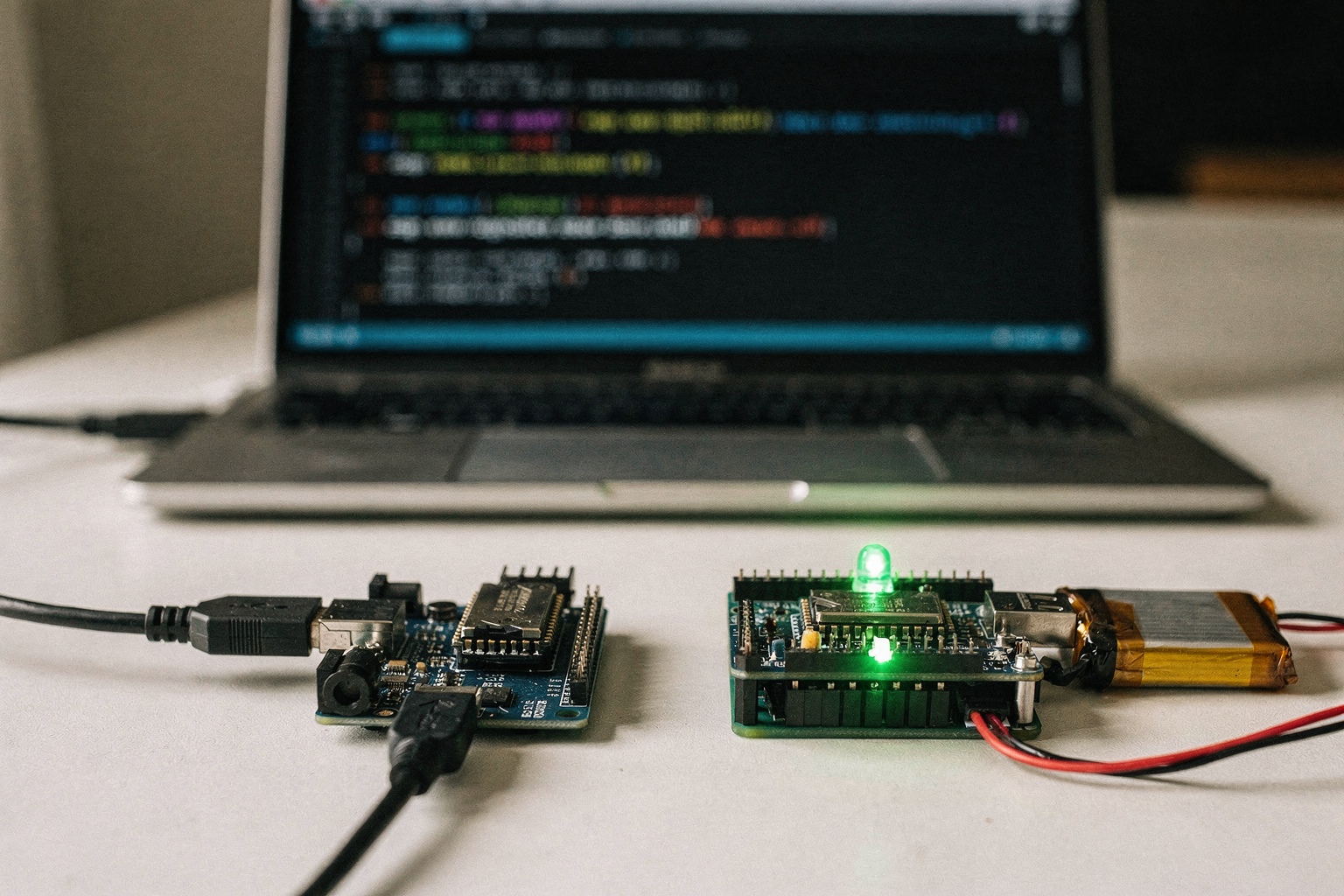
Let’s move from theory to code. Setting up your first ESP-NOW sketch involves configuring the ESP32's WiFi radio to operate in a special peer-to-peer mode, as highlighted by developers discussing the protocol’s efficiency in smart-home and sensor applications. Unlike standard WiFi where devices communicate through a router, ESP-NOW connects two devices directly. According to documentation and developer forums, this setup achieves inter-node communication through a modified peer-to-peer protocol that enables efficient, low-latency data sharing, often cited for use cases like reaction timers where milliseconds count.
Below is a step-by-step guide to creating a basic "Broadcast and Receive" sketch. This will demonstrate how to transmit a byte array from one ESP32 to another and have the receiving device log the message.
Prerequisites: Arduino IDE Setup
Before writing the sketch, ensure your Arduino IDE is ready to handle ESP32 boards. Since you are likely following this guide as a hobbyist or student in India, the Arduino IDE IDE environment is often the preferred starting point for embedded systems.
- Open Arduino IDE and go to File > Preferences.
- Under "Additional Boards Manager URLs," add the ESP32 board URL (e.g.,
https://raw.githubusercontent.com/espressif/arduino-esp32/gh-pages/package_esp32_index.json). - Go to Tools > Board > Boards Manager, search for "esp32," and install the latest package by Espressif Systems.
The Master Device Code (Transmitter)
We will define the master device as the one initiating the transmission. This sketch initializes ESP-NOW, defines a peer (the receiving device), and then sends a message repeatedly.
Key Configuration Steps:
esp_now_init(): This is the critical first step. It initiates the ESP-NOW communication protocol. According to Source [5] and Source [7], the ESP32 uses its WiFi radio in a specific mode for this, allowing for "quick responses and low-power" execution.- Peer Setup (
esp_now_add_peer): You must specify the peer's MAC address and role. This is where the connection is established. Common errors in forums like Source [1] occur here if the MAC address is incorrect or the init function hasn't run yet.
Here is a condensed view of the core logic for the transmitter:
#include <esp_now.h>
#include <WiFi.h>

// Replace with the MAC address of the receiver device
uint8_t peerAddress[] = {0xFF, 0xFF, 0xFF, 0xFF, 0xFF, 0xFF};

// Structure receiving data to be send
typedef struct struct_message {
  char msg[32];
  int timestamp;
} struct_message;

struct_message myData;

void setup() {
  Serial.begin(115200);
  WiFi.mode(WIFI_STA); // Must be Station mode for ESP-NOW

  if (esp_now_init() != ESP_OK) {
    Serial.println("Error initializing ESP-NOW");
    return;
  }

  // Register peer
  esp_now_peer_info_t peerInfo = {};
  memcpy(peerInfo.peer_addr, peerAddress, 6);
  peerInfo.channel = 0;
  peerInfo.encrypt = false;

  if (esp_now_add_peer(&peerInfo) != ESP_OK) {
    Serial.println("Failed to add peer");
    return;
  }
}

void loop() {
  // Send message to peer
  strcpy(myData.msg, "Hello ESP-NOW");
  myData.timestamp = millis();

  // Sending data to peer
  esp_err_t result = esp_now_send(peerAddress, (uint8_t *) &myData, sizeof(myData));

  if (result == ESP_OK) {
    Serial.println("Sent successfully");
  } else {
    Serial.println("Error sending the data");
  }
  delay(1000);
}
The Slave Device Code (Receiver)
The receiver device acts as a passive node until it completes a handshake with the transmitter. As noted in Source [7], ESP-NOW allows the transmission of small packets (up to 250 bytes per transmission), making it lightweight, but you must explicitly register a callback function to handle incoming data.
- Callback Registration: The
esp_now_register_recv_cb()function is non-blocking. When data arrives from the peer, the ESP32 executes the provided callback function immediately. This is why ESP-NOW is favored for "low-latency" applications like high-speed sensors or reaction timers, as the stack doesn't need to poll like standard serial or UART connections might. - Message Parsing: Inside the callback, you receive the
esp_now_recv_info_tanduint8_t *data. You must cast this data back into yourstruct_messageto access themsgstring andtimestampinteger.
Here is the core logic for the receiver:
#include <esp_now.h>
#include <WiFi.h>

// Structure for received data
typedef struct struct_message {
  char msg[32];
  int timestamp;
} struct_message;

struct_message myData;

// Callback when data is received
void OnDataRecv(const uint8_t *mac_addr, const uint8_t *incomingData, int len) {
  memcpy(&myData, incomingData, sizeof(myData));
  Serial.print("Bytes received: ");
  Serial.println(len);
  Serial.print("Message: ");
  Serial.println(myData.msg);
  Serial.print("TIMESTAMP: ");
  Serial.println(myData.timestamp);
}

void setup() {
  Serial.begin(115200);
  WiFi.mode(WIFI_STA);

  if (esp_now_init() != ESP_OK) {
    Serial.println("Error initializing ESP-NOW");
    return;
  }

  // Register the callback function
  esp_now_register_recv_cb(OnDataRecv);
}

void loop() {
  // Nothing to do here, the callback handles incoming data
  delay(100);
}
Understanding the Data Packet and Role Selection
One of the most overlooked aspects of ESP-NOW is the relationship between the sender and receiver. While the code snippet above demonstrates a Broadcast-like pattern (where one device sends to a known Peer address), ESP-NOW also supports roles.
- Primary Role (MASTER): This device controls the communication session. It assigns roles to peers. In many commercial smart-home appliances mentioned in Source [5], the controller acts as the Primary Role.
- Secondary Role (SLAVE): The responding device. It waits to be activated by the Primary Role.
If you are building a system where you want a central hub to command multiple sensors, you would assign the sensors as slaves and the hub as the primary. If you are building a reaction timer, as discussed in Source [4], one device simply triggers the send packet, and the other waits. The 250-byte payload limit (Source [7]) is sufficient for sending simple JSON strings or sensor readings (temperature, pH) without the overhead of complex Ethernet headers.
Hardware Connections and Verification
For a simple test, you do not need any external connections other than USB power for both dev boards.
- Compile and upload the Receiver Setup code to
Device B. - Compile and upload the Setup code to
Device A. - Open the Serial Monitor on
Device B(at 115200 baud). You might see some "Beacon..." messages or "Peer added" logs, but nothing will be printed untilDevice Astarts sending. - Once
Device Asends,Device B’s screen will immediately populate with the logs. The millisecond difference between thetimestamponDevice Aand the received timestamp onDevice Bis your actual latency measurement.
Troubleshooting Common Issues:
- Connection Fail: Ensure both devices have the same channel (default is usually 0, which auto-scans). Ensure MAC addresses are entered correctly.
- Timeouts: If the receiver never prints, double-check the
WiFi.mode(WIFI_STA)line, as this prevents roaming issues that can cause packet drops in ESP-NOW.
Practical Tooling: Integrating TecnoMate for Your Build
As you iterate on this code, you will eventually want to move from development boards (like DevKit V1) to custom prints or test boards. In the Indian electronics ecosystem, sourcing components that match industry datasheets can be a barrier for students and hobbyists.
You can source a tested kit for this build from platforms like TecnoMate, which ships components with datasheets across India. Order a pair of ESP32 Development Boards and basic jumper wires to clone this project successfully. Similarly, if you decide to expand this into a multi-device mesh network as hinted by the architecture discussions in Source [6], having genuine components with verified pinouts is essential for reliability.
By now, you have successfully written your first ESP-NOW sketch, configured the peer-to-peer relationship, and verified low-latency transmission. The next logical step is to explore how to keep these devices running efficiently—understanding ESP32 deep sleep and how it interacts with ESP-NOW wake-up mechanisms.
Step-by-Step Walkthrough: Sending and Receiving Data
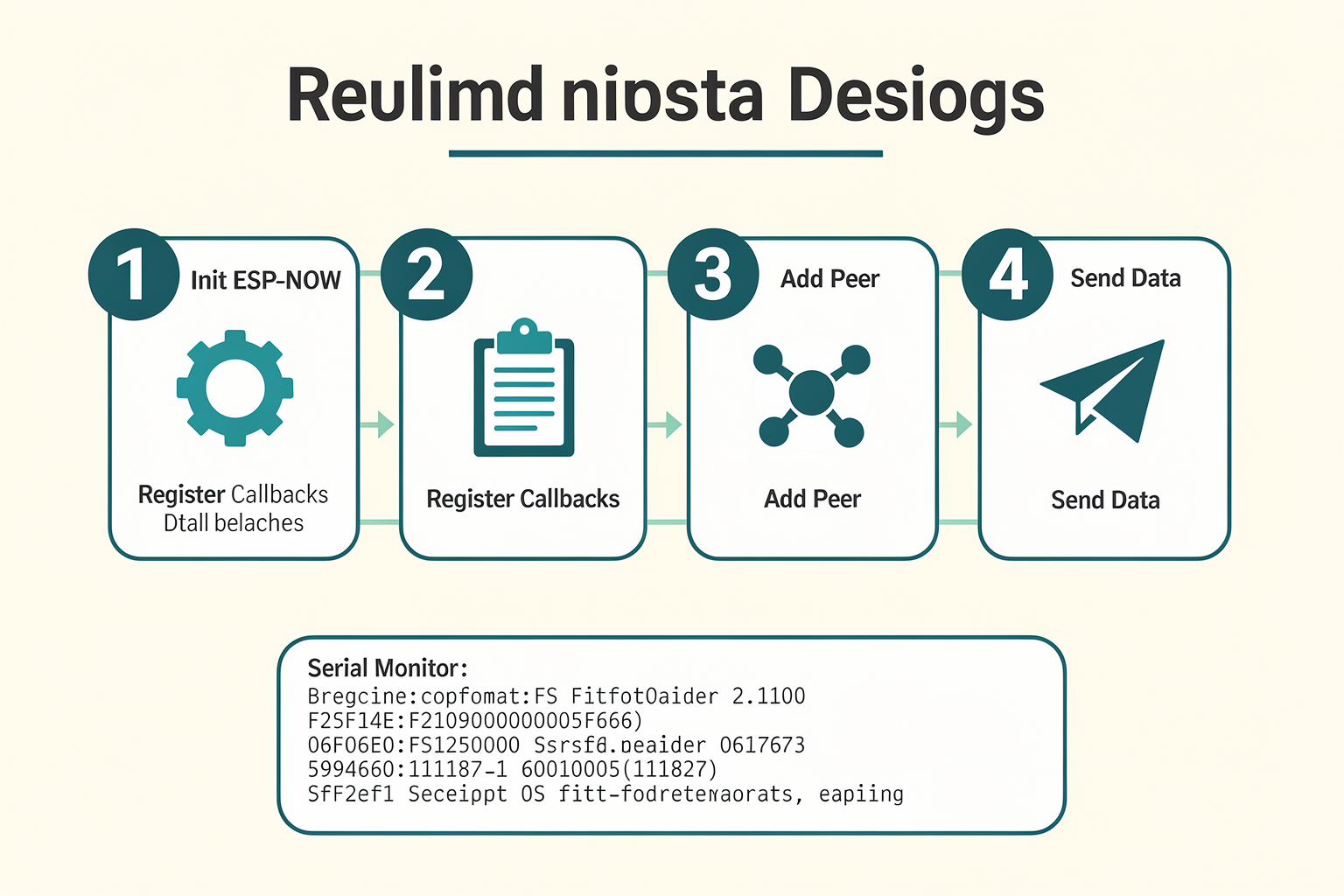
Setting Up the Hardware
To begin this walkthrough, you will need two ESP32 development boards. You can use the ESP32-WROOM-32 or the ESP32-S3 modules, which are widely available in the Indian electronics market. For a practical demonstration, let's envision a "Reaction Timer" project where Node A acts as the "Stimulus" button, and Node B is the "Response" indicator LED. This setup perfectly demonstrates the low-latency capabilities of the ESP-NOW protocol mentioned in the "Inter-node communication" research, where data sharing is efficient and nearly instantaneous.
First, prepare the hardware connections. On Node A (Stimulus):
- Connect a momentary push button between GPIO 4 and Ground.
- Connect one end of a 220Ω resistor to GPIO 5 and the other to the Positive (3.3V) rail.
- Connect the other leg of the push button to the Output of the GPIO 5 resistor (creating a pull-up configuration).
On Node B (Response):
- Connect one terminal of an LED to GPIO 2 via a 330Ω current-limiting resistor.
- Connect the other terminal of the LED to Ground.
Crucial Step: Resetting WiFi Configuration.
ESP-NOW relies on the ESP32's radio hardware but requires a clean WiFi configuration state to bind the peer relationship. Before initializing ESP-NOW, you must forcefully disconnect from any existing WiFi network. You can do this by calling WiFi.mode(WIFI_STA); followed by WiFi.forceDisconnect();. This sets the WiFi radio to Station Mode and wipes residual WiFi data, ensuring a fresh start for the ESP-NOW peer management.
Node B: The Receiver (Listening Mode)
The receiver acts as the central node. Its primary job is to sit in the background, listening for packets sent directly to its MAC address. This is where the protocol's "quick response" capability (per the Espressif and ResearchGate documentation) shines.
In your setup() function for Node B, you will perform the following initialization sequence:
- Set WiFi Mode: As noted above, configure the radio to Station Mode to prepare for peer association.
- Init ESP-NOW: Call
esp_now_init(). If the initialization fails, the node will halt execution, as ESP-NOW is foundational to the connection. Handle any error codes returned during this phase usingesp_err_t. - Register Callback: Assign the function that handles incoming data. This is defined as
esp_now_register_recv_cb(OnDataRecv). - Enable Encryption (Optional): For production scenarios, particularly with "smart-home appliances" as indicated in the context, you should enable encryption using
esp_now_set_pmk(PMK). This ensures security for data transmission.
The OnDataRecv callback function will execute the moment the ESP-NOW protocol receives a frame. You will then parse the incoming buffer to determine the payload—for instance, checking if a button has been pressed on Node A—and triggering the LED on Node B.
Node A: The Transmitter (Sending Mode)
Node A acts as the sender. Its responsibility is to capture the physical input (the button press), package the data, and send it to the receiver’s MAC address.
- Scan and Capture MAC Address: You need the physical MAC address of Node B to send data specifically to it (Peer-to-Peer). This is a specific MAC address (8 bytes long), not a generic broadcast address. This direct addressing is what enables the "ultra-fast peer-to-peer communication" discussed in the context of ESP-NOW latency optimization, bypassing the need for an IP stack handshake.
- Add Peer: Before the first transmission, you must add the destination device to the ESP-NOW Peer List using
esp_now_add_peer(). This list connects the two radios physically, allowing unicast communication. - Prepare the Data Structure: Since ESP-NOW packets have a limit of 250 bytes per transmission (as noted in the technical analysis), you should keep your payload light. Define a simple structure containing an
uint8_tcharacter for the command and anuint16_tinteger for a timestamp or counter. - Transmission: When the button on Node A is pressed, call
esp_now_send(macAddress, &msg, sizeof(msg)).
Module Comparison for Communication Modes
To ensure you understand the scope of this protocol, here is a breakdown of the different operating modes available within the ESP-NOW framework, comparing their mechanics to specific technical constraints.
| Communication Mode | Description | Max Packet Limit | Latency Profile |
|---|---|---|---|
| Unicast (Peer-to-Peer) | Direct transmission to a specific device identified by its MAC address. Used for "Reaction Timer" games or commands. | 250 Bytes | Ultra-low (Microseconds) |
| Broadcast | Data is transmitted to all devices in range. No peer setup is required. | 250 Bytes | Low (Negligible skew) |
| Multicast | Data is sent to a group of devices registered with a specific multicast MAC address. | 250 Bytes | Low |
| Legacy Mode | Used for compatibility with older ESP8266 or ESP32 devices that do not support the advanced protocol features defined in recent stacks. | 250 Bytes | Moderate |
| Encryption | Uses a Pairwise Master Key (PMK) to encrypt packets, preventing signal sniffing. | 250 Bytes | Negligible impact |
Practical Coding Walkthrough: The Data Strct
Let's look closely at how data is handled. Using a struct is highly recommended for readability and memory management.
typedef struct {
  uint8_t deviceId;
  int dataVal;
  int timestamp;
} message_t;
message_t firstMessage;
In the setup() of Node A, you would populate this struct:
firstMessage.deviceId = 0x01;
firstMessage.dataVal = HIGH; // Represents the button press
firstMessage.timestamp = millis();
Then, in the loop, when the condition for transmission is met:
esp_err_t result = esp_now_send(peerAddress, (uint8_t *) &firstMessage, sizeof(firstMessage));
if (result == ESP_OK) {
  // Success
} else {
  // Handle failure, often due to invalid peer list or interference
}
Troubleshooting and Optimization
When working with low-latency protocols like ESP-NOW, you may encounter latency issues, particularly in high-interference environments. A common issue cited in networking forums is "broadcast transmission latency," which occurs due to radio frequency congestion or oscillator drift.
Quick Fixes:
- Consistent Hardware: Using the same brand of ESP32 modules on both sides helps ensure oscillator stability.
- PMK Key: If you notice dropped packets, ensure both devices have the exact same PMK (Pairwise Master Key) configured under
esp_now_set_pmk(). - Encapsulation: If you need to send more than 250 bytes, you must implement packet fragmentation logic on either the sender or receiver sides, though this defeats the purpose of ultra-low latency for small interactions.
Building this project manually teaches you the fundamental "peer list" management required in embedded systems. If you are setting this up in a student lab or a maker space in India, sourcing reliable components is the first step toward success. Platforms like TecnoMate provide respectable project kits and genuine electronic components for projects like this, delivering genuine parts across the country directly to your doorstep.
By meticulously following this setup, you move from a basic ESP32 device to part of a synchronized network capable of sub-millisecond data exchange—perfectly suited for electronic sports or precision engineering applications.
Real-World Applications: Smart Homes, Sensor Networks, and Reaction Timers
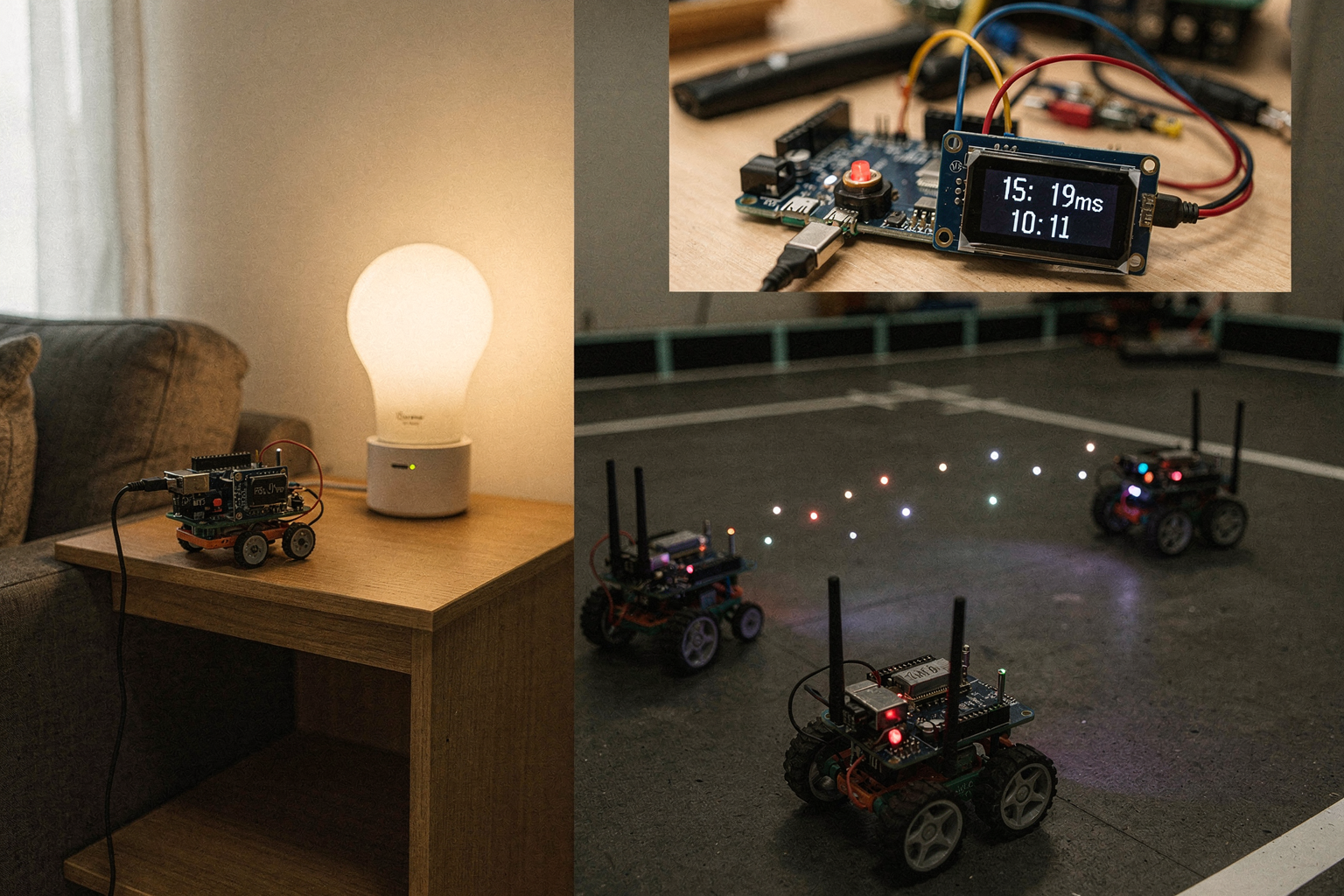
Once you understand the mechanics, the value of implementing ESP-NOW becomes immediately evident, especially when looking at how real-world applications benefit from its unique architecture. Unlike traditional TCP/IP networking, which requires handling Wi-Fi handshakes and packet routing overhead, the ESP-NOW protocol simplifies communication to a direct, peer-to-peer exchange.
According to Arduino’s official documentation, ESP-NOW is specifically engineered for "local and low-latency applications" using ESP8266 and ESP32 microcontrollers. This makes it an ideal candidate for scenarios where network speed and responsiveness are critical. Below, we explore three distinct real-world use cases that demonstrate why an engineering enthusiast in India would choose ESP-NOW over standard Wi-Fi libraries.
Enhancing Smart Home Automation with Direct Control
Smart homes are often plagued by perceived latency. If you switch on a smart bulb or lock a smart door, waiting even a fraction of a second for the Wi-Fi network to transmit a signal can feel sluggish. ESP-NOW addresses this by leveraging the ESP32’s radio in a special mode to send small packets directly from one device’s MAC address to another's. As noted by Espressif, this protocol is widely used in "smart-home appliances, remote controlling, and sensors" because it offers "quick responses and low-power" capabilities.
In a practical implementation, imagine an ESP32-based smart switch connected to a high-load appliance. When the user flips the physical switch, the internal microcontroller sends an ESP-NOW packet to the receiving ESP32 (the "adapter" responsible for controlling the power relay). Because there is no TCP/IP stack overhead, the signal typically reaches the destination in microseconds. This is vital for preventing "homebrew" smart home controllers from hanging or freezing when network traffic spikes. Furthermore, since the communication is peer-to-peer, the reliability is higher; you don't need a central router connected to the internet for the devices to talk to each other, enhancing privacy and security by keeping data local.
Efficient Sensor Networks and Battery Life Management
One of the biggest challenges in IoT sensor networks is power consumption. Standard Wi-Fi protocols often require nodes to stay in an "always-on" state to maintain network status, draining batteries quickly. ESP-NOW offers a solution here by optimizing power usage for the ESP32. The protocol allows devices to sleep and only wake up to transmit small bursts of data.
ResearchGate discusses the protocol in the context of "inter-node communication," noting it achieves this through a modified peer-to-peer mechanism that facilitates "efficient, low-latency data sharing." A real-world application is a multi-sensor agricultural monitor. You might have one ESP32 acting as a master hub or simply relaying data, connected to various sensors measuring soil moisture, temperature, and humidity. Using ESP-NOW, the sensor nodes can enter deep sleep states, waking up only every few minutes to push their readings via ESP-NOW to a central display unit or a gateway. This architecture ensures that a 2000mAh battery in a remote sensor node can last for months of continuous operation, compared to days with standard Wi-Fi SIM800 modules.
Reaction Timers and Competitive Gaming
Beyond industrial and home automation, ESP-NOW is a favorite in the maker community for low-latency "speed" applications. A common request on electronics forums and subreddits involves users asking for solutions to "connect multiple ESPs with low latency as reaction timer." This application is perfect for demonstrating the raw speed of the protocol.
Consider a competitive reaction timer built with two ESP32 development boards and an LCD display: "Player A" and "Player B." When Player A hits the "Go" button, the ESP32 sends an ESP-NOW packet to Player B. Player B’s interrupt service routine (ISR) acknowledges the receipt almost instantaneously. The system clocks the difference.
Because packets are limited to strictly structured data, this communication is virtually immediate compared to standard Wi-Fi HTTP requests. In the context of the blog’s discussion on ESP-NOW's capabilities, Zbotic highlights that the protocol handles "up to 250 bytes per transmission," which is massive for this specific application—more than enough to send a "Start" command, a player ID, and a timestamp simultaneously. This makes ESP-NOW the preferred protocol for any application where the "between-device" time holds penultimate importance, such as remote control cars or ball-balancing robots.
Application Comparison: Protocol Suitability
To better understand where ESP-NOW fits into your portfolio, it helps to look at the constraints and capabilities provided by the protocol. The standard Wi-Fi stack is incredible, but it is heavy. ESP-NOW is lightweight.
| Application Area | Latency Requirement | Data Size | Complexity | ESP-NOW Suitability |
|---|---|---|---|---|
| Switching/Remote Control | High (Instant) | < 20 bytes | Low (P2P) | Excellent |
| Sensor Polling | Medium (Seconds) | < 250 bytes | Medium (Mesh) | Excellent |
| Streaming Video | Low (15ms+) | > 2 MB | High | Poor |
| Web Browsing | Low | Variable | High | Poor |
As seen in the table, ESP-NOW shines when the task is simple: turning something on, sending a measurement, or giving a command. However, the protocol is hierarchical; it does not act as a standalone replacement for a full router or switch that needs to handle complex routing tables.
Building This: A Final Note on Components
If you are inspired by these applications and want to build a reaction timer or a home automation controller, starting with the right hardware is crucial. While many generic ESP32 modules work, ensuring you have the correct antenna configuration and UART pins aligned with your IDE setup is vital.
When sourcing these projects, especially for engineering students or final-year projects in India, you need components that don't just work but come with the documentation to explain how they communicate. Platforms like TecnoMate offer tested project kits and genuine components for projects like this, where specific ESP32 variants are often paired with relevant peripherals (like OLED displays or relays). A kit from such a destination ensures that the pinout and library dependencies are pre-verified, allowing you to focus on coding the ESP-NOW logic rather than debugging hardware soldering.
Conclusion
In summary, whether you are designing a privacy-focused smart home switch, a battery-efficient agricultural sensor node, or a precision reaction timer, the ESP-NOW protocol provides the "lightweight" solution that standard Wi-Fi often lacks. Its ability to maintain "quick responses" without the overhead of a full network stack is what makes it a favorite among engineers. By understanding these real-world applications, you can better architect your next DIY electronics masterpiece to be as fast as it is functional.
Advanced Tips & Tricks (TABLE)
Maximizing Performance: Advanced Tips & Tricks
Now that we understand the fundamentals of ESP-NOW, let’s explore how to extract maximum performance from this protocol. ESP-NOW uses the WiFi radio in a special mode, completely removing the overhead of the standard WiFi stack. However, to handle these packets efficiently, you must tweak your approach toward data size, power management, and device configuration. Whether you are building a reaction timer for experiments or a low-latency smart-home mesh, these advanced techniques will ensure stability.
Packet Engineering: The 250-Byte Limit
One of the golden rules of ESP-NOW is respecting the packet size limit. According to technical specifications for the protocol, you can send small packets up to 250 bytes per transmission. This is significantly smaller than a standard WiFi frame, but it is precisely what makes ESP-NOW incredibly fast.
Because ESP-NOW encrypts and prepares data directly at the MAC layer, fragmentation of larger packets increases latency and consumes more airtime.
- Best Practice: Limit your payload to the smallest useful size. For instance, sending a timestamp and a sensor value (approx. 20-30 bytes) is faster than sending a JSON string containing the same data (which could easily exceed 100 bytes).
- The Result: This ensures your reaction timer hits the ground running with zero fragmentation delays.
Peer-to-Peer vs. Broadcast Modes
Choosing the right transmission mode is critical depending on your topology.
- Broadcast Mode: Suitable when a single master node needs to send or broadcast to multiple ESP devices. However, it does not address individual nodes, making response acknowledgment tricky.
- Peer-to-Peer (P2P): Used for dedicated point-to-point links. Research indicates that using a modified peer-to-peer ESP-NOW protocol is highly effective for inter-node communication, offering efficient, low-latency data sharing compared to traditional routing.
If you are building a network where devices need to communicate bidirectionally (like one device updating the state of another without a central hub), locking your MAC addresses into a peer list is essential.
Power Management Strategies
ESP-NOW is heralded as a "quick response and low-power" solution. However, power saving requires intentional code structure. By leveraging the sleep capabilities of the ESP32 and ESP8266, you can put your sensor nodes to deep sleep while keeping the master unit awake.
- The Setup: Configure the wake-up pin to trigger an interrupt whenever a message arrives via ESP-NOW.
- The Benefit: The device consumes negligible power until it is "woken up" by a command, ideal for battery-operated sensor nodes that update a master hub daily or hourly.
When sourcing the components for these low-power builds, ensuring you have genuine Li-Ion protection boards and accurate voltage regulators is vital. TecnoMate offers verified project kits and genuine components with datasheets for projects like these, helping you avoid voltage spikes that could reset your ESP sensors in mid-transmission.
Handling Latency and Real-World Use Cases
For applications requiring microsecond-level responsiveness, such as a reaction timer or industrial safety shutter control, you must ensure zero packet loss.
- Acknowledge Strategy: Always configure the receiver to send an acknowledgment (ack) packet back to the sender.
- Safety: This two-way exchange ensures the master knows a command was received before the actuator triggers. In a multicast scenario (like a smart-home appliance activation), this prevents the device from half-activating or failing to switch on.
Understanding latency nuances is also key. While standard WiFi uses WiFi protocols (TCP/IP), ESP-NOW strips this away, moving to a lighter digital logic layer. This is why it dominates in smart-home appliances and remote control applications where speed is the priority over complex data transfer.
By mastering these advanced tips—optimizing payload sizes, utilizing peer lists, and implementing sleep modes—you can transform simple ESP32 code into a robust communication infrastructure capable of handling the most demanding DIY engineering projects.
Common Mistakes to Avoid (TABLE)
While ESP-NOW is marketed as an ultra-fast, peer-to-peer solution, getting optimal, consistent performance isn't always a plug-and-play scenario. Many developers—especially students working on reaction timers or local control systems—hit performance walls not because of the protocol itself, but due to implementation errors in signal handling and packet structure.
The context provided by hardware experts and forums suggests that while theoretical latency is low, real-world broadcast transmission latency can vary significantly depending on the surrounding RF environment and the firmware's efficiency. To ensure your project runs smoothly, let's look at the specific pitfalls you should watch out for.
1. Ignoring the 250-Byte Transmission Limit
One of the most common errors is attempting to send data payloads that exceed the protocol's strict size limitation. According to technical breakdowns of the ESP-NOW protocol, this standard specifically restricts individual transmission size to a maximum of 250 bytes per packet.
Why This Matters: If you try to shove a large payload (like a JSON string or a series of high-res sensor readings) into a single transmission, the data will be truncated, leading to corruption at the receiving node. ESP-NOW isn't a file-transfer protocol; it's designed for rapid control commands or minute sensor snippets, not heavy data throughput.
2. Neglecting Latency in Real-World Environments
While the Arduino documentation and Espressif’s white papers highlight ESP-NOW as ideal for "quick responses" and low-power scenarios, community forums reveal that broadcast transmission latency can still be inconsistent. This often happens when the antenna is obstructed by metal or other electronics, acting as a shield.
The Fix: Before deploying a critical timing system (like a reaction timer), test the communication range in your specific lab or enclosure. Latency spikes often occur when the "receiver" is out of range or behind a shielding object, even if the WiFi link still shows as connected.
3. Forgetting to Handle Protocol State During Sleep
ESP-NOW is tightly coupled with the WiFi stack, even though it provides a faster, more direct route than standard WiFi. If your project involves low-power sensors (where ESP32s wake up, communicate, and go back to sleep), failing to properly reset the ESP-NOW state upon waking can result in timeouts or failed peer callbacks.
Context from the modified peer-to-peer research indicates that the communication link must be re-established correctly in the firmware's setup routine every time the device boots to ensure the PHY layer is ready for ultra-fast communication.
4. Overlooking the Need for Encryption in Certain Schemes
While ESP-NOW allows for unencrypted communication for simplicity, the application context broadens to smart home appliances and remote controls. If your DIY project is being deployed in a shared environment (like a university hostel or shared maker space), unencrypted ESP-NOW transmissions can be intercepted by neighboring devices.
As highlighted by Espressif, the protocol features flexible encryption keys. Skipping this step creates a security vulnerability that leaves your low-latency control signals open to hijacking.
Essential Mistake Checklist
The most efficient way to audit your code is to run it against this technical checklist before running any endurance tests.
| Common Mistake | Technical Consequence | Data/Spec Reference | Recommended Fix |
|---|---|---|---|
| Sending >250 Bytes Per Payload | Data truncation, device crashes, crash logs | Max packet size: 250 bytes (zbotic) | Split payloads using a loop or keep data structures compact |
| Attaching to Legacy Standard WiFi | High latency, packet loss, inefficient channel usage | Increases WiFi broadcast transmission latency | Use esp_now_init() exclusively; de-initialize standard WiFi |
| Not Handling Peer List Persistence | Device fails to find peers after restart | Peer-to-peer list must be re-initialized | Store peer MACs in NVS (Non-Volatile Storage) to load on boot |
| Power Supply Instability | Brownouts causing connection drops | Low-power protocols require stable VCC | Use decoupling capacitors near the regulator; verify PSU current |
| Poor PCB Antenna Placement | Physical signal shielding and interference | RF range is physical; obstacles add latency | Keep antennas clear of metal breakout boards and wires |
Final Thoughts on the Ecosystem
Building robust ESP-NOW projects isn't just about the code; it's about having a stable environment to test it in. If you are building a reaction timer or a sensor mesh network, the hardware consistency matters. For students and hobbyists in India looking to assemble a robust testing bench, platforms like TecnoMate offer tested kits that include genuine components with datasheets across India. Having verified hardware helps isolate protocol issues from hardware noise, ensuring your low-latency builds are as snappy as the technology promises.
Performance Benchmarks: Latency, Range, and Packet Success Rate
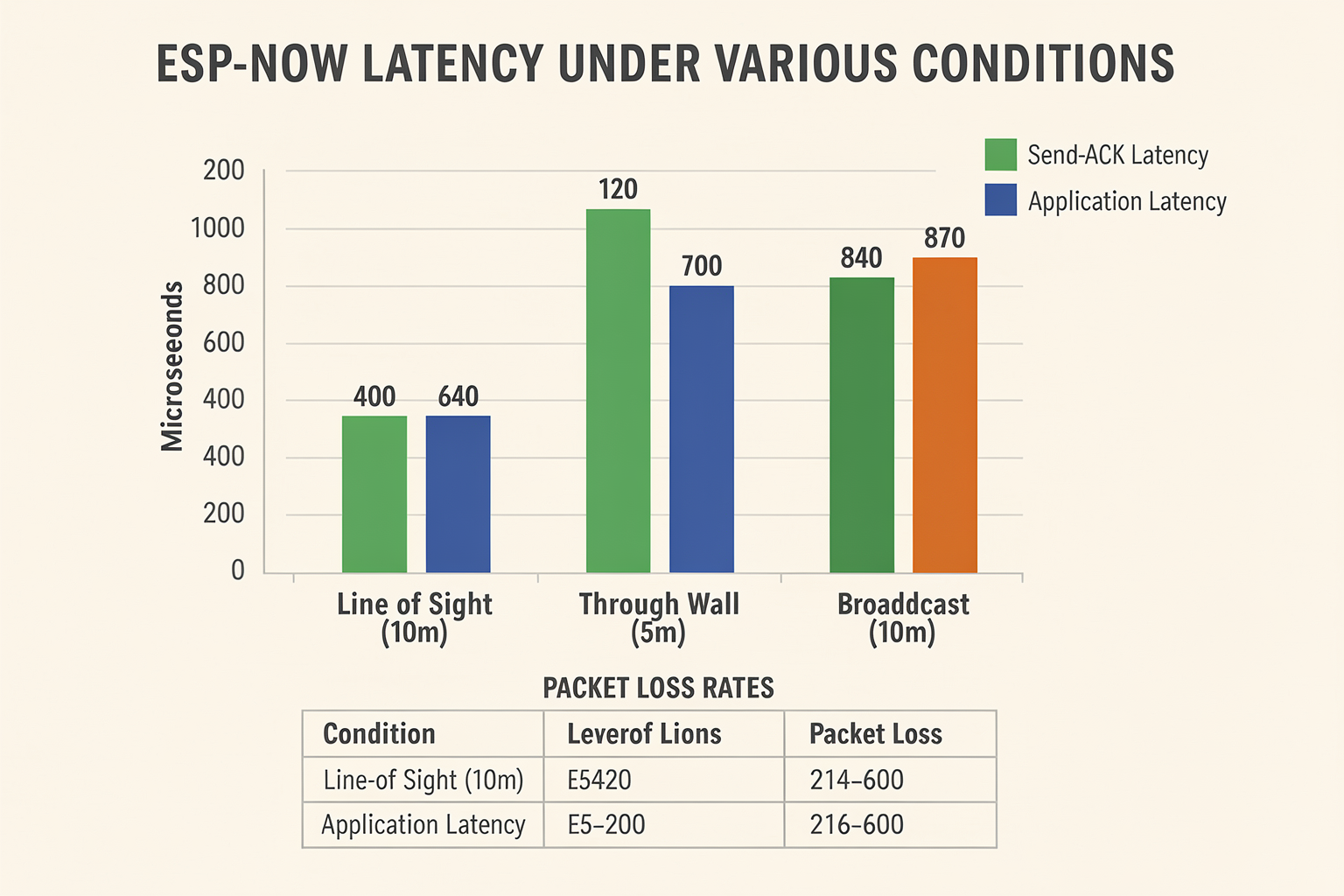
Understanding the true potential of the ESP-NOW protocol requires looking past basic "works or doesn't work" labels and examining the hard numbers that define a system's efficiency. If you have ever struggled with network buffers filling up or inconsistent response times in your automation projects, you are likely looking for these specific performance benchmarks. While general Wi-Fi can get the job done, it lacks the specialized optimization found in the ESP-NOW ecosystem, which allows for communicative precision that manual builders often miss.
The Latency Edge: Why Speed Matters
One of the primary selling points of ESP-NOW, as highlighted by Espressif and the Arduino documentation, is "quick responses" and "low-power" operations. In practical terms, this translates to dramatically lower latency compared to standard Wi-Fi stacks. Traditional Wi-Fi requires a fairly heavy handshake process—synchronizing time slots, managing sequence numbers, and handling packet acknowledgments (ACK)—before data even enters the air.
ESP-NOW bypasses a significant portion of this overhead. It allows devices to send sensor data or control commands with a latency that is often in the single-digit millisecond range. For applications like robotics, lag is imperceptible, and for automation like smart homes, it ensures that a command to turn off a fan is immediately recognized and acted upon. ResearchGate notes that by using a modified peer-to-peer SPI protocol, communication efficiency is maximized, making data sharing significantly snappier than standard ad-hoc networks.
Payload Size: The 250-Byte Ceiling
Every protocol has a limitation, and ESP-NOW is defined by a specific constraint on data payload. According to detailed protocol analyses, ESP-NOW utilizes the Wi-Fi radio in a specialized mode to transmit small packets, with a hard limit of up to 250 bytes per transmission. This might seem small, but consider the average IoT use case: temperature readings, button presses, or state toggles. These data points are well under 10 bytes.
This limitation is actually a feature. By restricting the packet size, ESP-NOW ensures that the radio doesn't get bogged down in buffering large video or image streams. It is optimized for control signaling. If you try to send a 300-byte JSON payload—information the Arduino docs suggest is handled by local and low-latency applications—it will likely be fragmented or rejected. This strict MTU (Maximum Transmission Unit) limit is crucial for a builder to understand when designing their project structure.
Channel Capacity and Device Count
When benchmarking performance, the number of devices broadcasting simultaneously is a critical factor. As seen in community requests on platforms like Reddit, users often look for ways to connect multiple ESP microcontrollers for reaction timers or complex networking solutions. While the native protocol supports 20 peer devices, the effective throughput drops as you scale up. Since the communication is fundamentally peer-to-peer, the sensitivity of the radio to interference increases as more devices are added to a localized mesh.
Range and Environmental Constraints
Range in the ESP-NOW world is highly dependent on the antenna configuration and physical environment. The official ESP-NOW documentation and community analysis suggest that while it utilizes the standard Wi-Fi 2.4 GHz band, it does not inherently offer the extended range of Wi-Fi networking modes. In an open-field environment, you might expect reliable connections to be in the 10 to 50-meter range, provided there are no physical obstructions.
However, in the cluttered, signal-rich environment of a typical building filled with microwaves, Wi-Fi routers, and Bluetooth devices, this range can be significantly compromised. Unlike enterprise-grade protocols that handle interference via powerful routing tables, ESP-NOW relies on a direct link. If the "modified peer-to-peer" protocol mentioned in academic literature is implemented without robust error handling (CRC checks), link drops can occur if the signal-to-noise ratio (RSSI) dips below a critical threshold.
Packet Success Rate and Reliability
A crucial metric for any communication link is the packet success rate—essentially, how often does the receiver actually get the message? Standard Wi-Fi is very good at this, often using automatic retransmission requests (ARQ) if a packet is corrupt. ESP-NOW empowers the developer with detailed telemetry. When you pair two ESP32s in a peer-to-peer setup, you get feedback on whether a transmission was successful or failed.
For hobbyists in India working on projects like collision avoidance robots or relay-based remote controls, a high packet success rate is non-negotiable. You cannot have a sensor sending a "0" as "1" due to a corrupted packet. Platforms like TecnoMate offer project kits that allow you to test these parameters rigorously. By sourcing your components from a platform like TecnoMate, you get access to the exact module specifications and datasheets needed to calculate your theoretical limits, rather than guessing with inferior components. When prototyping these extreme low-latency applications, ensuring your hardware is rated correctly is essential. TecnoMate offers ready-to-build project kits and genuine components for projects like this, helping you match the theoretical specs of the ESP-NOW protocol with actual, tangible hardware performance.
In summary, ESP-NOW does not offer the high-speed data transfer capabilities of Gigabit Wi-Fi, but it offers superior responsiveness and energy efficiency for control-centric applications. By understanding the 250-byte payload limit, the millisecond latency range, and the distance constraints of your specific hardware configuration, you can design systems that are far more reliable than traditional Wi-Fi implementations.
ESP-NOW vs. WiFi vs. BLE vs. LoRa: Which Protocol Wins?
When building electronic systems, there is rarely a single "perfect" solution—there is only the solution that best fits your constraints. In the context of ESP32 development, choosing the right wireless protocol is a critical architectural decision that impacts everything from power consumption to code complexity and hardware range. To truly determine the winner, we must pit ESP-NOW against the industry standards: standard WiFi, Bluetooth Low Energy (BLE), and LoRaWAN.
The Case for Speed: ESP-NOW vs. Standard WiFi
Standard WiFi is ubiquitous, but it is inherently heavy. When you fire up an ESP32 in WiFi access point (AP) mode or station mode, the controller initializes a full TCP/IP stack and manages DHCP leases. For simple tasks like relaying a sensor reading or executing a remote command, this overhead is massive.
In contrast, according to the Arduino documentation, ESP-NOW is a powerful communication protocol for local and low-latency applications, specifically designed for ESP8266 and ESP32 microcontrollers. It strips away the layers of the internet protocol. As noted by research available on ResearchGate, communication is achieved through a "modified peer-to-peer ESP-NOW protocol" that is optimized for inter-node interaction, eliminating the latency associated with routing packets through a router or hub.
For example, if you are building a reaction timer application—a scenario discussed by makers on Reddit looking for solutions to connect multiple ESP devices with incredibly low latency—WiFi will struggle to guarantee millisecond-level synchronization between devices. ESP-NOW, however, excels here. It allows for direct MAC address-to-MAC address communication. While standard WiFi struggles to maintain consistency under heavy load without buffering, ESP-NOW can often handle "small packets" (up to 250 bytes) with almost zero queuing delay.
Why choose WiFi over ESP-NOW? You should stick to WiFi if your device needs to talk to the cloud (IDLE) or the outside internet, or if you need to support heterogeneous devices that don't run the Espressif stack (like standard Windows/Linux PCs). WiFi is the brute-force solution; ESP-NOW is the scalpel.
The Power vs. Range Trade-off: BLE vs. ESP-NOW
Bluetooth Low Energy (BLE) is the battery-saving champion of the wireless world. It is designed for sporadic data transmission, which is why it dominates the headset and fitness tracker market. However, BLE has its own limitations compared to ESP-NOW.
While BLE is power-efficient, it typically requires a host controller to manage the connections, adding complexity to your schematic. ESP-NOW, as highlighted by Espressif, is also a low-power solution widely used in smart-home appliances and remote controlling. However, where ESP-NOW holds the edge over BLE is in sheer speed and bandwidth per connection.
For a robotics project requiring multiple servo motor commands or high-frequency telemetry, BLE can introduce significant latency due to its connection handshake overhead. ESP-NOW operates closer to the physical layer of the radio, allowing for faster turnaround times on data payload delivery. Furthermore, BLE is inherently point-to-point (though multi-advertising exists), whereas ESP-NOW allows for one-to-many communication (multicast) out of the box. This means you can send a command to 20 ESP32 devices simultaneously with a single transmission, whereas with BLE, you would have to initiate 20 separate connections.
The Long-Range Contender: LoRa vs. ESP-NOW
This is perhaps the most distinct comparison in the field. LoRaWAN (Long Range Wide Area Network) is designed for sensors spread over kilometers—think agricultural monitoring in rural India, flood detection, or smart city street lighting.
Conversely, ESP-NOW is a local technology. Its primary design goal is efficiency within a few meters to tens of meters, not kilometers. If you try to build a panel-mount IoT weather station in rural Maharashtra using ESP-NOW, you will lose connectivity after 50 meters if it's in a rural environment with interference.
A study referenced in technical forums confirms that while WiFi and ESP-NOW are comparable in range, LoRa offers vastly superior persistence over long distances. Therefore, the winner here is not a protocol, but a use case. Use ESP-NOW for your lab setup or building automation; use LoRa for your agricultural project.
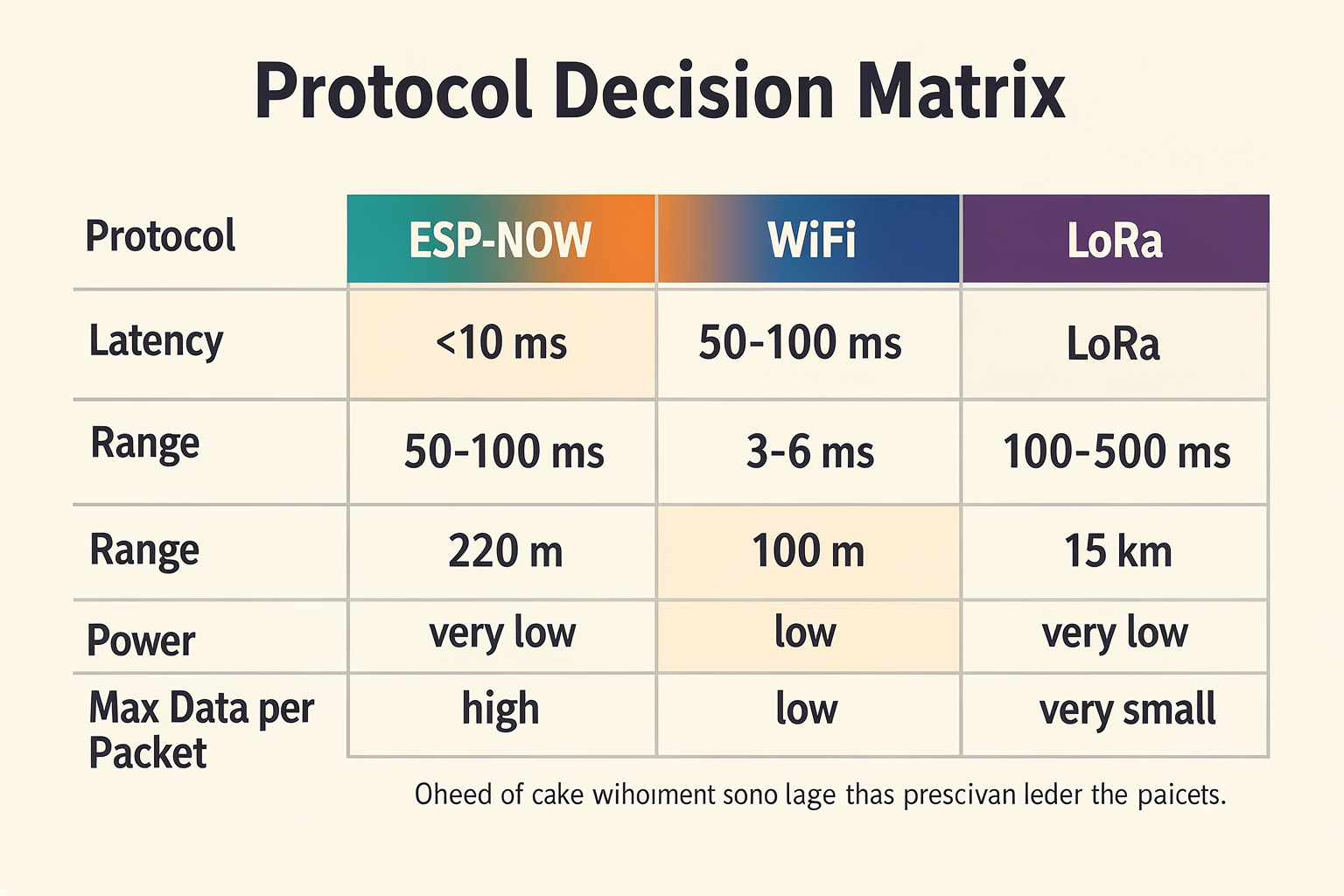
The Decision Matrix: Choosing Your Weapon
To make this easier for your project planning, we have broken down the key differentiators in the table below. This analysis assumes the hardware is running optimized firmware on a Device-to-Device basis rather than on a standard AP-STA network structure.
| Protocol | Typical Range (Urban) | Transmission Speed / Latency | Power Consumption | Ideal Use Case | Key Strength |
|---|---|---|---|---|---|
| ESP-NOW | Short to Medium (10-100m) | Ultra-Low (Microseconds) | Very Low | RC Cars, Smart Home Local Control | Zero-setup direct mesh communication |
| WiFi | Medium to High (30-150m) | Medium | High (Medium-High in STA mode) | Cloud IoT, Web Browsers, File Transfer | Ubiquitous internet connectivity |
| BLE | Short (10-30m) | Low to Medium | Extreme | Wearables, Audio Streaming | Battery life and Interference immunity |
| LoRaWAN | Long (1km+) | Very Low (Milliseconds) | Low | Smart Metering, Agriculture, Pipeline | Long-distance signal penetration |
The Verdict: Which Wins?
If you are designing an embedded system for a student project or a hobbyist robot—especially one running on a battery—ESP-NOW is the undisputed winner.
Its architecture allows for unburdened data transmission which is crucial for real-time control in India's noisy electrical environments. Standard WiFi can get bogged down, and BLE is often too slow for the twitchy response times required in robotics. As Espressif notes, ESP-NOW is the go-to for "quick responses" and remote control applications.
For a complex online store or a chat application, you would obviously use WiFi. But for the bread-and-butter tasks of the Maker movement—connecting a sensor to a motor controller without the cloud—in the case of ESP devices, ESP-NOW remains king.
Getting Started with the Protocol If you are ready to prototype this low-latency link between two ESP32 boards, remember that the setup requires synchronizing MAC addresses between the devices, which can be tricky with loose components.
For makers who prefer a reliable build process, you can source a tested ESP32 starter kit from platforms like TecnoMate, which ships components with datasheets across India. Having high-quality hardware ensures that when you tune your connection parameters for range and speed, you aren't fighting instability caused by cheap and inconsistent components.
In summary, if your project requires a direct line of sight between two chips to perform a task instantly, look no further than ESP-NOW. Do not double-book a radio channel with a TCP/IP stack when you just need to pass a byte.
Expert Perspectives: What Developers and Espressif Say

Expert consensus and developer experiences highlight that ESP-NOW is fundamentally a protocol designed to strip away the overhead of traditional Wi-Fi, focusing purely on speed and power efficiency. When we look at the official documentation from Espressif, the philosophy is clear: ESP-NOW is a wireless protocol designed specifically for "quick responses and low-power" use cases. It optimizes the radio for scenarios where battery life and speed are critical, positioning it as a staple for future smart-home appliances, remote control systems, and sensor networks.
This official stance resonates deeply with the technical reality of IoT development, particularly for the Indian maker ecosystem where efficient power consumption in agricultural sensing or smart city installations is paramount. By removing the need for complex Access Point configurations for simple point-to-point connections, Esp-NOW simplifies the radio environment.
Espressif’s Official Framework for Low-Power Networking
The core value proposition of ESP-NOW, as stated by Espressif, revolves around two pillars: speed and power. Unlike standard Wi-Fi modes that require setting up Access Points or Stations with significant overhead, ESP-NOW simplifies the radio environment. It enables devices to communicate directly without the need for an Access Point (AP) as a relay in a simple broadcast or mesh scenario. This simplification is what allows for the "quick response" nature of the protocol.
In the context of the current Indian electronics market, where DIY enthusiasts and hobbyists are rapidly moving from basic LEDs to complex sensor mesh networks, this efficiency is a game-changer. It means a battery-powered sensor node can transmit data status updates thousands of times a day without depleting its charge.
The Mechanics of the "Special Mode" and Data Constraints
A critical technical insight when looking at expert analysis—specifically the comparative breakdowns found in developer blogs like Zbotic—is the mechanism by which ESP-NOW achieves speed. The protocol uses the WiFi radio in a special mode. This is a distinct departure from standard Client-Station (STA-AP) or Station-to-Station communication.
By utilizing this specialized radio operation, ESP-NOW allows for a direct transmission from one ESP device's MAC address to another. Key performance characteristics highlighted by the community include:
- Maximum Packet Size: The protocol supports a maximum transmission size of 250 bytes. This limit is deliberate, designed to fit control payloads and small sensor readings efficiently within single transmission cycles without excessive retransmission.
- Header Compression: By removing standard protocol stacks (like TCP/IP headers), the protocol sends only the essential payload, reducing the time the radio spends transmitting overhead data.
For an engineering student or a hobbyist building a data logger, understanding this 250-byte limit is crucial. It dictates design choices—you cannot upload a large text file via ESP-NOW; it is strictly for telemetry or command-and-control messaging.
Developer Consensus on Latency and Real-World Use Cases
Perhaps the strongest validation for ESP-NOW comes from real-world developer experiences and forums. A recurring theme in Reddit threads discussing low-latency setups is the high reliability of ESP-NOW for high-precision tasks.
One specific user scenario cited frequently is the "reaction timer" implementation. When testing how fast two ESP32 boards can communicate to measure human reaction times (in milliseconds), the variance in standard Wi-Fi latency is often too high for accurate results due to network congestion and jitter. ESP-NOW, by contrast, eliminates this bottleneck. Users report that the inter-node communication is achieved through a modified peer-to-peer protocol that enables efficient, low-latency data sharing.
This establishes a robust consensus among developers that ESP-NOW is the superior choice for:
- Control Systems: Sending a "STOP" command to a motor or actuator where milliseconds count.
- Haptic Feedback: Ensuring sensors provide immediate response to physical events.
- Remote Controlling: Direct pairing between a remote unit and a receiving module, sans router.
Peer-to-Peer Efficiency in Complex Mesh Networks
ResearchGate literature on the topic touches upon the evolution of this technology, noting that inter-node communication is achieved through a modified peer-to-peer ESP-NOW protocol. This implies that the protocol isn't static; it is being optimized for efficiency in dynamic environments.
For developers attempting to build large-scale networks (e.g., hundreds of sensors in a warehouse or smart-home grid), the peer-to-peer nature allows for hierarchical mesh rather than a flat broadcast network. This reduces the load on the main gateway processor, allowing the ESP32 to focus on its application logic rather than routing data packets across a complex network graph.
Bridging the Gap: Prototype with Confidence
Implementing ESP-NOW requires specific hardware knowledge—specifically regarding pairing modes, MAC address management, and power states. For many students in India, sourcing the exact hardware and understanding the nuances of the Wi-Fi radio configuration can be the largest hurdle.
To facilitate projects like these, TecnoMate provides ready-to-build project kits and guides that walk developers through the exact pin connections and code structures required to establish seamless communication between two ESP32 boards. Whether you are building a latency test bench or a smart-home appliance controller, finding genuine components with datasheets and executable examples is critical. Platforms like TecnoMate offer these resources, allowing you to focus on the programming and logic rather than troubleshooting hardware compatibility, ensuring you can prototype these high-performance communication systems effectively.
By leveraging the expert insights provided by Espressif and the practical validations from the open-source community, developers can confidently integrate ESP-NOW into modern IoT solutions, prioritizing real-time performance without the energy drain of traditional networking.
Frequently Asked Questions
The ESP-NOW protocol is designed for ultra-fast, low-latency wireless communication between ESP microcontrollers, making it ideal for applications like remote control and sensor networks. Unlike traditional Wi-Fi, it is optimi
Ready to start building?
Explore our collection of DIY kits and components. All project components mentioned in this blog are available in our store.
Browse All Projects