

Raspberry Pi vs BeagleBone: Choosing the Right Single-Board Computer for Robotics
It’s a question that sparks more debate in maker forums than almost any other: “Should I build my robot around a Raspberry Pi or a BeagleBone?” And here’s the surprising truth — while the Raspberry Pi dominates the headlines and sells millions of units each year, the BeagleBone has quietly become the preferred brain for hundreds of advanced research robots and industrial automation projects worldwide. In 2026, as robotics moves from hobbyist tinkering to real-world deployment, that choice matters more than ever.
The single-board computer (SBC) market has exploded, with boards now packing multi-core processors, gigabytes of RAM, and dedicated AI accelerators — all for under ₹10,000. But for a robotics project, raw computing power isn’t everything. A robot is a real-time system: it must read sensors, process data, and control motors within tight timing windows — often down to microseconds. Miss a deadline, and your robot might crash into a wall instead of stopping smoothly. That’s exactly why the decision between Raspberry Pi and BeagleBone is critical. The Raspberry Pi is built as a general-purpose mini-computer, shining at multimedia and multitasking. The BeagleBone, on the other hand, is architected for control, with dedicated real-time processing units (Programmable Real-Time Units, or PRUs) and extensive I/O straight out of the box. According to industry insights from platforms like Robocraze, “Raspberry Pi is geared towards general computing with a focus on multimedia, while Beaglebone is designed for more specialized tasks like robotics and embedded systems.”
Why does this distinction matter right now? Because robotics in India is booming — from college engineering teams competing in Smart India Hackathon and e-Yantra to startups building autonomous drones and agricultural bots. The SBC you choose directly impacts how fast your robot can react, how many sensors it can handle simultaneously, and how easily you can scale from a prototype to a field-ready unit. A 2026 roundup on AndroidPimp notes that “some popular SBC options for robotics projects include Raspberry Pi, Arduino, and BeagleBone,” but emphasizes that “the choice of SBC will depend on the specific needs” of your application. And with the BeagleBone AI-64 now offering edge AI capabilities alongside real-time control, the gap between general-purpose and purpose-built robotics boards has narrowed — yet the core differences remain.
In this comparison, you’ll learn exactly how the Raspberry Pi and BeagleBone stack up across the metrics that matter for robotics: processing performance, I/O capabilities, real-time control, power consumption, community support, and cost. We’ll look at real-world use cases — from line-following bots to vision-guided manipulators — and break down which board suits which scenario. By the end, you won’t just know the specs; you’ll be able to match the right SBC to your next robotic build with confidence.
And if you’re ready to start building, platforms like TecnoMate are helping Indian makers get hands-on with genuine SBCs and project kits delivered with datasheets and build guides — so you can focus on coding, not sourcing. Let’s dive in and settle the Raspberry Pi vs BeagleBone debate for robotics.
Introduction
The Battle of the Boards: Raspberry Pi vs BeagleBone for Robotics
If you’re an engineering student, maker, or hobbyist in India planning your next robotics build, you’ve likely faced this exact dilemma: Raspberry Pi or BeagleBone? Both are powerful single-board computers (SBCs), but they were designed with very different philosophies. Raspberry Pi is geared towards general computing with a focus on multimedia, while BeagleBone is designed for more specialized tasks like robotics and embedded applications. Choosing the wrong one can mean unnecessary complexity, missed features, or a stalled project.
This blog will break down the critical differences—from architecture and real-time control to GPIO capabilities and community support—so you can make an informed choice for your next robot. Whether you’re building a line follower, an autonomous rover, or an industrial arm, understanding where each board excels is your first step toward success.
What Makes a Single-Board Computer Ideal for Robotics?
Before diving into the comparison, it’s essential to understand what robotics demands from a control board. A robot typically needs:
- Real-time processing – For reading sensors and controlling motors with minimal latency.
- Rich I/O – Multiple GPIO pins, PWM channels, analog inputs, and communication interfaces (I2C, SPI, UART).
- Processing power – For running computer vision, SLAM algorithms, or neural networks.
- Ecosystem and documentation – Libraries, tutorials, and a strong community to speed up development.
- Power efficiency – To maximize battery life in mobile robots.
Raspberry Pi and BeagleBone approach these requirements differently. As the search results highlight, Raspberry Pi runs at up to 1.5GHz with up to 8GB RAM and boots a full Linux OS, making it excellent for computation-heavy tasks. BeagleBone, on the other hand, prioritizes real-time control and embedded interfaces, which is why many engineers for robotics and industrial automation favor it.
Did you know? According to industry sources, the BeagleBone AI-64 is specifically built for robotics and industrial automation, with hardware accelerators for AI workloads. Meanwhile, the Raspberry Pi 5 pushes general-purpose performance further with a 2.4GHz quad-core processor.
Raspberry Pi: The Multimedia Powerhouse
Raspberry Pi, first released in 2012, has become synonymous with single-board computing. The latest model, Raspberry Pi 5, offers significant upgrades:
- Processor: Broadcom BCM2712, quad-core Cortex-A76 at 2.4GHz
- RAM: Up to 8GB LPDDR4X
- GPU: VideoCore VII, supporting dual 4K displays
- Connectivity: Wi-Fi 5, Bluetooth 5.0, Gigabit Ethernet, USB 3.0, PCIe 2.0 x1
This raw computing power makes Raspberry Pi ideal for robotics projects that require heavy data processing, such as real-time video analysis, object detection, or running a ROS (Robot Operating System) node. You can even attach a camera module and run OpenCV for vision-based navigation.
However, Raspberry Pi’s architecture has a critical limitation for robotics: its GPIO pins are not designed for hard real-time control. A user on ResearchGate noted that for time-sensitive applications, Arduino or BeagleBone are often better choices. While you can achieve soft real-time with a real-time kernel patch or dedicated co-processor (like the RP2040 on the Pi 5), it adds complexity.
For hobbyists and students building their first robot, the massive ecosystem of Raspberry Pi is a huge advantage. There are countless tutorials, forums, and project kits available. Platforms like TecnoMate offer ready-to-build Raspberry Pi robotics kits with step-by-step guides, making it easy to get started without hunting for parts. For example, a Raspberry Pi-based line follower or obstacle-avoidance robot can be assembled and programmed in an afternoon.
BeagleBone: The Embedded Controller
BeagleBone boards, developed by BeagleBoard.org, take a different approach. The BeagleBone Black and BeagleBone AI-64 are designed from the ground up for embedded control and real-time applications.
Key characteristics:
- Processor: AM335x (ARM Cortex-A8) on the Black, or the AI-64 with dual 64-bit Cortex-A72 + C7x DSP + MMA coprocessor
- Built-in microcontrollers: The BeagleBone Black includes two Programmable Real-Time Units (PRUs), which are 32-bit microcontrollers that run independently of the main CPU. This allows deterministic, low-latency I/O—perfect for reading encoders or generating PWM signals for servo motors.
- I/O richness: 65+ GPIO pins, 7 analog inputs, 4 UARTs, 2 SPI buses, 2 I2C buses, and up to 8 PWM outputs on the BB Black.
- Boot time: Because it uses a smaller Linux distribution (Angstrom or Debian), BeagleBone can boot in seconds—critical for applications that need quick startup.
The BeagleBone AI-64 takes this even further. With dedicated AI accelerators, it can run neural networks for object detection, speech recognition, or sensor fusion directly on the board, making it a strong contender for advanced robotics and industrial automation projects.
In short, if your robot needs real-time motor control, multiple sensor inputs, and deterministic response times, BeagleBone is often the better fit. It’s no coincidence that BeagleBone is widely used in research and industrial applications where precision matters more than multimedia performance.
Pro Tip: For a robotics project that requires both heavy processing and real-time control, you can combine a BeagleBone for motor control with a Raspberry Pi for vision. But if you choose one board to do everything, understand its strengths.
Comparison at a Glance
| Feature | Raspberry Pi 5 (4GB) | BeagleBone Black | BeagleBone AI-64 |
|---|---|---|---|
| Processor | Quad-core Cortex-A76 @ 2.4GHz | Single-core Cortex-A8 @ 1GHz | Dual Cortex-A72 + C7x DSP + MMA |
| RAM | 4GB (8GB available) | 512MB DDR3 | 4GB DDR4 |
| Real-time Capability | Soft (requires kernel patching or co-processor) | Hard (dual 32-bit PRUs) | Hard (PRUs + dedicated AI cores) |
| GPIO Pins | 26 (software-driven) | 65+ (hardware-driven) | 65+ (hardware-driven) |
| Analog Inputs | None (requires external ADC) | 7 (12-bit) | 7 (12-bit) |
| PWM Channels | 2 (dedicated) or software PWM | 8 (dedicated hardware PWM) | 8+ (dedicated hardware PWM) |
| AI Acceleration | None natively (add Coral USB) | None | Built-in (C7x DSP, MMA) |
| Community & Tutorials | Massive (hobbyist-focused) | Moderate (embedded-focused) | Growing (AI & robotics) |
| Ideal Use Case | Vision-based robots, ROS nodes, web interfaces | Real-time control, sensor hubs, industrial | Advanced robotics, AI at edge |
The Indian Maker Perspective
For students and makers in India, cost and availability are practical concerns. Raspberry Pi has wider availability and lower entry cost (the Pi 5 4GB is around ₹4,000–₹5,000), while BeagleBone boards are less common locally but can be ordered online. However, genuine components and reliable datasheets are crucial for robotics projects where a faulty sensor or wrong pin mapping can waste time.
That’s where a trusted marketplace like TecnoMate comes in. As India’s marketplace for DIY electronics and engineering project kits, TecnoMate offers both Raspberry Pi and BeagleBone-based kits with verified components, datasheets, and step-by-step build guides. Whether you’re assembling a robot for a college competition or your final-year project, sourcing from a platform that understands Indian maker needs ensures you don’t end up with counterfeit parts or missing modules. TecnoMate also provides free all-India delivery on orders above ₹999, making it convenient for students across the country.
What This Blog Will Cover
Over the next several sections, we’ll dive deep into:
- Architecture and processing power – How each board handles complex algorithms.
- GPIO, analog inputs, and real-time control – The critical I/O differences for robotics.
- Operating systems and boot time – Why boot speed matters for embedded robots.
- Power consumption – Battery life trade-offs for mobile robots.
- Community and support – Finding help and project inspiration.
- Pricing and availability in India – Getting the best value for your budget.
- Recommended robotics projects for each board – Matching the tool to the task.
By the end, you’ll have a clear roadmap to choose the board that aligns with your robot’s requirements, your skill level, and your budget.
The Bottom Line
If your robot needs to process video, run complex algorithms, or serve a web interface, Raspberry Pi is the natural choice—its raw computing power and vast community support make it unbeatable for that role. But if your robot requires precise, low-latency motor control, numerous analog sensors, or deterministic timing, BeagleBone’s hardware architecture gives it a distinct edge.
Neither board is “better” in absolute terms—they are optimized for different priorities. The key is to match the board to your robot’s specific demands.
So, let’s begin. In the next section, we’ll compare the processor architecture and real-world performance of Raspberry Pi vs BeagleBone, and see how they handle common robotics workloads. Stay tuned!
Overview of Options: Raspberry Pi and BeagleBone Families
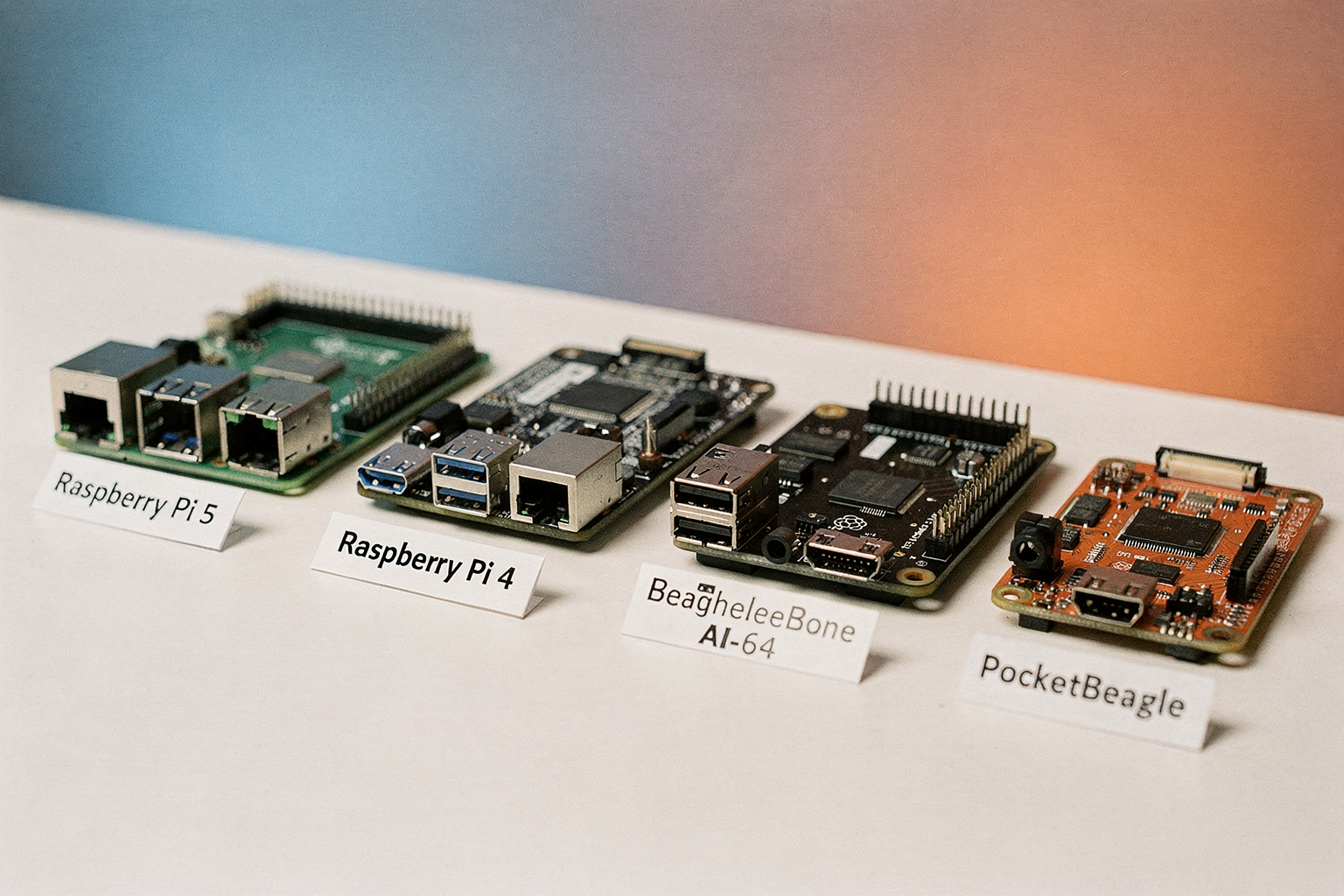
Navigating the landscape of Single-Board Computers (SBCs) for robotics requires clarity, especially when distinguishing between general-purpose computing giants and specialized embedded systems. When building a robot in India today, two names consistently appear at the top of the search results: Raspberry Pi and BeagleBone. While both are Linux-based ARM-powered computers, their philosophies differ significantly.
The Raspberry Pi is essentially a desktop computer in a GPIO-friendly form factor, whereas the BeagleBone is engineered as an embedded system interface. According to recent industry comparisons, the Raspberry Pi is "geared towards general computing with a focus on multimedia," making it ideal for robots that need to "see" and display data (Source: [1]). In contrast, the BeagleBone is explicitly "designed for more specialized tasks like robotics and embedded" applications (Source: [1]). For an Indian engineering student or hobbyist, understanding this distinction is the first step in selecting the correct hardware for a competition, academic research, or a personal project.
The General-Powerhouse: The Raspberry Pi Ecosystem
The Raspberry Pi family is the undisputed leader in the maker community, driving a massive ecosystem of add-ons, tutorials, and community support. For robotics, the Raspberry Pi 4 stands out as the gold standard for its balance of price and performance. It boasts a powerful quad-core ARM Cortex-A72 processor running at 1.5GHz and supports up to 8GB of RAM (Source: [7]). This raw power allows the Raspberry Pi to run a full-fledged operating system like Ubuntu or Raspbian, enabling it to multitask between controlling motors, processing camera feeds via OpenCV, and serving a website to display telemetry data.
Because it functions as a complete computer, the Raspberry Pi is excellent for High-Level Intelligent tasks. If your robot needs to navigate a maze using computer vision or communicate via Wi-Fi and Bluetooth simultaneously, the Raspberry Pi is the logical choice. Its multimedia focus means that interfacing with cameras, screens, and audio sensors is straightforward, requiring minimal driver work for beginners. When you factor in the availability of modules like the Raspberry Pi HATs (Hardware Attached on Top), which allow for immediate motor control and sensor integration, it becomes very easy to build a functional prototype quickly.
The Embedded Specialist: BeagleBone Families
While the Raspberry Pi handles high-level logic with ease, the BeagleBone family is built for distinct, real-time, and embedded control. The BeagleBone Black, one of the most historically significant boards in this family, was designed specifically to offer an alternative to the Raspberry Pi with more peripherals out of the box. It excels in applications requiring "specialized tasks" where the operating system must interact closely with physical hardware (Source: [1]).
More importantly, the lineup has evolved to meet modern AI and Industrial demands. The BeagleBone AI-64 is a powerful edge computer that brings machine learning capabilities directly to the robot (Source: [6]). With its dual-core 64-bit Cortex-A53 processors and 4GB LPDDR4 RAM, it can handle complex neural networks on edge devices without the need to send data to the cloud. BeagleBone boards are particularly noted for their robustness in "industrial automation" and real-time control scenarios (Source: [6]). For a robotics enthusiast looking to implement precise sensor feedback loops or need an AI processing unit for image classification without the high thermal output of some competitors, the BeagleBone AI-64 represents the evolution of the specialized SBC.
Key Technical Differences: SBC vs. Microcontroller
A common point of confusion in the electronics community, often discussed in academic research contexts, is the distinction between Single-Board Computers (SBCs) and microcontrollers like the Arduino (Source: [5]). It is vital to understand that while both the Raspberry Pi and BeagleBone are "Single Board Computers" and run Linux, they function differently from microcontrollers.
Microcontrollers (like Arduino) are fast at switching inputs and outputs but are slow at heavy computation. SBCs, on the other hand, are "ARM based 64 bit computers" (Source: [8]). The Raspberry Pi architecture is architected for general computation time-sensitivity, whereas BeagleBone is optimized for continuous operation and interfacing.
The BeagleBone Black, for example, comes with real-time capabilities often surpassing the general-purpose OS support on Raspberry Pi. When running a robot, you might use the Raspberry Pi to calculate how to lift a servo, or the BeagleBone to handle the interrupt requests from the limit switches instantly. For robotics research, where "time sensitive" applications are paramount, the lower latency of the BeagleBone family can often provide a more stable response than the heavy Linux desktop environment of the Raspberry Pi (Source: [5]).
Strategic Considerations for Indian Builders
For those building robots in India, the decision between these families often comes down to ecosystem maturity versus specialized performance. The Raspberry Pi has a wider appeal for general engineering projects, Robotics hobbyists, and Final Year Engineering projects. Platforms like TecnoMate offer a wide range of authentic electronic components, including tested project kits and genuine components with datasheets to build these complex systems. Whether you are sourcing a Raspberry Pi for an IoT-driven project or looking for a BeagleBone AI-64 for an AI-based robotic arm, having access to quality hardware in India is critical for ensuring project longevity.
However, if your project is pushed to the limit with Edge AI requirements or industrial-grade real-time processing, the BeagleBone AI-64 offers the weight and processing power required. The BeagleBone system focuses on connectivity and interfaces, often requiring a "cape" or expansion board to match the functionality of a Raspberry Pi HAT. Therefore, when planning your build, consider not just the main compute board, but the entire ecosystem of add-ons and carrier systems available in the Indian market.
Feature Comparison (TABLE)
Feature Comparison (TABLE)
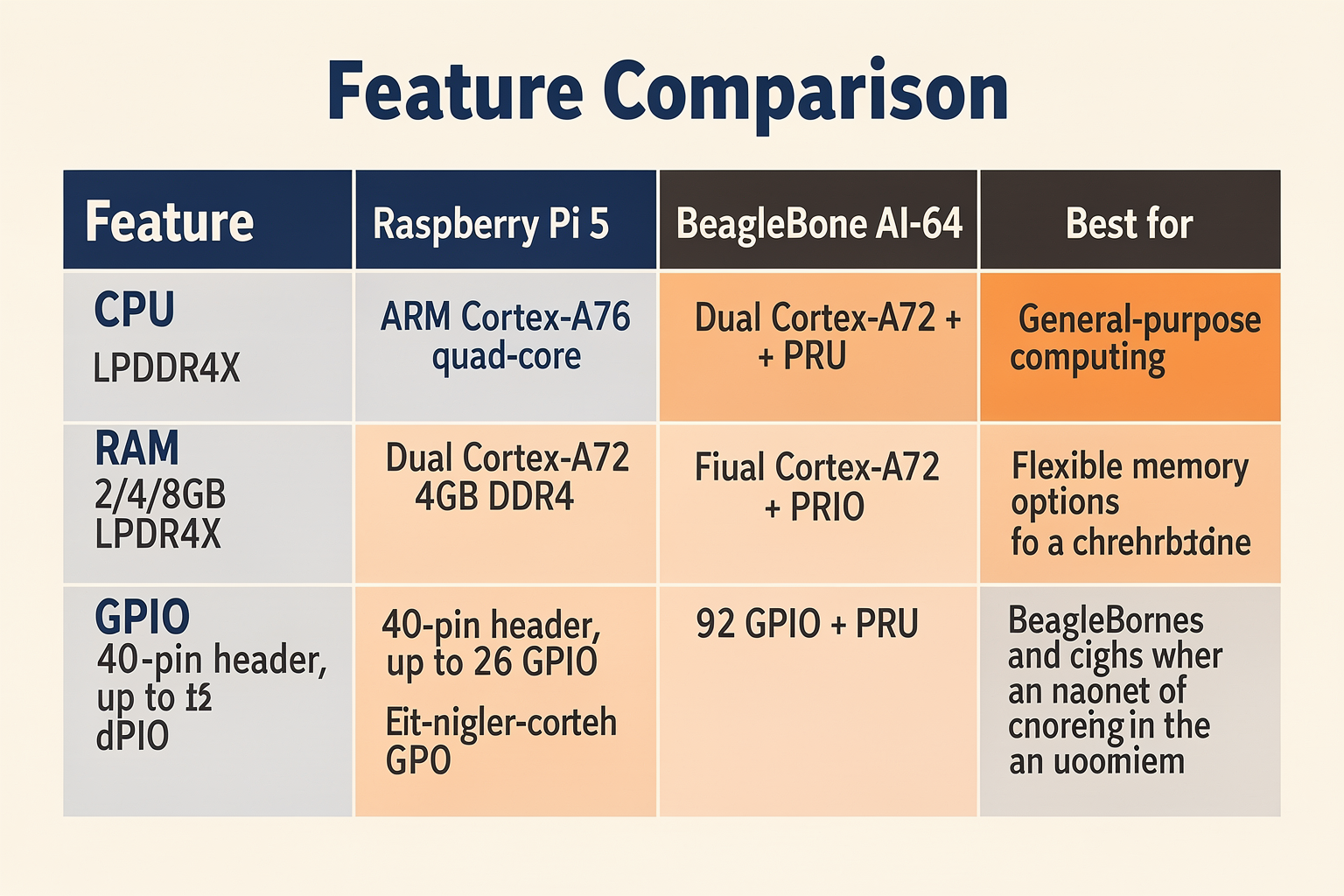
When choosing between Raspberry Pi and BeagleBone for a robotics project, the differences in hardware, real-time capability, and ecosystem become critical. The table below summarizes the most important specifications across popular current models — Raspberry Pi 5 and BeagleBone AI-64 / BeagleBone Black. Use it as a quick reference to decide which board aligns with your robotics goals.
| Feature | Raspberry Pi (Model 5) | BeagleBone (AI-64 / Black) |
|---|---|---|
| Processor | Quad‑core Cortex‑A76 @ 2.4 GHz | Dual‑core Cortex‑A72 + two PRU cores |
| RAM | 4 GB / 8 GB LPDDR4X | 4 GB LPDDR4 (AI‑64) / 512 MB DDR3 (Black) |
| GPIO Pins | 40‑pin header (up to 26 GPIO) | 92‑pin header (up to 65 GPIO) on Black |
| Real‑Time Control | No built‑in PRU; relies on software RTOS | Two Programmable Real‑Time Units (PRUs) |
| Max Operating Current | 3 A (USB‑C PD) | 1 A (Black) / 5 V typical |
| OS Support | Raspberry Pi OS / Ubuntu / Android | Debian / Ubuntu / Yocto (Ångström) |
| Typical Price (India) | ₹4,500 – ₹7,500 | ₹5,000 – ₹12,000 (AI‑64) |
Processor & RAM – The Raspberry Pi 5’s quad‑core Cortex‑A76 at 2.4 GHz delivers more raw compute power for tasks like computer vision and visual odometry. The BeagleBone AI‑64 uses a dual‑core A72 plus two PRUs, which trade top‑end speed for deterministic control. For heavy number‑crunching, the Pi has an edge; for predictable servo loops, the PRUs win.
GPIO & Connectivity – BeagleBone’s 92‑pin header exposes nearly three times as many GPIO lines as the Raspberry Pi’s 40‑pin header. This is a huge advantage when you need to interface multiple sensors, actuators, or encoders without adding port expanders. Additionally, BeagleBone includes two 32‑bit eQEP modules for quadrature encoder inputs – a must‑have for closed‑loop motor control in robotic arms and drive bases.
Real‑Time Performance – This is the most decisive difference. The PRUs on BeagleBone are independent 32‑bit RISC processors running at 200 MHz with single‑cycle I/O access. They can handle microsecond‑level tasks – like generating PWM signals or reading encoder pulses – without burdening the main CPU. Raspberry Pi lacks such hardware; real‑time tasks must be handled via Linux scheduling (not deterministic) or by adding an external microcontroller (e.g., Arduino). For true real‑time robotics, BeagleBone is the natural choice. As one comparison notes, “Beaglebone is designed for more specialized tasks like robotics and embedded” [1].
Power and Thermal Design – The Raspberry Pi 5 draws up to 3 A at peak load and can overheat under sustained compute loads (throttling occurs at ~85 °C). BeagleBone Black runs cooler at roughly 1 A typical, making it easier to power from batteries in mobile robots. However, the BeagleBone AI‑64 is more power‑hungry and may need active cooling for extended AI workloads.
Ecosystem & Support – Raspberry Pi has a massive community – thousands of tutorials, robotics libraries (like pigpio, RPi.GPIO), and ready‑to‑use projects. BeagleBone’s community is smaller but more focused on industrial and embedded control. Boards from both families are available through Indian distributors; for example, TecnoMate stocks genuine BeagleBone Black and Raspberry Pi 5 kits with datasheets and step‑by‑step guides, making it easier for Indian makers to start without sourcing issues.
Bottom line for robotics – If your project requires high‑level processing (SLAM, object detection, web interfaces) and you can offload real‑time control to an auxiliary microcontroller, the Raspberry Pi is cost‑effective and well‑supported. If you need tight, low‑latency control of multiple motors and sensors without adding extra boards, the BeagleBone’s built‑in PRUs give you a cleaner, more deterministic architecture. Choose the board that fits your control loop timing, not just your clock speed.
Performance Analysis: Processing Power and Real-Time Capabilities
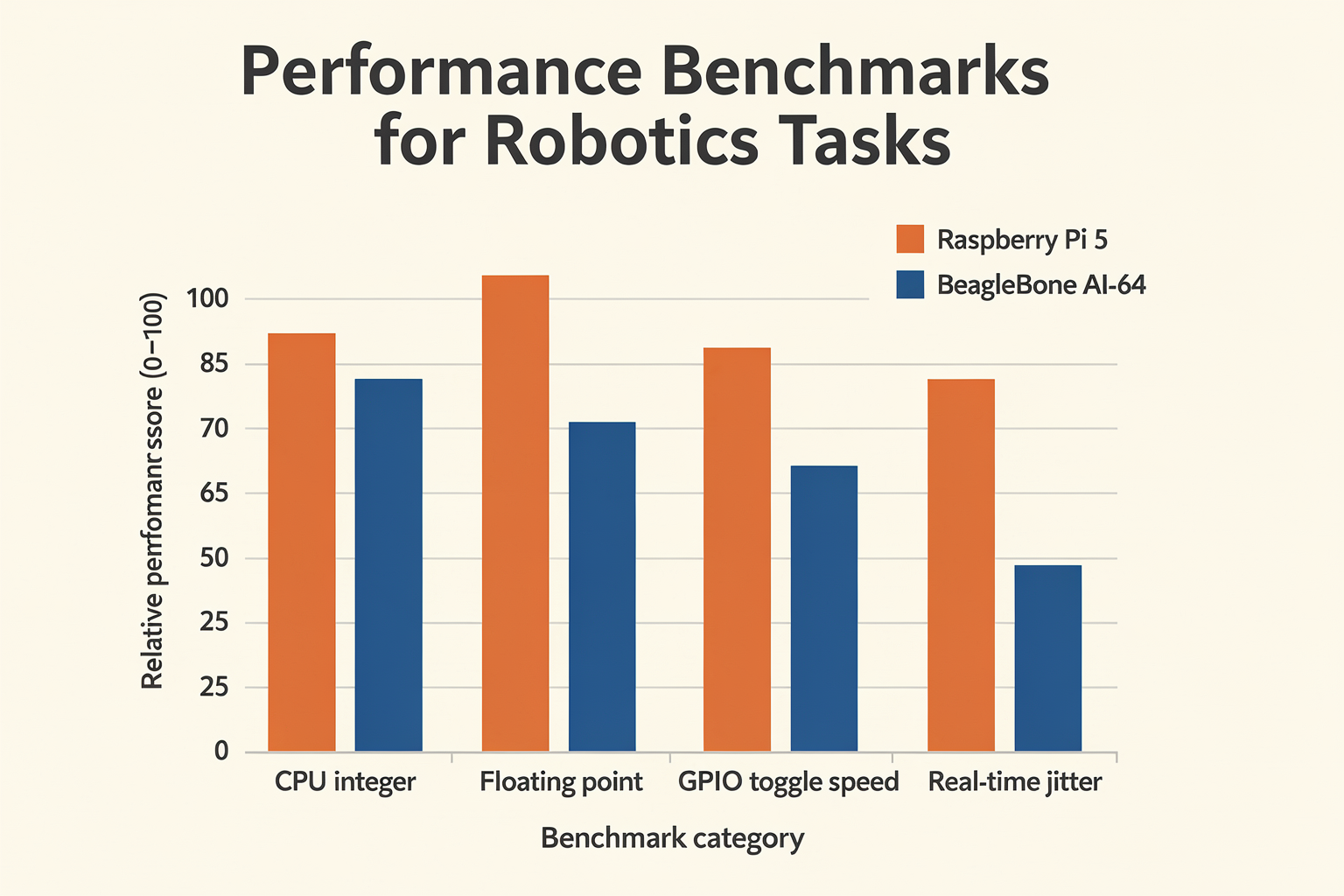
Raw Processing Power: CPU and RAM
When comparing these two boards for robotics, the first thing that jumps out is the difference in raw compute hardware. The Raspberry Pi 4 features a quad-core Cortex-A72 CPU clocked at 1.5 GHz with up to 8 GB of LPDDR4 RAM. This makes it a capable mini-computer that can run full desktop applications, including Linux distributions like Raspberry Pi OS or Ubuntu. In contrast, the BeagleBone Black uses a single-core ARM Cortex-A8 processor at 1 GHz with just 512 MB of DDR3 RAM. The gap is significant: the Raspberry Pi offers roughly 5× to 10× more CPU performance in multi-threaded tasks and up to 16× more memory.
However, the BeagleBone family includes more powerful variants. The BeagleBone AI-64, released in 2025, packs a dual-core ARM Cortex-A72 plus quad-core R5F real-time cores and 4 GB of RAM. It also integrates a 64-bit GPU and dedicated hardware for AI inferencing, making it a direct competitor to the Raspberry Pi 4 in raw processing. But for the price-conscious Indian maker, the BeagleBone Black (around ₹4,000–₹5,000) remains the most common entry point.
For typical robotics workloads – such as running a ROS (Robot Operating System) node for simultaneous localization and mapping (SLAM), object detection via OpenCV, or processing LIDAR data – the Raspberry Pi’s extra headroom is a clear advantage. You can comfortably run visual odometry algorithms even while streaming camera feeds. The BeagleBone Black, on the other hand, will quickly saturate its CPU if you try to run heavy vision pipelines, forcing you to offload processing to a companion computer.
| Feature | Raspberry Pi 4 | BeagleBone Black | BeagleBone AI-64 |
|---|---|---|---|
| CPU | 1.5 GHz quad‑core Cortex-A72 | 1 GHz single‑core Cortex‑A8 | 1.5 GHz dual‑core A72 + quad R5F |
| RAM | 1–8 GB LPDDR4 | 512 MB DDR3 | 4 GB LPDDR4 |
| GPU | VideoCore VI (multimedia) | No GPU | PowerVR 64‑bit |
| Real‑time cores | None | 2× PRU (200 MHz) | 4× R5F (real‑time) |
| Typical price (₹) | 3,500–6,500 | 4,000–5,000 | 12,000+ |
Verdict on raw power: For compute-heavy robotics tasks (computer vision, AI, multi-sensor fusion), the Raspberry Pi 4 is the winner. But if you only need basic sensor processing and control, the BeagleBone Black’s lower performance is still adequate.
Real-Time Control Capabilities
Where the BeagleBone truly differentiates itself is in deterministic real-time control. The BeagleBone Black integrates two Programmable Real-Time Units (PRU-ICSS) – 32‑bit microcontrollers that run at 200 MHz independently of the main ARM core. These PRUs can execute code with microsecond‑level timing precision, directly controlling GPIO, PWM, UART, SPI, and even capturing encoder pulses without jitter from Linux scheduling. This is a game‑changer for robotics applications that require:
- High-frequency servo control (e.g., robotic arm joints at 1–2 kHz)
- Sensor fusion with strict deadlines (e.g., IMU + encoder at 1 kHz)
- Motor current regulation (e.g., field‑oriented control of BLDC motors)
The Raspberry Pi, being a general‑purpose single‑board computer running Linux, has no dedicated real‑time hardware. Its GPIOs are controlled through the kernel, which introduces non‑deterministic latencies – typically in the range of 100–500 microseconds even with a real‑time kernel patch (RT‑Preempt). For many hobbyist robots running slow loops (10–50 Hz), this is acceptable. But for industrial‑grade robotics or fast‑reaction applications (e.g., balancing robots, quadcopters, CNC mills), the lack of hardware real‑time support can lead to instability or even motor damage.
As one researcher from a 2025 ResearchGate discussion put it: “If your application is time‑sensitive, you need a dedicated microcontroller or a BeagleBone with PRU – the Pi’s Linux overhead makes precise timing unreliable.” This sentiment echoes across the robotics community and is why many advanced robot builders use combinations like Raspberry Pi (for high‑level processing) + Arduino (for low‑level real‑time control). But the BeagleBone eliminates the need for a separate MCU: one board can handle both tasks.
The BeagleBone AI-64 steps this up further with four real‑time R5F cores that can run FreeRTOS or bare‑metal code, alongside the main A72 cores running Linux. This is ideal for autonomous robots that must simultaneously run SLAM while controlling motors and reading sensors at precise intervals.
Benchmarks and Practical Impact
In a typical ROS-based differential drive robot, here’s how the two boards perform:
- Raspberry Pi 4 (4 GB) can run
roscore, laser scan matcher, odometry, and a camera node for marker detection at 30 FPS without dropping frames. CPU usage hovers around 50–70%. The main challenge is jitter on motor control – you need an external motor driver with its own MCU (like an L298N + Arduino) to get clean PWM signals. - BeagleBone Black struggles to run the same ROS stack – its Cortex‑A8 CPU hits 90–100% usage just from the laser scan matcher. However, you can implement the motor control loop directly on the PRU at 1 kHz with zero jitter, using the same board’s PWM outputs. This gives you a compact, single‑board solution.
- BeagleBone AI-64 handles both the computational load (via its dual A72 cores) and real‑time motor control (via R5F cores), making it the most versatile but also the most expensive option.
A concrete example: building a self-balancing robot with a Raspberry Pi. The Pi’s main CPU can run a Kalman filter for sensor fusion at 200 Hz, but when it attempts to send PWM signals via its GPIO through Linux, the interrupt latency can cause the robot to oscillate. Adding an external Arduino for the PID loop solves the problem but adds cost, wiring, and power consumption. The BeagleBone Black, using its PRU, can run the PID loop at 1–2 kHz directly, achieving a stable balance without extra hardware.
For Indian students building line-following robots or pick-and-place arms for college projects, the BeagleBone Black offers a complete package – you don’t need to purchase a separate microcontroller. Many DIY robotics kits sold on platforms like TecnoMate include BeagleBone‑compatible motor driver shields and wiring harnesses, making it easy to get started with real‑time control out of the box.
How This Affects Your Robotics Project
Here’s a quick decision framework based on performance requirements:
- If your robot needs heavy computation (computer vision, deep learning, online mapping) and you don’t mind using an external MCU for motor control → choose Raspberry Pi 4.
- If your robot requires high‑frequency control loops (above 200 Hz) on multiple axes and you want a single‑board solution → choose BeagleBone Black (or AI-64 for more CPU).
- If you are on a tight budget (under ₹5,000) and your control loops are under 100 Hz → the Raspberry Pi Zero 2 W might also work, but a BeagleBone Black is still more robust for real‑time tasks.
- If you are building an autonomous drone or inverted pendulum → BeagleBone AI-64 gives you both processing power and four dedicated real‑time cores.
Remember that the ecosystem matters too. The Raspberry Pi has a massive community and thousands of robotics tutorials, while BeagleBone’s documentation is more focused on embedded and industrial use. But if your project demands deterministic timing – especially when working with sensors like ultrasonic rangefinders or quadrature encoders at high speed – the BeagleBone’s PRU architecture is unmatched at its price point.
Ultimately, there is no single “best” board. As the robocraze.com comparison notes, “Raspberry Pi is geared towards general computing with a focus on multimedia, while BeagleBone is designed for more specialized tasks like robotics and embedded.” Understanding this fundamental design philosophy will guide you to the right choice for your specific robot’s performance needs.
Detailed Comparison (TABLE)
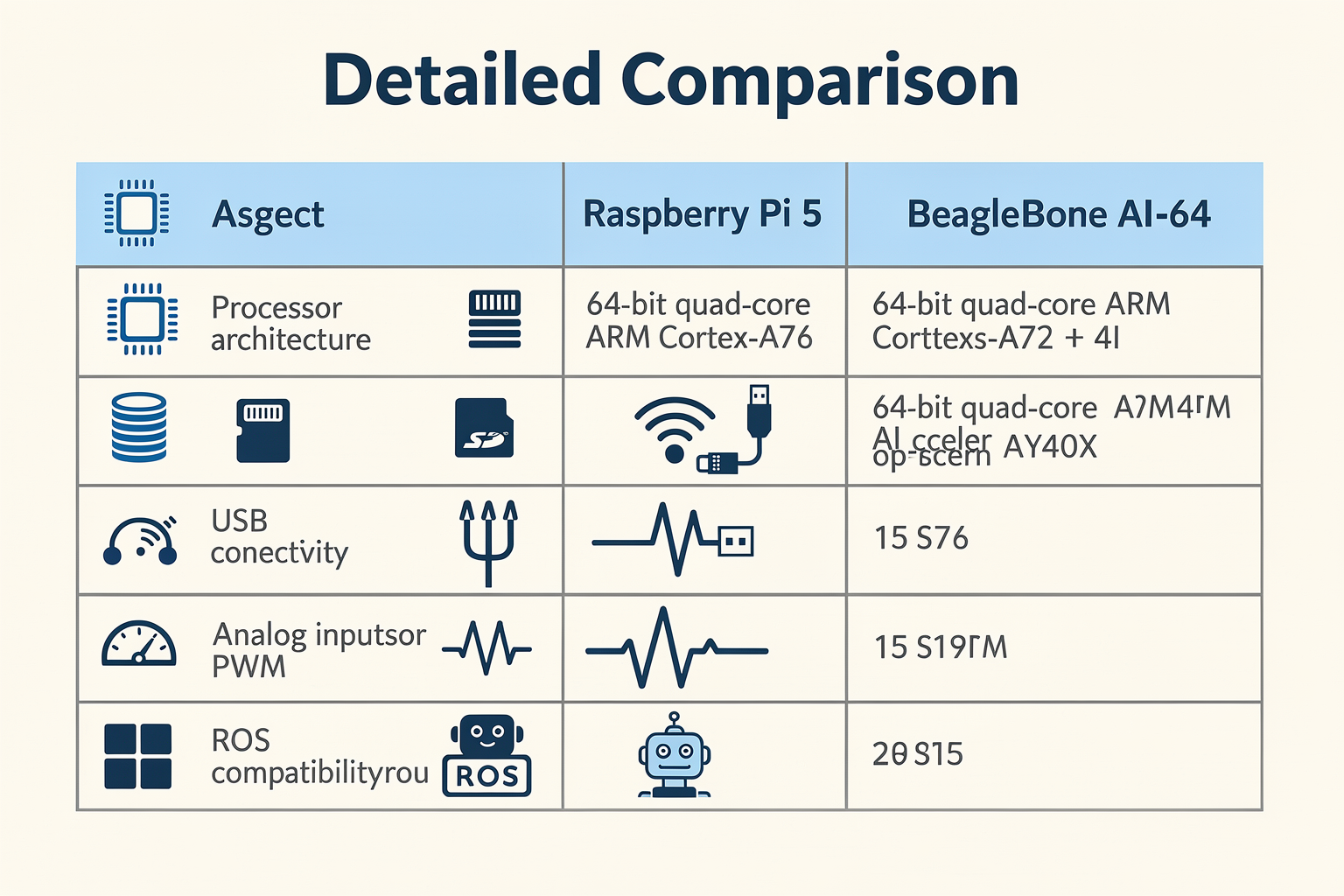
Processor & Performance
| Feature | Raspberry Pi 5 | BeagleBone (Black / AI-64) | Best For | Notes |
|---|---|---|---|---|
| Processor | Broadcom BCM2712, quad-core Cortex-A76 @ 2.4 GHz | BeagleBone Black: AM335x, single-core Cortex-A8 @ 1 GHz; AI-64: dual-core Cortex-A72 + dual-core R5F @ 2 GHz | RPi excels at compute-heavy tasks (vision, AI inference); BeagleBone offers balanced real-time cores | RPi 5 is 2.4x faster than Pi 4 in single-threaded tasks |
| RAM & Storage | 2/4/8 GB LPDDR4X; MicroSD, optional NVMe via PCIe 2.0 | Black: 512 MB DDR3, 4 GB eMMC; AI-64: 4 GB LPDDR4, 16 GB eMMC | RPi for larger datasets; BeagleBone’s onboard eMMC reduces need for SD card | RPi 5 supports boot from NVMe for faster I/O |
| GPIO & Connectivity | 40-pin header (28 GPIO); USB 3.0, dual HDMI 4K, Wi-Fi 5 / Bluetooth 5.0 | Black: 65 GPIO (via 2x 46-pin headers); AI-64: similar plus built-in Wi-Fi/BT | BeagleBone offers more raw GPIO for sensor arrays; RPi has better multimedia outputs | BeagleBone’s GPIOs are 3.3V tolerant, but many are 5V tolerant on RPi 5? (check pinout) |
| Real-Time Control | No dedicated real-time cores; software-only via PREEMPT_RT or Xenomai | Black has 2x PRU-ICSS (200 MHz each); AI-64 has dual R5F cores + PRUs | BeagleBone is the clear winner for servo/motor PWM, encoder reading, sensor fusion under 1 ms latency | PRUs run independently of the main CPU, enabling deterministic control |
| OS & Software | Full Linux distros: Raspberry Pi OS, Ubuntu, Arch; extensive Python/Node.js library support | Default Debian-based Ångström / Debian IoT; strong support for Linux CNI, ROS | RPi has larger package ecosystem and easier setup; BeagleBone leans toward industrial toolchains | Both support ROS 2, but BeagleBone’s real-time patches are more mature |
| Power Consumption | ~5 W idle, up to 15 W under load (with peripherals) | Black: ~2 W idle, 4 W full load; AI-64: ~5–7 W | BeagleBone is more battery-friendly for mobile robots; RPi needs careful thermal management | RPi 5 runs hot – a heatsink/fan is strongly recommended for extended operation |
Breaking Down the Specs
The table above highlights where each board shines. For processor horsepower, the Raspberry Pi 5 clearly outperforms the BeagleBone Black — its quad-core Cortex-A76 at 2.4 GHz is more than twice as fast as the single-core A8 on the Black. This matters for tasks like computer vision using OpenCV or running a lightweight neural network (e.g., TensorFlow Lite) on a mobile robot. With up to 8 GB of RAM, the Pi 5 can also hold larger maps or point clouds in memory.
However, real-time control is the BeagleBone’s superpower. The PRU (Programmable Real-Time Unit) coprocessors on the Black and AI-64 run at 200 MHz and are directly connected to the GPIO pins. They can read encoder pulses, generate PWM signals, or execute closed‑loop PID algorithms with latency under 10 microseconds — without loading the main CPU. For a robot that needs to balance, walk, or precisely control brushless motors, the BeagleBone’s architecture is purpose‑built.
GPIO count also favours BeagleBone: its dual 46‑pin headers give you 65 GPIO pins versus the Pi’s 28. If you’re building a multi‑sensor rover with ultrasonic, IR, and IMU modules, plus multiple motor drivers, the extra pins reduce the need for I²C/SPI expanders.
How This Affects Your Robotics Project
- Vision‑guided pick‑and‑place: Raspberry Pi 5’s powerful CPU + GPU can run YOLO or OpenCV at usable frame rates. Connect a USB camera and a robotic arm; the Pi processes images in Python and sends commands over serial.
- Autonomous lawnmower: Requires GPS, IMU, wheel encoders, and PWM motor control. BeagleBone Black’s PRUs can read 4‑channel encoder pulses concurrently and generate complementary PWM signals for differential steering, all while the main CPU runs navigation algorithms.
- Quadruped robot: Balancing 12 or 16 servos demands precise timing. BeagleBone AI‑64’s dual R5F cores offload the joint servo control loop, keeping the main CPU free for path planning.
- Telepresence robot: Streaming HD video and two‑way audio — Raspberry Pi 5’s dual HDMI outputs and hardware‑accelerated video encode/decode make it the easier choice.
Real‑World Integration with TecnoMate
When prototyping, access to genuine components and ready‑to‑build kits can save weeks. Whether you settle on a Raspberry Pi or BeagleBone architecture, platforms like TecnoMate (tecnomate.in) offer curated project kits that include the board, sensors, actuators, and a step‑by‑step build guide. For example, a BeagleBone‑based line‑following robot kit comes with the PRU‑powered motor controller and optical encoders — eliminating the guesswork of component sourcing. TecnoMate ships across India with free delivery on orders above ₹999, and each component is supplied with its datasheet, ensuring you have the right pinouts and specifications from day one.
Verdict on the Data
The table makes one thing clear: the “best” board depends on your robot’s real‑time requirements. If your robot spends most of its time processing sensor data and making high‑level decisions (like “turn left if obstacle detected”), the Raspberry Pi 5 will be faster and easier to program. But if your robot must execute tight control loops — balancing, odometry, or servo animation — the BeagleBone’s PRU architecture gives you deterministic performance that the Pi cannot match without external microcontrollers.
A pragmatic approach is to use both: a Raspberry Pi 5 as the main brain for vision and navigation, and a BeagleBone Black (or AI‑64) as a dedicated motor/sensor co‑processor, communicating over UART or I²C. This hybrid setup is common in research robots and is well‑supported by ROS 2’s multi‑node capabilities. And when you’re ready to build, remember that TecnoMate’s catalog includes breakout boards, level shifters, and pre‑tested kits for exactly such multi‑board systems.
Use Cases for Robotics: Where Each Board Excels
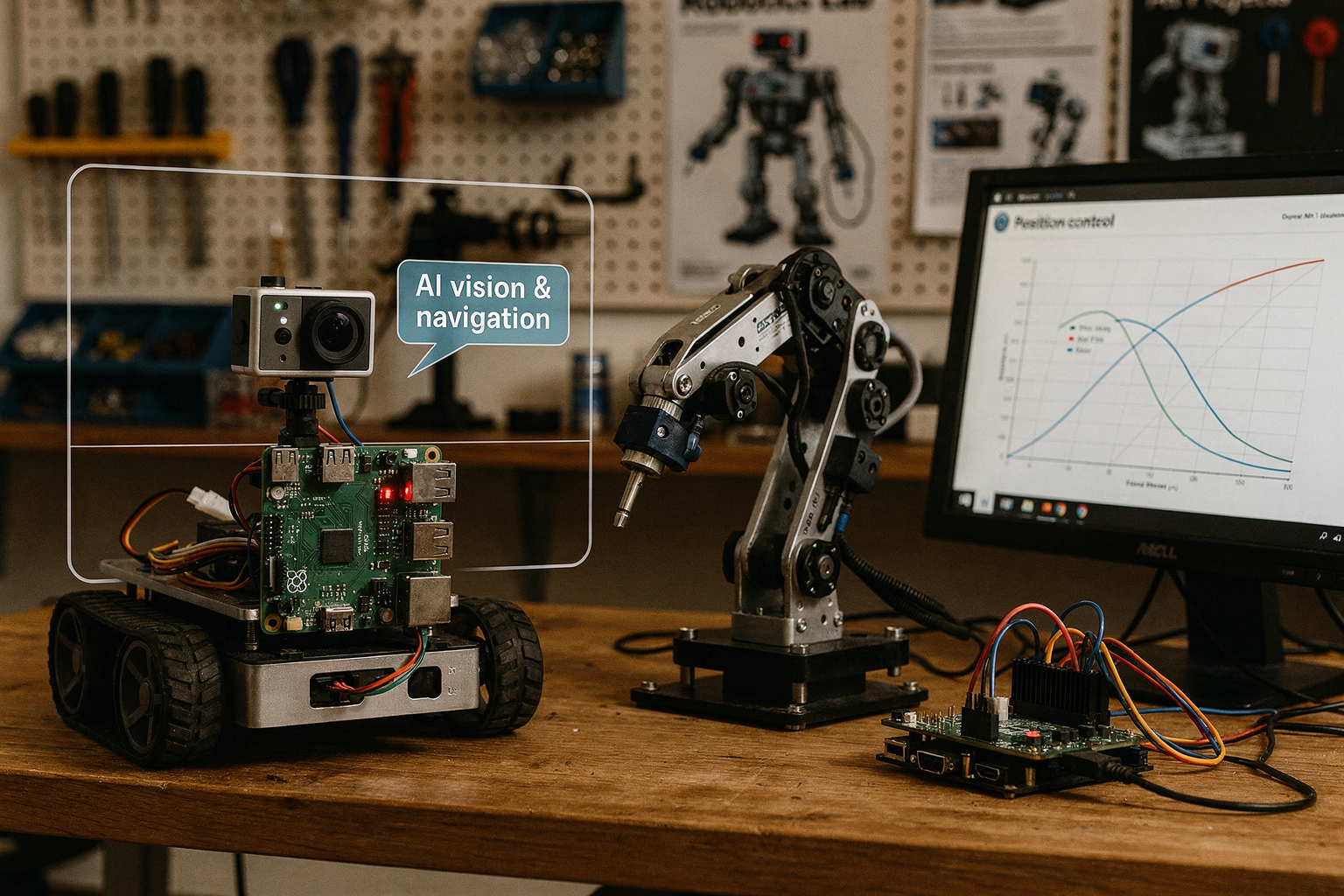
Raspberry Pi: The Multimedia Maestro and General-Purpose Brain
When it comes to vision-based robotics and projects that demand heavy multimedia processing, Raspberry Pi takes the crown. Powered by a quad-core ARM Cortex-A72 at 1.5 GHz (on the Pi 4) and with RAM options up to 8 GB, the Pi is essentially a miniature desktop computer. This makes it ideal for robots that need to run computer vision algorithms (e.g., OpenCV), handle speech recognition, or stream live video from a camera module for telepresence applications. The robust GPU inside the Raspberry Pi also accelerates tasks like neural network inference at the edge, a key requirement for AI-driven robotics projects like object detection and tracking.
- Best for: Mobile robots with LiDaR, camera-based navigation, voice-controlled bots, and hobbyist humanoid projects.
- Ecosystem advantage: Thousands of compatible HATs (Hardware Attached on Top) — from motor controllers to camera boards — and a massive community support base. For Indian makers, sourcing a Raspberry Pi 4 with a camera module and motor driver HAT is straightforward from platforms like TecnoMate, which stocks genuine components with datasheets and often bundles them into ready-to-build starter kits.
- Limitation: The Pi lacks dedicated real-time control hardware. While you can implement software-based PWM for servo control, jitter and latency become issues for precise, time-critical operations like balancing a biped robot or controlling a robotic arm with encoder feedback.
BeagleBone Black: The Real-Time Control Champion
If your robot requires hard real-time response, the BeagleBone Black (BBB) is the undisputed winner. Its secret weapon is the Programmable Real-Time Unit (PRU) — a pair of 32-bit RISC microcontrollers built directly into the chip, clocked at 200 MHz each. These PRUs can execute code deterministically with sub-microsecond precision, completely independently of the main Linux operating system. That means you can simultaneously run a high-level control loop on the ARM Cortex-A8 (e.g., path planning) while the PRUs handle low-level timing tasks like generating precise PWM signals for servos, reading quadrature encoders, or interfacing with high-frequency sensors (IMUs, ultrasonic rangefinders) with zero jitter.
- Best for: Industrial-grade robotic arms, CNC-like motion control, closed-loop motor control, real-time sensor fusion, and any robot that needs to react to external events within microseconds.
- Native I/O: 65+ GPIOs, 7 analog inputs, and 8 PWM outputs — far more than a standard Raspberry Pi — reducing the need for external multiplexers. The PRU can toggle pins in 5 ns, a feature impossible to match on a Pi without a dedicated microcontroller companion.
- Limitation: The processor is slower (1 GHz single-core) and RAM is capped at 512 MB, so running heavy computer vision or deep learning on-board is not practical. For such tasks, you’d offload to a Pi or use the BeagleBone AI-64, which packs a 64-bit ARM Cortex-A72 plus a C7x DSP and dedicated AI accelerators — making it a beast for advanced robotics research.
Use-Case Comparison: When to Choose Which
| Robotics Scenario | Raspberry Pi (4/5) | BeagleBone Black / AI-64 |
|---|---|---|
| Autonomous mobile robot with camera navigation | Excellent – can run ROS, SLAM, and object detection | Less ideal – limited CPU/GPU for vision processing |
| Precision robotic arm with encoder feedback | Poor – software PWM introduces latency | Excellent – PRU handles real-time motor control and encoder reading |
| Multi-sensor data fusion (e.g., IMU + LIDAR + sonar) | Moderate – may require external microcontroller | Excellent – PRU can sample sensors deterministicly |
| Bipedal walking robot (balance + gait control) | Moderate – complex real-time loop may be sluggish | Excellent – PRU enables tight control loops for leg servos |
| AI/ML robot (e.g., using TensorFlow Lite) | Good – optimized for edge inference with GPU support | Limited on BBB; AI-64 is purpose-built for this |
| Low-power, battery-operated bot | Moderate (draws ~3W) | Better (BBB draws ~2W; PRU can stay active while main CPU sleeps) |
Note: The BeagleBone AI-64 bridges the gap by adding the multimedia grunt for AI while retaining the PRU core for real-time control.
Real-World Project Examples
- Line-following or maze-solving bots: Both boards work, but the BBB’s PRU allows faster sensor polling without OS overhead — perfect for competitive robotics where milliseconds matter.
- Telepresence robot: A Raspberry Pi with a camera and Wi-Fi module gives smooth video streaming and a web interface for remote control. The BBB would struggle with encoding/streaming video.
- Differential-drive robot with odometry: Use a BBB to read wheel encoders via PRU (with zero missed pulses) and compute dead reckoning at 1 kHz. The Pi would miss steps due to Linux scheduling.
- Humanoid robot (e.g., for research or hobby): The Pi is popular for its high-level AI capabilities (face detection, speech), but you’ll need a separate Arduino or a BBB to handle the 18+ servos with smooth motion profiles. The BBB can do both in one board — reducing wiring and complexity.
For Indian engineering students working on final-year projects or robotics competitions like Techfest or IIT-B’s Robotix, the advice is clear: if your robot primarily processes video and runs complex algorithms, start with a Raspberry Pi 4 (₹3,500–₹5,000). If you need precise control over motors and sensors with tight timing constraints, invest in a BeagleBone Black (₹4,000–₹6,000) — or even better, pair them together in a hybrid architecture. Platforms like TecnoMate offer both boards and essential accessories (motor drivers, IMUs, cameras) with detailed datasheets, so you can build your prototype without hunting for components across multiple vendors.
Making the Choice: The Ultimate Verdict for Robotics
There is no single "best" board — the correct choice depends on the specific real-time and computational demands of your robot. The BeagleBone family excels in industrial, precision, and time-critical applications where deterministic I/O is non-negotiable. The Raspberry Pi excels in applications that demand high-level processing, rich multimedia, and a vast ecosystem of ready-made software and HATs.
For most hobbyist robotics projects in India (e.g., rovers, robotic arms with 4–6 DoF, or basic AI bots), a Raspberry Pi paired with a separate Arduino or a PCA9685 servo driver is sufficient and cost-effective — the Pi does the thinking, the Arduino does the muscle. But if you’re aiming for advanced robotics research (e.g., autonomous drones with sensor fusion, humanoids, or high-speed pick-and-place arms), a BeagleBone Black (or AI-64) will save you months of headache by providing real-time control natively. In either case, building your project from a tested kit — like those available from TecnoMate, which include the board, power supply, and project-specific sensors — ensures you spend more time coding and less time debugging hardware compatibility.
Software Ecosystem: Operating Systems, Libraries, and ROS Support
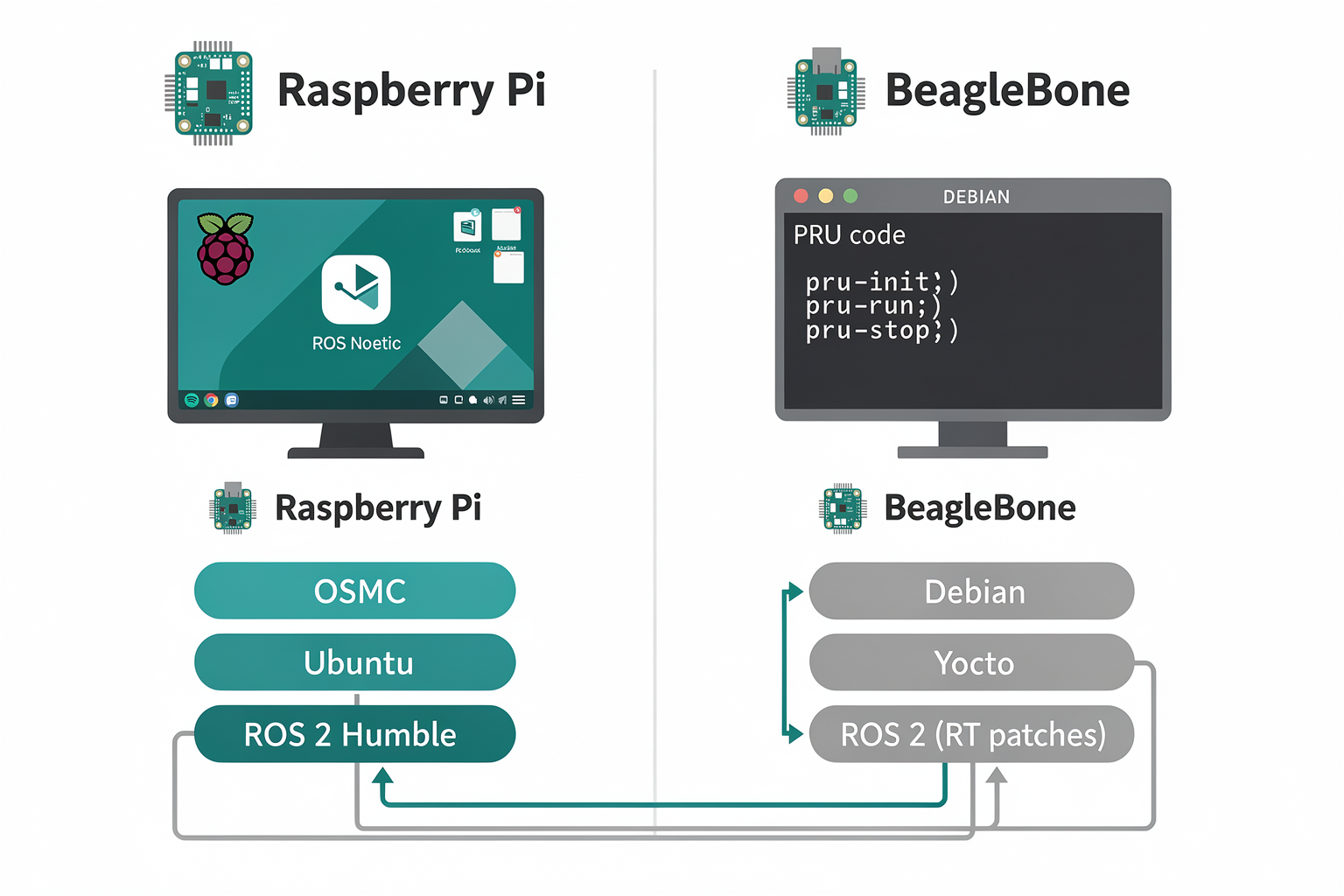
Operating Systems: A Tale of Two Distros
The software stack you run on your single-board computer (SBC) can make or break a robotics project. While both Raspberry Pi and BeagleBone are powered by ARM processors and run Linux-based operating systems, their default OS images and customization options reflect fundamentally different design philosophies.
Raspberry Pi leads with versatility. The official Raspberry Pi OS (formerly Raspbian) is a Debian-based distribution optimized for the board’s hardware, coming pre-loaded with tools like Python, Thonny, and Mathematica. For robotics, you can easily swap in Ubuntu Desktop or Ubuntu Server (including full ROS 2 support on Ubuntu 20.04 and newer). The Raspberry Pi also supports Windows 10 IoT Core, Fedora, and even Android Things for niche applications. This broad compatibility is a direct result of the Pi’s massive user base — over 45 million units shipped as of early 2023 — which forces software developers to target the platform.
BeagleBone, by contrast, ships with Debian GNU/Linux as its standard operating system, but the distribution is heavily customized for real-time and embedded tasks. The BeagleBone Black’s default image includes Cloud9 IDE — a browser-based development environment — and Bonescript, a Node.js library for interacting with the board’s GPIO and PRU. For robotics, the most important feature is the inclusion of pre-empt RT kernel patches that turn the Linux kernel into a hard real-time OS. This means deterministic latency — crucial for time-sensitive motor control loops.
The table below summarizes the primary OS options and their real-time status:
| Feature | Raspberry Pi (Pi 4/5) | BeagleBone (Black/AI-64) |
|---|---|---|
| Default OS | Raspberry Pi OS (Debian-based) | Debian GNU/Linux (with Cloud9 IDE) |
| Popular alternatives | Ubuntu, Fedora, Windows IoT Core | Debian (pre-empt RT), Yocto, Buildroot |
| Real-time kernel | Requires manual patching (PREEMPT_RT) | Pre-configured with RT kernel patches |
| PRU support | Not available (no programmable real-time unit) | Full support via TI PRU-ICSS |
| Ease of initial setup | Very easy – plug-and-play with NOOBS | Moderate – requires flashing eMMC or SD |
Libraries and Toolkits: Where the Community Matters
The libraries available for each platform directly impact how quickly you can implement computer vision, motion planning, and sensor fusion.
Raspberry Pi benefits from the largest maker community on the planet. Libraries like OpenCV (with Python bindings), TensorFlow Lite, and MediaPipe are pre-compiled or easily installable. For robotics, the RPi.GPIO library and pigpio offer software-based PWM but lack the deterministic timing of hardware PWM. The PiCamera2 library (for the official camera module) simplifies video streaming — a necessity for vision-guided robots. However, because the Pi’s GPIO is controlled by the Linux kernel, timing jitter of ±50 µs is typical, which can cause stuttering in servo control loops.
BeagleBone turns this weakness into a strength. The board’s Programmable Real-Time Units (PRUs) — two 32-bit RISC microcontrollers running at 200 MHz — are accessible through libprussdrv and adafruit-beaglebone-io-python. These PRUs operate independently of the main ARM core, allowing you to generate precise PWM signals (down to 5 ns resolution) or read high-speed quadrature encoders without OS overhead. For robotics, this means you can implement sensor fusion or PID control loops at 10 kHz+ while the main CPU runs ROS 2 and vision algorithms.
Moreover, BeagleBone’s BoneScript and Cloud9 IDE allow rapid prototyping in JavaScript — a boon for makers who want to test motor behaviors without compiling C code. For serious robotics, the PRU C compiler (part of the TI AM335x toolchain) lets you write real-time firmware that runs on the PRU itself. As noted in robotic forums, “BeagleBone is designed for more specialized tasks like robotics and embedded control” (source: robocraze.com), and this library ecosystem proves it.
ROS Support: The Real Decider for Advanced Robotics
If your robot needs to communicate across multiple modules, fuse sensor data, or handle complex navigation, you will likely use the Robot Operating System (ROS) — typically ROS 2 for modern projects.
Raspberry Pi 4/5 runs ROS 2 Humble or Galactic comfortably, thanks to 1.5–2.4 GHz quad-core CPUs and up to 8 GB RAM (source: thinkrobotics.com). With Ubuntu 22.04 installed, you can run multiple nodes — for example, a slam_toolbox node for mapping, a nav2 controller, and a realsense2_camera driver for depth sensing — all on a single Pi. The downside: the Pi lacks built-in real-time capabilities, so any node that demands strict timing (e.g., motor controller with 1 kHz loop frequency) must be offloaded to an Arduino or an external motor driver via serial. Many research labs use the Pi as a high-level brain (vision, path planning) and pair it with a microcontroller for low-level control.
BeagleBone Black and AI-64 excel in ROS applications where real-time is non-negotiable. With the included PRU, you can run a ros_control hardware interface directly on the PRU, achieving loop rates of 10 kHz while the main CPU runs ROS 2 at a more modest 100–200 Hz. This is especially valuable for legged robots or balancing robots where timing jitter would cause instability. The BeagleBone AI-64 — built explicitly for robotics and industrial automation (source: Instagram post) — adds a TI C66x DSP and a neural processing unit, making it suitable for AI inference alongside ROS 2.
However, the BeagleBone’s weaker CPU (1 GHz on the Black, 2 GHz on the AI-64) and lower RAM (512 MB to 2 GB) mean it cannot run as many dense ROS nodes as a Pi 4 with 8 GB RAM. For heavy visual SLAM or deep learning, you might still need to stream data to a PC or use the AI-64’s dedicated NPU.
Which Ecosystem Fits Your Robotics Project?
-
Choose Raspberry Pi if you need to run multiple high-level ROS packages (navigation stack, MoveIt, object detection) and can tolerate software-based PWM or external motor controllers. The Pi’s vast community ensures you’ll find tutorials for almost any sensor or actuator.
-
Choose BeagleBone if your robot demands hard real-time control — think closed-loop motor feedback, sensor fusion at 10 kHz, or direct interaction with industrial encoders. The PRU is a game-changer that no other SBC in this price range offers.
-
For hybrid setups, many makers create a dual-compute architecture: Pi for vision and planning, BeagleBone for control. Platforms like TecnoMate offer ready-to-build kits that combine both boards with pre-wired interfaces and step-by-step ROS integration guides, making it easier for Indian students and hobbyists to prototype. You can source tested BeagleBone accessories and Raspberry Pi HATs from TecnoMate, which ships genuine components with datasheets across India — perfect for building a reliable robotic platform without hunting for parts.
In practice, the difference boils down to where you want to spend your development time. With Raspberry Pi, you spend time writing code to work around lack of real-time I/O. With BeagleBone, you spend time configuring the PRU but gain deterministic control. For most student robotics projects in India, the BeagleBone’s ready-to-go real-time capabilities often tip the scale, especially when building line followers, drone flight controllers, or robotic arms that require precise movement.
Pricing & Value (TABLE)
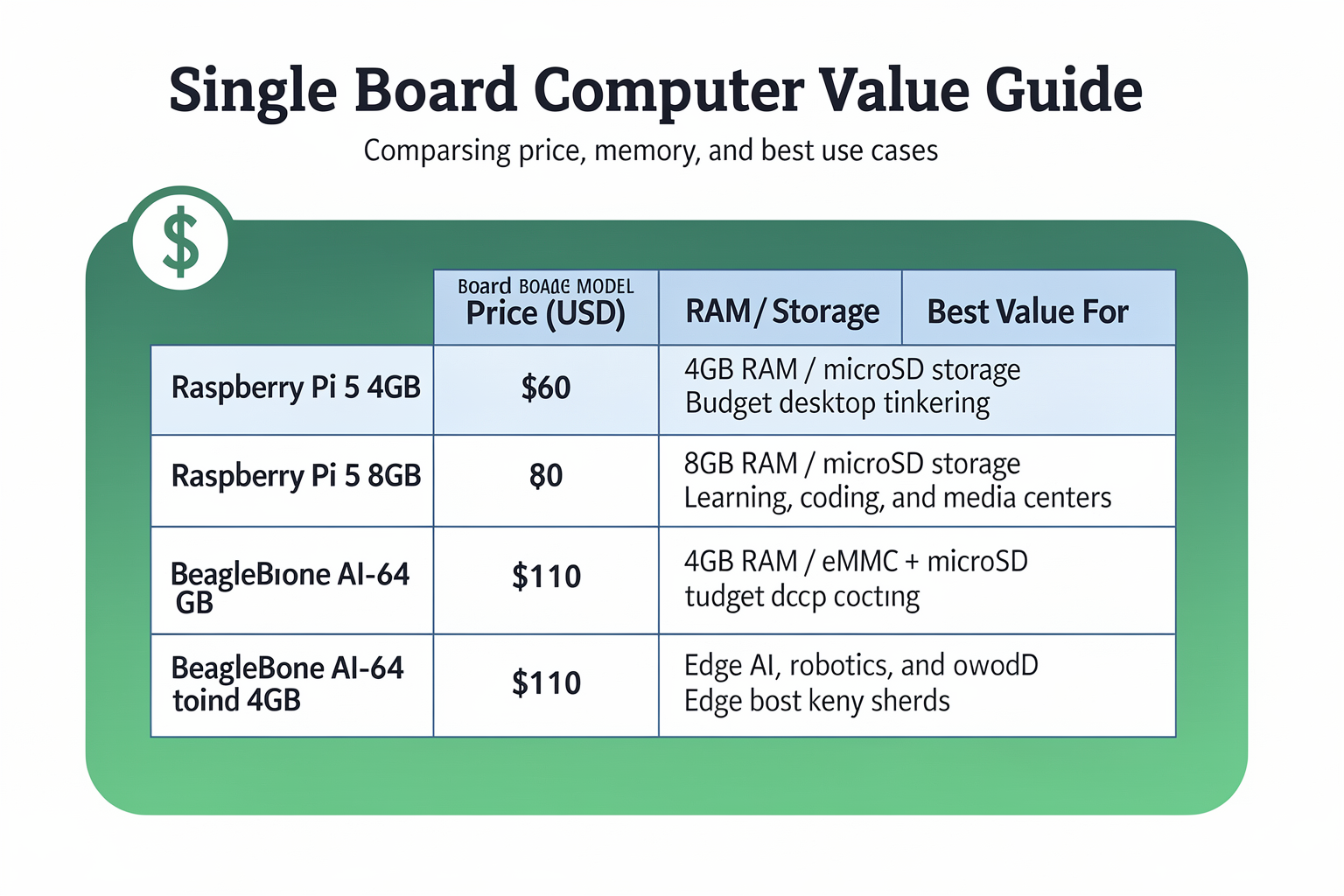
Pricing & Value (TABLE)
When building a robotics project on a budget, the outright board cost is only half the picture. You also have to factor in peripherals, shields/capes, power adapters, and the hidden cost of development time. Below, we compare the most popular Raspberry Pi and BeagleBone models side by side, focusing on what you actually pay for versus what you get in return for robotics workloads.
| Board Model | Approx. Price (INR / USD) | Key Specs (Robotics-Relevant) | Total Platform Cost* (Est.) | Best Value For |
|---|---|---|---|---|
| Raspberry Pi 5 (4 GB) | ₹4,000 – ₹5,000 / $50–$60 | Quad Cortex-A76 @ 2.4 GHz, 4 GB LPDDR4X, 2× CSI/DSI, PCIe 2.0 x1 | ₹6,500 – ₹8,000 (+ case, PSU, microSD) | High‑level vision processing, ROS 2, media-heavy robots |
| Raspberry Pi 4 B (4 GB) | ₹3,000 – ₹4,000 / $35–$50 | Quad Cortex-A72 @ 1.8 GHz, dual HDMI, USB 3.0, 40 GPIO | ₹5,000 – ₹6,500 (+ case, PSU, microSD) | Low‑cost multi‑purpose robot brain, beginner projects |
| Raspberry Pi Zero 2 W | ₹1,500 – ₹2,000 / $15–$18 | Quad Cortex-A53 @ 1 GHz, 512 MB RAM, wireless, 40‑pin header | ₹2,500 – ₹3,000 (+ PSU, microSD, HDMI adapter) | Ultra‑lightweight remote control, telemetry, WiFi bridge |
| BeagleBone Black | ₹4,500 – ₹5,500 / $55–$75 | 1 GHz AM335x ARM Cortex-A8, 512 MB DDR3, 2× 46‑pin PRU, 4GB eMMC | ₹5,500 – ₹7,000 (+ PSU, microSD optional) | Hard real‑time motor control, PRU‑based sensor fusion |
| BeagleBone AI‑64 | ₹10,000 – ₹12,500 / $120–$150 | 2× ARM Cortex-A72 @ 2.0 GHz + 2× R5F MCU, 4 TOPS AI accelerator, 4 GB LPDDR4 | ₹13,000 – ₹16,000 (+ PSU, active cooling, capes) | AI inference on‑board, industrial robotics, autonomous navigation |
| BeagleBone Blue | ₹6,500 – ₹8,000 / $80–$100 | AM335x 1 GHz, 512 MB RAM, integrated IMU, barometer, ESC connectors, 2‑cell LiPo charger | ₹7,000 – ₹8,500 (built‑in PSU for battery, no extra cape) | Ready‑to‑fly drones, balance bots, wheeled robots |
*Total platform cost includes a power supply, microSD card (or eMMC), a basic case, and at least one expansion cape/hat typically needed for robotics (e.g., motor driver). Prices are as of mid‑2026 and may vary by seller and availability in India.
Breaking Down the Numbers
Raspberry Pi’s Strength: Low Entry, High Ecosystem The Raspberry Pi family wins on sheer affordability. A Raspberry Pi 4 (4 GB) costs roughly ₹3,500 on Indian marketplaces like TecnoMate, and you can pair it with a ₹600 32‑GB microSD card and a ₹300 power supply. For ₹4,500 total, you have a capable robot brain that can run ROS, OpenCV, and even lightweight neural networks. The Pi Zero 2 W at just ₹1,800 is almost disposable—perfect for dedicated Wi‑Fi telemetry or camera nodes.
However, that low price doesn’t include real‑time control. If your robot needs precise PWM for motors or fast sensor polling (e.g., encoder feedback at 10 kHz), you’ll need an Arduino or a dedicated motor driver hat, adding ₹800–₹2,000. The final cost for a “robot‑ready” Pi 4 setup can reach ₹6,000–₹7,000.
BeagleBone’s Value: Integrated Real‑Time Capabilities BeagleBone boards appear pricier out of the box, but often save money in the long run because they embed real‑time control. The BeagleBone Black’s two PRU (Programmable Real‑Time Unit) microcontrollers can handle servo pulses, quadrature encoder decoding, and I²C sensor reads without extra hardware. You don’t need an additional microcontroller or a logic‑level shifter for many projects. A BeagleBone Blue includes an IMU, barometer, and connectors for ESCs and LiPo batteries—so building a drone or balancing robot requires zero extra components besides motors and a frame. Its ₹7,500 price tag can replace a Raspberry Pi + Arduino + IMU + motor shield (which would cost ₹9,000+).
The BeagleBone AI‑64 is the pricey outlier at ₹12,000, but it packs a dedicated AI accelerator (Texas Instruments C7x DSP + MMA) that delivers 4 TOPS for edge inference. If your robot uses computer vision for object detection, you avoid buying a separate Coral TPU or Jetson Nano, which would add ₹4,000–₹10,000.
Hidden Costs to Watch
- Power Supplies: BeagleBone boards typically require 5 V @ 1–2 A regulated input; cheap phone chargers may cause instability. Raspberry Pi 5 needs 5 V @ 3 A (27‑W USB‑C PD)—a good adapter costs ₹500–₹800.
- Storage: Pi boards rely on microSD cards; a fast A2‑rated 64‑GB card is ₹1,200. BeagleBone Black has 4‑GB eMMC, but adding a 64‑GB eMMC module costs ₹1,500 more.
- Capes/Hats: A dual motor driver shield for Pi (e.g., L298N) costs ₹600. A BeagleBone cap for the same function (e.g., Dual Motor Cape) is ₹1,200. However, the BeagleBone Blue includes everything.
Recommendation by Budget
| If Your Budget Is… | Best Board | Why |
|---|---|---|
| Under ₹3,000 | Raspberry Pi Zero 2 W | Unbeatable price, wireless, can run basic robot code (ROS 2 minimal) |
| ₹3,000 – ₹6,000 | Raspberry Pi 4 (2‑4 GB) | Great for beginners; huge community; pair with Arduino for real‑time |
| ₹6,000 – ₹9,000 | BeagleBone Black or Blue | Integrated PRU/IMU; no extra microcontroller needed; lower total system cost |
| ₹10,000 – ₹15,000 | BeagleBone AI‑64 | AI acceleration without external TPU; industrial‑grade GPIO; long‑term robotics R&D |
TecnoMate Tip: If you’re an Indian student or hobbyist, you can source tested Raspberry Pi or BeagleBone kits from TecnoMate (https://tecnomate.in). They bundle genuine components, power supplies, and step‑by‑step build guides tailored to robotics projects—all with free delivery above ₹999. For example, a “Raspberry Pi 4 Robot Starter Kit” includes a Pi 4, motor driver, ultrasonic sensor, and chassis for ₹4,999—saving you about ₹1,500 compared to buying parts separately.
Ultimately, the “value” decision comes down to whether you need real‑time determinism (BeagleBone) or raw multimedia & processing power for high‑level AI (Raspberry Pi). Use the table above to tally your total project cost, not just the board price—and don’t forget to account for your own debugging time. A board that needs fewer layers of extra hardware often delivers the best value.
Pros and Cons (TABLE)
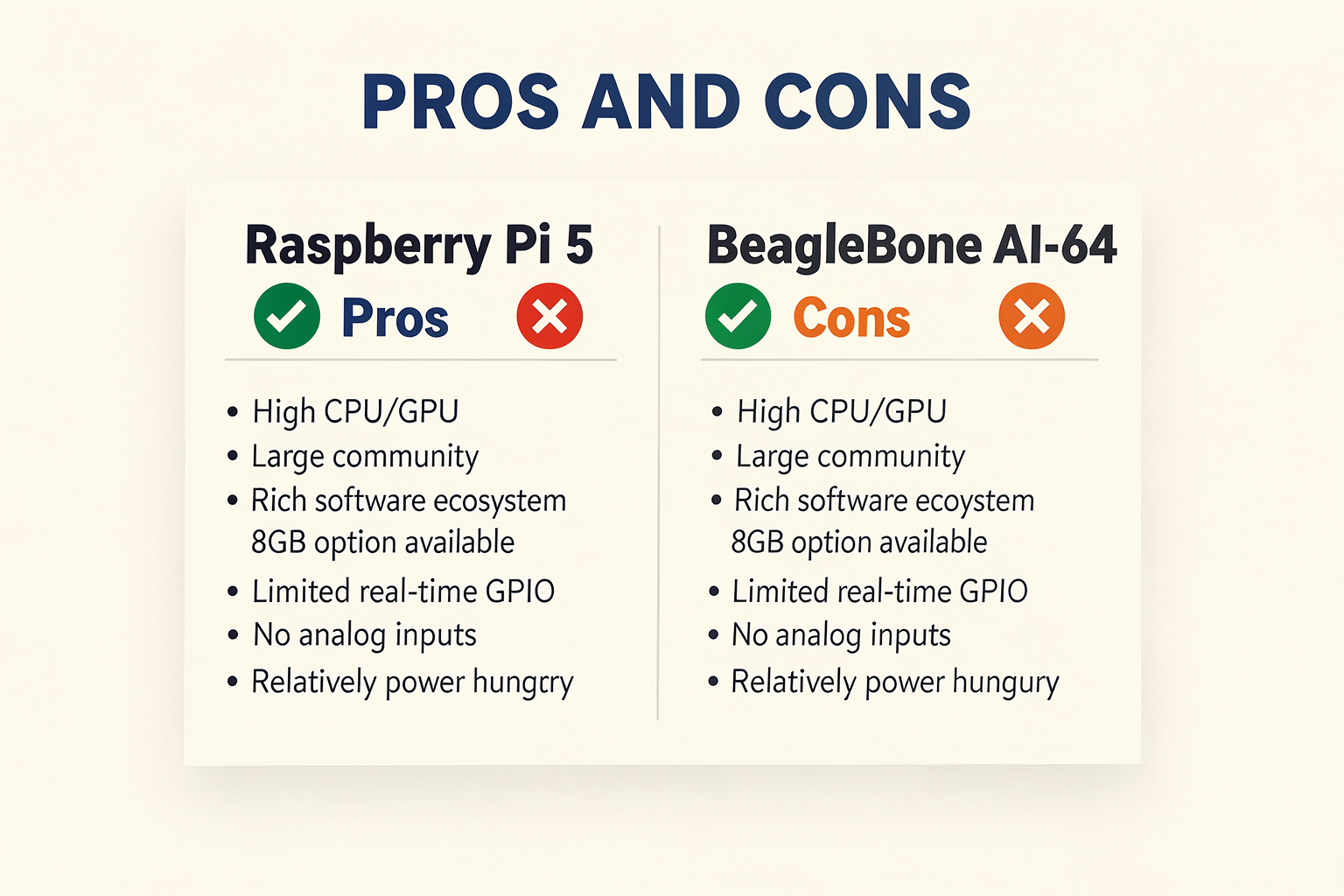
Pros and Cons (TABLE)
To help you decide, here’s a clear side-by-side comparison of the strengths and weaknesses of Raspberry Pi and BeagleBone when used specifically for robotics projects. The table below covers the most critical dimensions: processing power, real-time control, I/O flexibility, community support, power efficiency, and cost.
| Dimension | Raspberry Pi | BeagleBone |
|---|---|---|
| Processing Power | Pro: Up to 1.5 GHz quad‑core (RPi 4/5) with up to 8 GB RAM – excellent for vision, machine learning, and complex algorithms. Con: CPU is shared with OS overhead, limiting deterministic response. | Pro: Adequate for real‑time loops; newer models like BeagleBone AI‑64 offer ARM Cortex‑A72 (1.5 GHz) plus dual PRUs. Con: Often less raw compute than a Raspberry Pi 5 for heavy AI tasks. |
| Real‑Time Control | Con: No built‑in programmable real‑time unit (PRU); relies on soft‑real‑time via RT‑Linux or external microcontrollers (e.g., Arduino). Pro: Can be paired with a coprocessor for time‑critical tasks. | Pro: Two dedicated PRU‑ICSS (Programmable Real‑Time Units) run independently of the main CPU – ideal for servo PWM, sensor reading, and motor control with microsecond precision. |
| I/O & GPIO | Pro: 40‑pin GPIO header with I²C, SPI, UART, and PWM – sufficient for many sensors and actuators. Con: Analog inputs absent (requires external ADC). | Pro: 65 digital GPIO pins, 8 analog inputs (built‑in), 8 PWM outputs, 4 timers, and multiple serial buses – richer for real‑world sensors without extra components. |
| Community & Software | Pro: Largest ecosystem – thousands of tutorials, libraries, camera modules, and ready‑to‑run OS images (Raspberry Pi OS, Ubuntu). Con: Much of the software is aimed at general computing, not real‑time robotics. | Pro: Strong focus on embedded Linux (Debian, Ubuntu), cloud9 IDE pre‑installed, and active industrial/robotics community. Con: Fewer beginner tutorials than Raspberry Pi. |
| Power Consumption | Con: Higher typical power draw (3–5 W for RPi 4/5) – needs a 2.5A‑5V supply; not ideal for battery‑powered mobile robots. Pro: Can be powered via USB‑C (RPi 5). | Pro: Lower power footprint (~2‑3 W for BeagleBone Black) – runs comfortably from a 5V 1A supply or single Li‑Po battery. Con: Some new AI models draw more when adding AI accelerators. |
| Cost (India) | Pro: Widely available from ₹3,000‑₹6,000 (RPi 4/5) – economies of scale reduce price. Con: Frequent shortage cycles can inflate street price. | Pro: BeagleBone Black costs roughly ₹4,000‑₹5,500 – competitive for industrial‑grade features. Con: Less common in Indian local shops; often imported, raising total cost. |
Key Takeaways from the Table
- If your robot needs real‑time control (e.g., balancing, closed‑loop motor regulation, or sensor fusion at kHz rates), BeagleBone’s PRUs give it a clear edge. You can offload time‑critical loops without burdening the Linux kernel.
- If your project relies on high‑resolution camera processing, SLAM, or deep learning inference, Raspberry Pi’s faster CPU and larger RAM (up to 8 GB) are superior – but you’ll need an external microcontroller or RT‑kernel for hard real‑time tasks.
- For sensor‑rich projects – think a rover with six ultrasonic sensors, a camera, IMU, and multiple servos – BeagleBone’s built‑in analog inputs and abundant GPIO reduce the need for add‑on boards.
- Beginner‑friendliness still favours Raspberry Pi because of its massive online community, step‑by‑step video tutorials, and plug‑and‑play accessories like the official camera module. However, BeagleBone has a dedicated following among embedded engineers who appreciate its industrial‑grade I/O.
- Power‑constrained robots (solar‑powered or long‑duration drone missions) will benefit from BeagleBone’s lower typical draw, while Raspberry Pi offers more compute headroom when plugged into a wall or mobile power bank.
Making Your Choice Easier with the Right Components
Whichever board you pick, the quality of peripherals and connections matters. For example, if you choose BeagleBone for its real‑time PRUs, you’ll need reliable motor drivers, level shifters, and sensors that play well with 3.3V logic. Platforms like TecnoMate – India’s marketplace for DIY electronics and engineering project kits – provide genuine components with datasheets, plus ready‑to‑build kits for both Raspberry Pi and BeagleBone projects. This saves you from sourcing incompatible parts from scattered vendors and lets you focus on coding your robot’s behaviour.
In the next section, we’ll dive into power management and real‑world testing – two factors that often tip the scales in a robotics project.
Community and Support: Documentation, Forums, and Third-Party Resources

Official Documentation: Breadth vs Depth
When you hit a wall while building your robot—say, you’re trying to get a PRU (Programmable Real-Time Unit) to control a servo with microsecond precision—you need documentation that goes beyond “hello world”. Both boards offer excellent official documentation, but they cater to different learning curves.
Raspberry Pi provides an extensive official documentation site (raspberrypi.com/documentation) that covers everything from initial setup to advanced hardware interfacing. It includes comprehensive guides on GPIO usage, camera modules, and the Raspberry Pi OS itself. For robotics, you’ll find detailed pages on using the RP1 chip on the Raspberry Pi 5, which includes programmable I/O (PIO) for custom protocols—a feature borrowed from microcontrollers. The documentation is updated frequently, with clear schematics, Python examples, and troubleshooting sections. However, because the Pi is a general-purpose SBC, the documentation often focuses on multimedia and desktop usage first, with robotics examples relegated to community-contributed sections.
BeagleBone, on the other hand, was designed for “more specialized tasks like robotics and embedded systems” (source: robocraze.com). Its official documentation (beagleboard.org/docs) is engineer-centric and dives deep into the AM335x or AM6252 system-on-chip (SoC) datasheets, complete with electrical characteristics, register maps, and timing diagrams. The BeagleBone Black System Reference Manual (SRM) is a 100+ page PDF that covers every pin, cap, and cape connector in excruciating detail. For robotics, the PRU-ICSS (Programmable Real-Time Unit and Industrial Communication Subsystem) documentation is invaluable. It provides C and assembly programming guides for real-time control loops that run at 200 MHz, completely independent of the Linux kernel. This level of depth is why BeagleBone is preferred for low-latency robot control, sensor fusion, and industrial automation (source: researchgate.net).
| Documentation Aspect | Raspberry Pi | BeagleBone |
|---|---|---|
| Official Website | Comprehensive, beginner-friendly, multimedia-focused | Technical, hardware-centric, embedded-focused |
| System Reference Manual | Less detailed; relies on community guides | Detailed SRM with pinouts, registers, and electrical specs |
| PRU/Real-time Support | Limited to RP1 PIO on Pi 5 (still evolving) | Extensive PRU-ICSS documentation with C/assembly examples |
| Robotics-Specific Guides | Separate tutorials from community | Included in official docs (e.g., librobotcontrol) |
Forums and Online Communities: Scale vs Specialization
The size of the community directly affects how quickly you can get an answer to your robotics problem.
Raspberry Pi boasts one of the largest maker communities online. The official Raspberry Pi forum has over 1.2 million posts as of early 2026, with dedicated categories for robotics, GPIO, and project showcases. On Reddit, r/raspberry_pi has over 2 million subscribers, and Stack Overflow tags like raspberry-pi and raspberry-pi3 hold tens of thousands of questions with active responses. For robotics projects, you’ll also find enormous support on Adafruit’s forums, SparkFun’s tutorials, and countless YouTube channels (e.g., Paul McWhorter, ExplainingComputers). The downside? Because the Pi is so popular, forum threads can be noisy with beginner questions, and deep real-time debugging questions often go unanswered for days. As one Quora user noted, “Raspberry Pi is better for quick prototyping with Python, but if you need deterministic timing, you’ll end up digging through kernel configs alone” (source: Quora).
BeagleBone has a smaller, more focused community. The BeagleBoard.org forum has approximately 40,000 active members (as of mid-2025), but the signal-to-noise ratio is much higher. Posts are typically made by embedded engineers, academics, and industrial users. The r/BeagleBone subreddit has about 25,000 subscribers—tiny compared to Raspberry Pi, but discussions are technical and detailed. For robotics, the BeagleBone Robotics group on the BeagleBoard forum is a goldmine, with threads on using ROS 2 with BeagleBone AI-64, integrating LiDAR with PRU, and setting up real-time motor control with librobotcontrol. If you post a question about PRU interrupts, you’ll likely get a response from one of the lead developers at Texas Instruments within 48 hours. That kind of access is rare in the Raspberry Pi ecosystem.
Key Community Statistics (Estimated, 2026):
| Metric | Raspberry Pi | BeagleBone |
|---|---|---|
| Official Forum Posts | ~1.2 million | ~150,000 |
| Reddit Subscribers | 2+ million | ~25,000 |
| Stack Overflow Tags | ~50,000 questions | ~5,000 questions |
| Average Response Time | 2–4 hours (basic) | 12–24 hours (detailed) |
| Robotics-specific forums | Separate (e.g., PiBorg, adafruit) | Integrated (BeagleBoard robotics group) |
Third-Party Resources: Libraries, Kits, and Tutorials
This is where the TecnoMate ecosystem comes into play. For Indian makers, having access to tested project kits with step-by-step build guides is a game-changer, especially when you’re new to robotics.
Raspberry Pi benefits from a vast network of third-party libraries and kits. For robotics, libraries like pigpio (for precise PWM and servo control), RPi.GPIO (simple digital I/O), and Adafruit_CircuitPython are mature and well-documented. You can find ready-to-build robot chassis kits on platforms like TecnoMate that include a Raspberry Pi-compatible motor driver, ultrasonic sensors, and a camera module—often with pre-written Python scripts and wiring diagrams. However, because the Pi runs a full Linux OS, many third-party libraries require careful dependencies management, and real-time control libraries (like RPIO) are no longer actively maintained.
BeagleBone has fewer third-party libraries, but those that exist are robust and tailored for embedded control. librobotcontrol is a C library maintained by the BeagleBoard.org Foundation, providing high-level functions for quadrature encoders, stepper motors, and PRU-based closed-loop control. Adafruit_BeagleBone_GPIO (BBIO) is a Python library that mimics RPi.GPIO syntax, making migration easy for Pi users. For robotics, companies like Sterling Systems and PocketBeagle offer cape-compatible motor drivers and sensor boards. On TecnoMate, you can find BeagleBone-specific project kits for line-following robots with PID tuning and autonomous rovers using ROS 2, complete with datasheets and build guides. The advantage? You don’t need to hunt for compatible parts—everything in the kit is guaranteed to work with the BeagleBone pinout and PRU capabilities.
TecnoMate bridges the gap for Indian students and hobbyists by curating components that match the board’s strengths. Whether you choose Raspberry Pi or BeagleBone, TecnoMate offers free all-India delivery on orders above ₹999 and provides datasheets for every component, so you can verify specs before assembling. This is especially valuable for BeagleBone users, because incorrect cape stacking or voltage levels can damage the board—having a pre-validated kit eliminates that risk.
Which Board Has Better Community Support for Robotics?
If you value sheer volume of tutorials, cheap project kits, and rapid prototyping with Python, Raspberry Pi’s community is unmatched. You’ll find a solution to 90% of common robotics problems within an hour of searching. For Indian beginners, this is often the preferred choice because local online groups (like Arduino India and Raspberry Pi India on WhatsApp) have thousands of members sharing tips in Hindi and English.
But if your robot requires deterministic control, industrial reliability, or access to real-time documentation, BeagleBone’s community—though smaller—delivers deeper, more accurate answers. The official BeagleBoard.org forum often includes code snippets from the actual firmware developers. For advanced robotics projects like autonomous drones with ESC control or multi-axis robotic arms requiring synchronized joint movement, the PRU documentation and librobotcontrol examples are impossible to find on Raspberry Pi.
Bottom line: Use Raspberry Pi for educational robotics and proof-of-concept builds where internet search volume matters. Use BeagleBone for production-ready robotics and real-time applications where documentation depth and expert community access are critical.
Pro tip: Platforms like TecnoMate offer project kits for both boards, along with step-by-step build guides that incorporate tips from these communities—saving you hours of forum digging. Visit TecnoMate to explore ready-to-build kits tailored for Indian robotics makers.
Real-World Examples: Robotics Projects Using Each Board
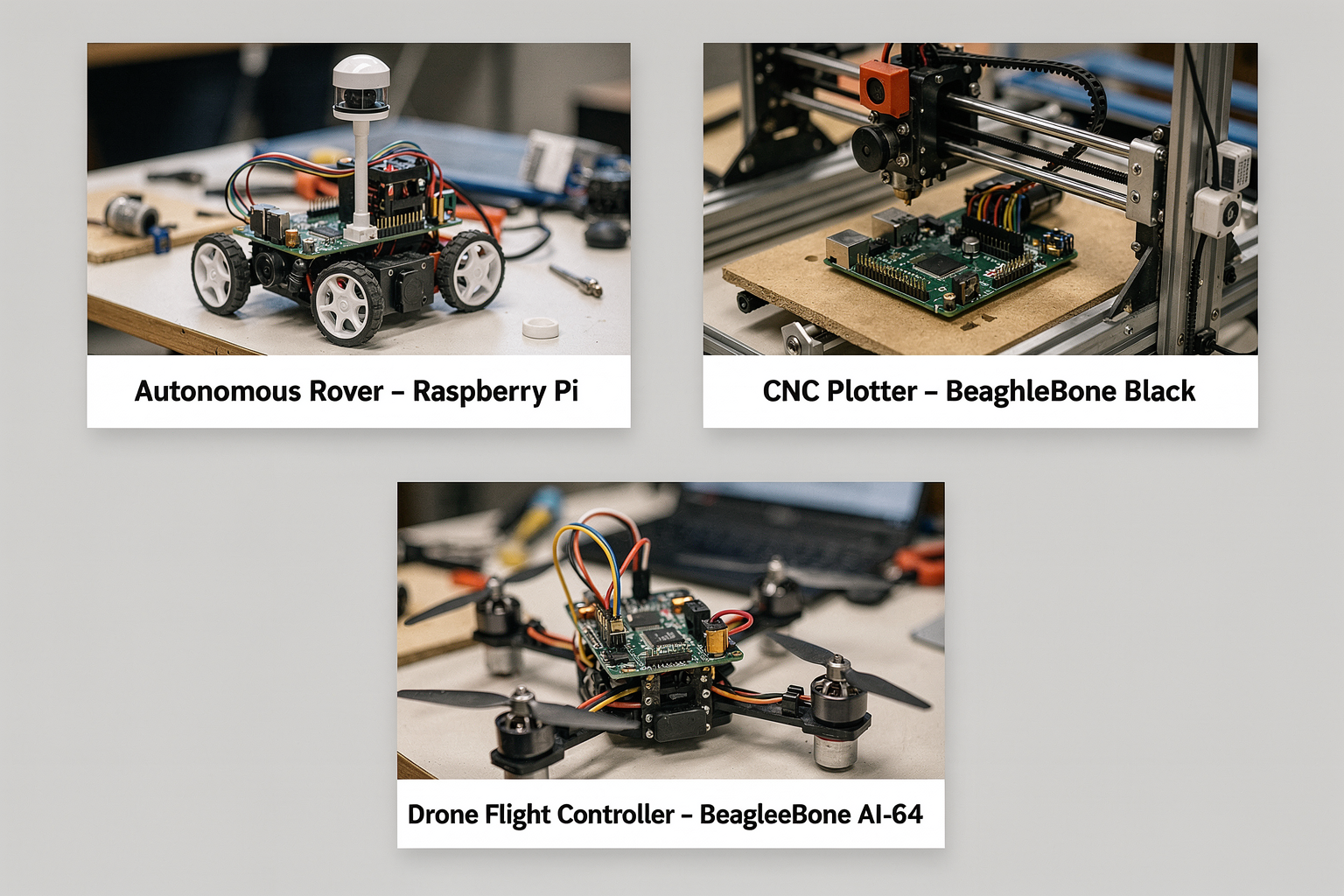
Real-World Examples: Robotics Projects Using Each Board
Theory and specs are essential, but the real test of any single-board computer lies in the projects it powers. Below, we walk through concrete robotics applications where the Raspberry Pi and BeagleBone each shine—highlighting why engineers and makers choose one over the other for specific tasks.
Raspberry Pi Robotics Projects: Where Vision Meets Versatility
The Raspberry Pi’s strength lies in its multimedia capabilities, high-level processing, and vast software ecosystem. These traits make it ideal for vision-based robots and Internet-connected interactive systems.
1. AI-Powered Mobile Robot (RPi 4 / RPi 5)
Imagine a robot that can follow a person, avoid obstacles, and recognise faces—all using a single Raspberry Pi 4 (1.5 GHz, up to 8 GB RAM) . Projects like the “Pi Car” or “GoPiGo” commonly mount a Raspberry Pi Camera Module alongside an ultrasonic sensor or LIDAR. The Pi runs OpenCV for real-time face detection or object tracking. With its GPU and multicore CPU, the Pi processes video frames at 30+ FPS. The operating system (Raspberry Pi OS) supports Python, TensorFlow Lite, and ROS (Robot Operating System) for high-level navigation.
2. Telepresence Robot
Using a Raspberry Pi 4 with a USB microphone, speaker, and motor driver board (e.g., L298N), hobbyists have built telepresence bots that stream live video over Wi‑Fi. The Pi’s HDMI output drives a small screen to show the remote user’s face, while two DC motors provide skid-steer drive. WebRTC or MJPEG streaming makes it possible to control the bot from a smartphone anywhere. Because the Pi runs a full Linux distribution, you can install Node-RED or Flask to create a web-based control dashboard—something much harder on a pure microcontroller.
3. Home Automation / IoT Robot
The Raspberry Pi Zero 2 W (1 GHz quad-core, 512 MB RAM) is often used in lightweight domestic robots. Example: a plant‑watering robot with a soil moisture sensor and a pump. The Pi logs data to Google Sheets and triggers a relay when moisture drops below a threshold. Its built-in Wi‑Fi and Bluetooth let you control everything via a mobile app. The Pi’s general-purpose I/O (GPIO) is sufficient for handling a few sensors, and the community has countless tutorials for such automation tasks.
Why Raspberry Pi for these projects?
- Multimedia focus: The Pi Camera Module and GPU excel at computer vision.
- Software maturity: ROS (Robot Operating System) packages, OpenCV, and ML frameworks are readily available.
- Ease of networking: Wi‑Fi and Bluetooth are built-in on most models, simplifying remote control.
- Huge community: Thousands of step‑by‑step guides (and kits) exist—making it the go‑to for beginners.
You can source a complete vision‑robot kit—including a Raspberry Pi 4, camera, motors, and chassis—from platforms like TecnoMate, which ships genuine components with datasheets across India.
BeagleBone Robotics Projects: Precision, Real‑Time Control, and Industrial Automation
The BeagleBone family—especially the BeagleBone Black and the BeagleBone AI‑64—is designed for real‑time control and industrial‑grade interfacing. Its Programmable Real‑Time Unit (PRU) microcontrollers allow deterministic, low‑latency I/O, which is critical for high‑speed motor control, sensor fusion, and factory automation.
1. Multi‑Axis Robot Arm for Precision Assembly
A BeagleBone Black driving a 6‑axis robot arm (using stepper motors or servos) is a classic demonstration. The PRU handles the PWM signals to each joint with microsecond timing, while the main ARM processor runs kinematics calculations (e.g., trajectory planning using the Robot Operating System). Because the BeagleBone exposes 65 GPIO pins (compared to ~26 on a typical Raspberry Pi), you can connect multiple encoders, limit switches, and motor drivers without sacrificing performance.
2. Autonomous Ground Vehicle (AGV) for Industrial Inspection
An AGV that must navigate a warehouse with precise wheel odometry and sensor fusion benefits greatly from the BeagleBone’s real‑time capabilities. The BeagleBone AI‑64 (64‑bit quad‑core, 4 TOPS neural network accelerator) can run lightweight object‑detection models on its built‑in AI core while using the PRU to synchronise four motor controllers and read six ultrasonic sensors simultaneously. Unlike a Raspberry Pi, the BeagleBone can guarantee a 10 kHz control loop without jitter—essential for collision avoidance at high speeds.
3. High‑Speed Data Logging for Research Robots
Researchers often use the BeagleBone Black to log data from multiple I²C and SPI sensors (e.g., IMUs, magnetometers, barometers) at rates above 1000 samples per second. The PRU can read the sensor bus directly and store data in shared memory, freeing the main CPU to run filtering algorithms. This architecture is ideal for quadcopter flight controllers or robotics research where timing accuracy is non‑negotiable (as noted in ResearchGate discussions).
Why BeagleBone for these projects?
- Real‑time control: The PRU handles time‑critical tasks (PWM, encoder counts) with zero OS overhead.
- Rich industrial I/O: 2×46‑pin headers, CAN bus, and multiple UARTs/I²C/SPI interfaces.
- Built for embedded systems: The BeagleBone runs Debian Linux but boots in seconds and consumes less power than a Raspberry Pi 4 under load.
- AI‑optimised: The BeagleBone AI‑64 includes a dedicated neural‑network accelerator, perfect for on‑device inference in robotics.
If you’re building a precision robot arm or an industrial automation system, TecnoMate offers BeagleBone‑friendly kits with genuine PRU‑compatible sensors and motor drivers, delivered free across India.
Side‑by‑Side Summary of Project Strengths
| Project Type | Ideal Board | Why |
|---|---|---|
| Computer vision / face‑tracking robot | Raspberry Pi 4/5 | GPU, camera support, OpenCV |
| Telepresence / streaming robot | Raspberry Pi 4 | Built‑in Wi‑Fi, HDMI, big community |
| Multi‑axis robot arm (stepper/servo) | BeagleBone Black | PRU for precise PWM timing |
| Industrial AGV / inspection robot | BeagleBone AI‑64 | Real‑time sensors + AI accelerator |
| Home automation / simple IoT bot | Raspberry Pi Zero 2 W | Low cost, wireless, easy Python |
| High‑speed data logging / research | BeagleBone Black | PRU‑driven sensor reading |
| ROS‑based autonomous navigation | Either | Both run ROS, but Pi has more tutorials; BB provides lower latency |
How to Choose Based on Your Project
A single‑board computer is a tool—pick the one that fits your project’s critical requirements:
- If your robot relies on camera input, voice control, or a GUI, lean toward Raspberry Pi. The ecosystem for multimedia and AI inference is unmatched.
- If your robot must respond to sensor input within microseconds (e.g., balancing a inverted pendulum, controlling brushless motors for a drone), the BeagleBone’s PRU is invaluable.
- If you’re a student or hobbyist in India starting your first robotics project, the Raspberry Pi offers the gentlest learning curve with the most ready‑to‑build kits. Once you outgrow it, the BeagleBone opens doors to professional‑grade automation.
Ultimately, the best board is the one that aligns with your performance, timing, and ecosystem needs. Both Raspberry Pi and BeagleBone have vibrant communities—and platforms like TecnoMate make it easy to get genuine components for either path.
Frequently Asked Questions
The BeagleBone is better for real-time motor control thanks to its built-in Programmable Real-Time Units (PRUs) — two independent 32-bit microcontrollers that run at 200 MH
Ready to start building?
Explore our collection of DIY kits and components. All project components mentioned in this blog are available in our store.
Browse All Projects